
A familiar situation: you come to work in the morning, and something strange is happening in the network. Some “rogue” device has sneaked into the subnet, or a web server stopped listening on port 443 after an update.
Or maybe you just want to know what your servers are breathing and whether it’s time to update the software before the bad guys do it for you. For all this, there is Nmap - a real Swiss army knife for network reconnaissance.
🖐️Hey!
Subscribe to our Telegram channel @r4ven_me📱, so you don’t miss new posts on the website 😉. If you have questions or just want to chat about the topic, feel free to join the Raven chat at @r4ven_me_chat🧐.
Introduction
Nmap (Network Mapper) - a utility for network scanning and security analysis, originally developed by Gordon Lyon (known under the pseudonym Fyodor) and first released in September 1997 as an article and source code in the Phrack magazine. Initially, nmap was a simple port scanning tool for Linux, but over time it has evolved into a cross-platform open-source project that supports different platforms.
Today, nmap is one of the most common tools in the arsenal of system administrators and information security specialists.
What Nmap shows
- which devices are actually in your network (and why there are more of them than you thought);
- which ports are open on each host (i.e., where your “doors” are not locked);
- which services are running on these ports, and if this is an ancient OpenSSH 3.0 - urgently plan an update;
- the operating system of the remote host (maybe there’s Windows XP, which has long since asked to retire).
All this is done from the terminal, quickly and without unnecessary noise.
Why you need this as a specialist
If you are an admin, I think I don’t need to explain, but just in case:
- Network inventory. You will be surprised how much is actually hanging around in your local network. Especially in companies where “everything is supposedly recorded”.
- Searching for unauthorized devices. Someone plugged their router into an outlet in the next office? Nmap will expose it.
- Checking service availability. After deployment or server restart - quickly verify that the required ports are open and listening.
- Problem diagnosis. If a host doesn’t respond to ping, but is physically on the network - Nmap will help you understand what’s going on.
- Security checks. Open ports are a potential attack vector. Informed - means armed.
❗️ Caution
You cannot scan foreign networks without permission. It’s not just “wrong”, it’s a felony. Criminal, administrative - it depends on the jurisdiction, but in any case, it won’t be fun. Work only with your own networks or those where you have written permission. Everything else is exclusively your responsibility.
Installing Nmap
On Linux (Ubuntu/Debian) it installs in two commands:
sudo apt update
sudo apt install nmapCheck:
nmap --versionVersion is in place - excellent, let’s work.
Working with Nmap
First scan: let’s see who’s in the network
Take your local subnet. Usually it’s 192.168.1.0/24 or 192.168.0.0/24. Let’s run:
nmap 192.168.1.0/24Nmap will poll all subnet addresses and show who responded. The output will look something like this:
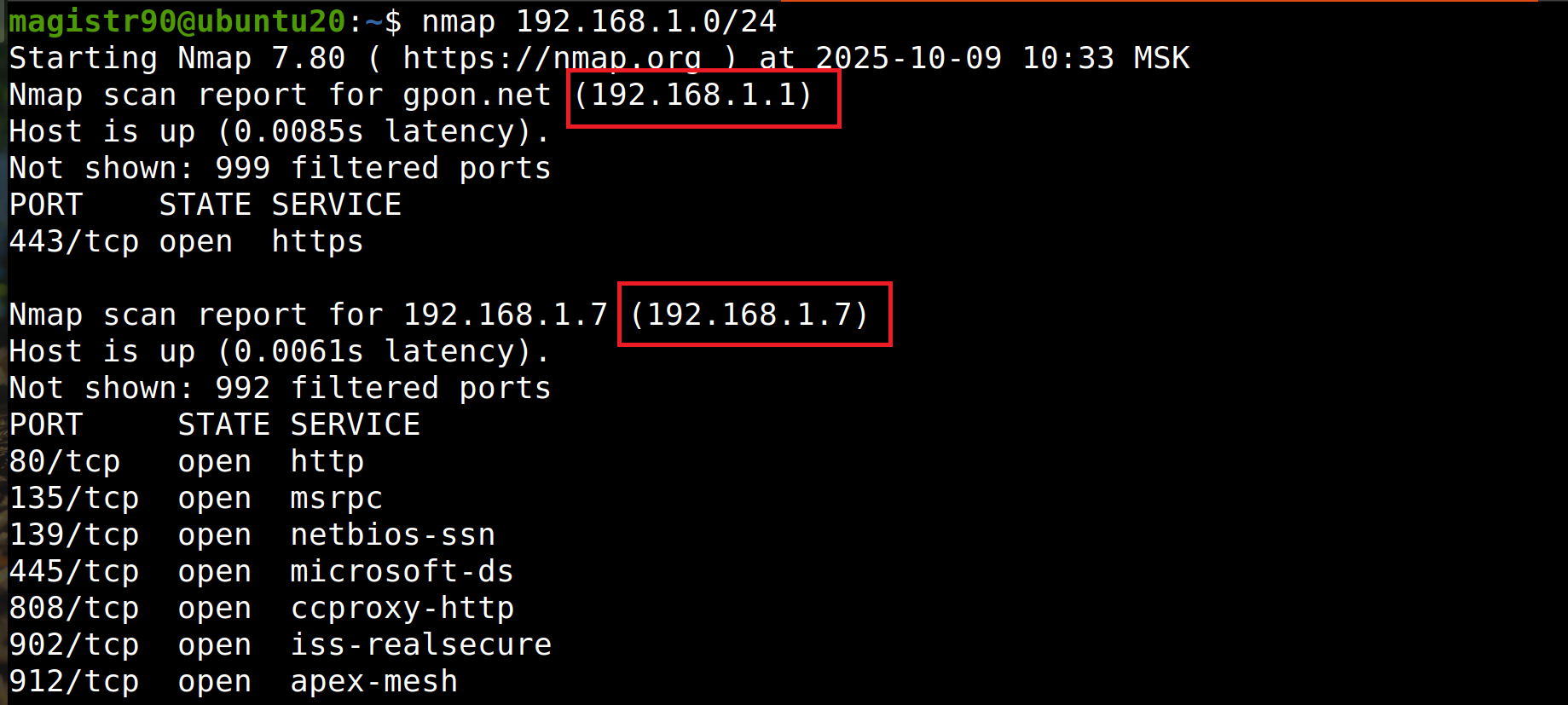
That’s the whole picture.
Quick scan of a single host
You don’t always need to run through all 65535 ports. Sometimes a quick look at the top 100 is enough. For this - the key -F:
nmap -F 192.168.1.7We save time and don’t strain the network unnecessarily.
Full analysis: “know-it-all” mode
If you need maximum information about a device - use -A. It includes OS detection, service version detection, and runs standard security scripts.
nmap -A 192.168.1.7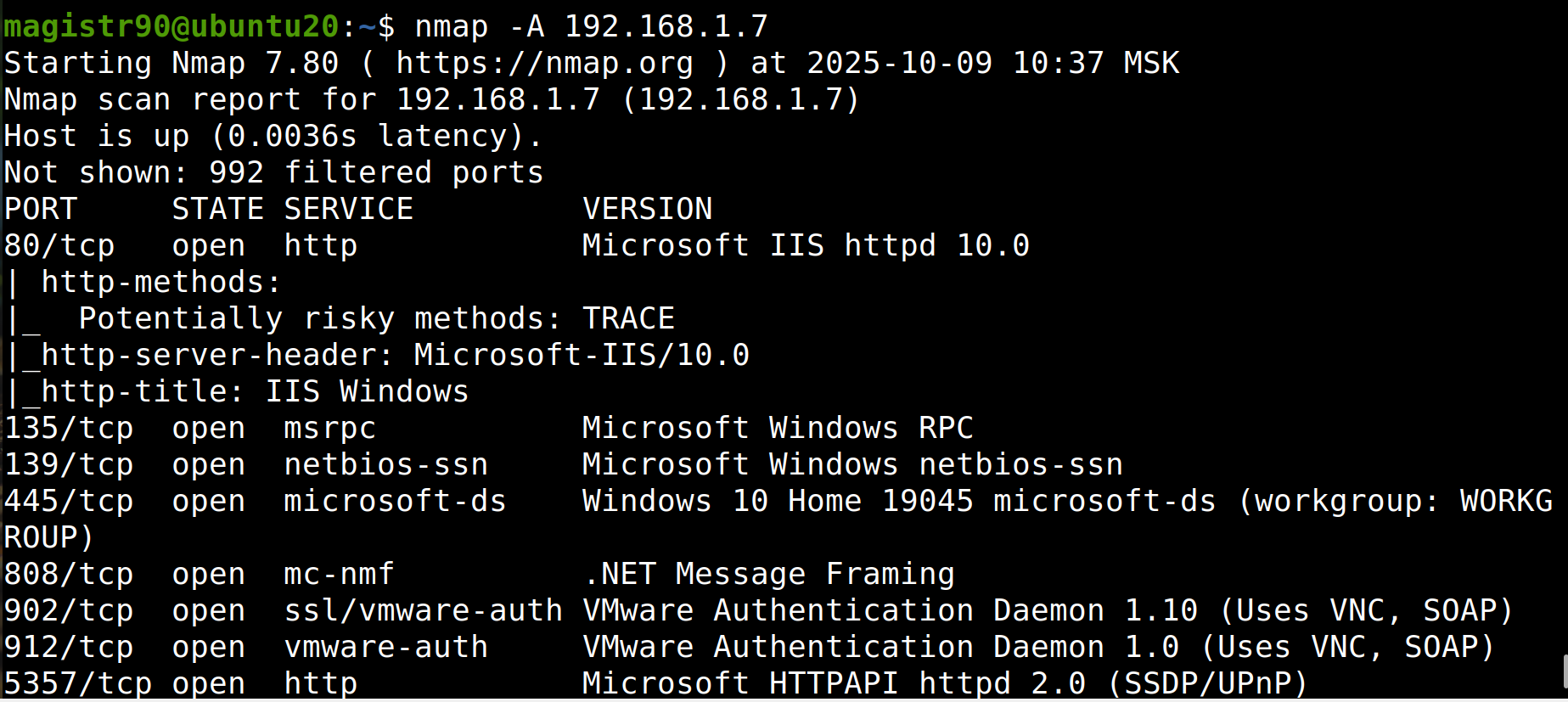
- Minus: scanning is more noticeable and takes longer.
- Plus: you get the full picture. Use on your own servers - the best option.
Scanning specific ports
When you know exactly which ports you’re interested in (for example, 22, 80, 443), just list them:
nmap -p 22,80,443 192.168.1.7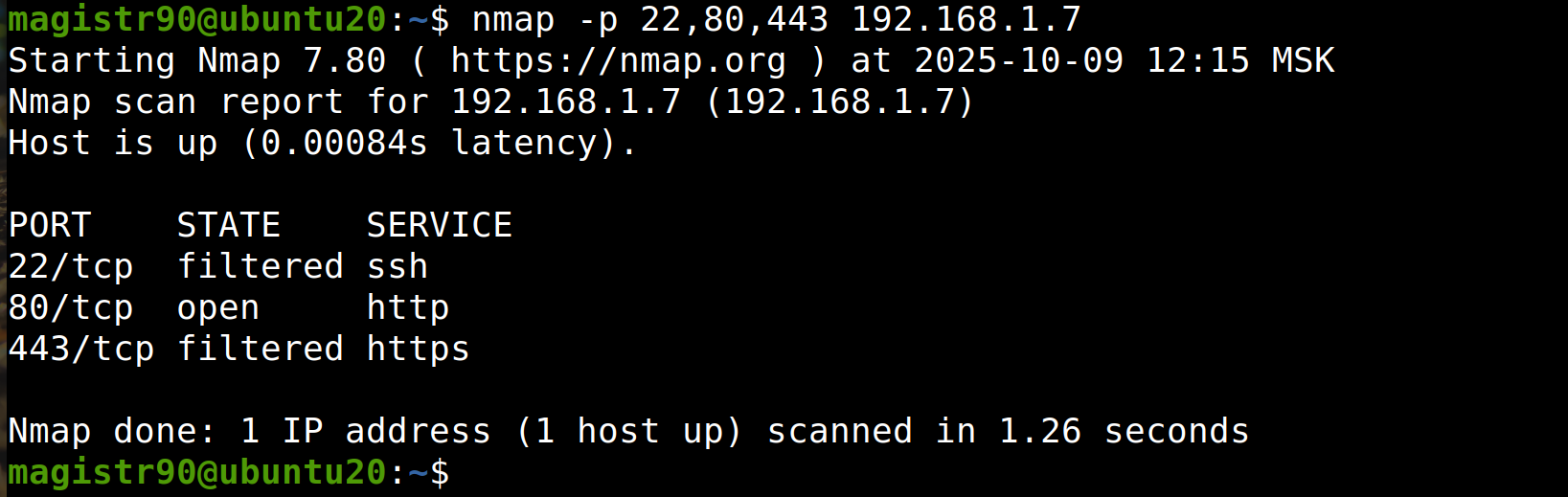
Useful after changing configuration - quickly check if the services are alive.
Operating system detection
OS detection requires root privileges:
sudo nmap -sS -O 192.168.1.0/24-sS- SYN scan (more stealthy),-O- operating system detection.
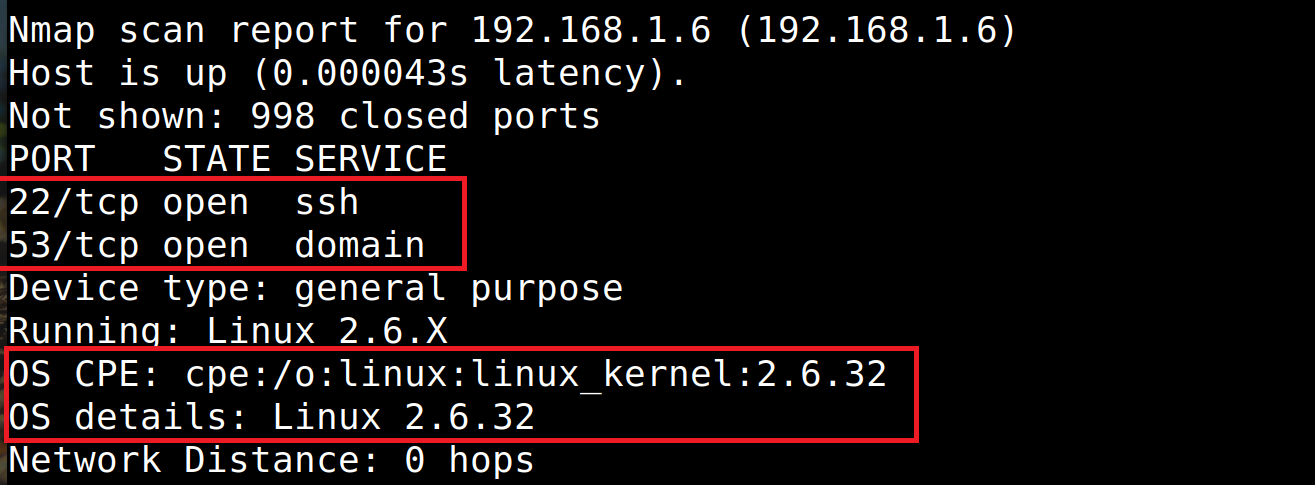
In the results you will see assumptions like Linux 2.6.32 or Windows 10. An old OS is a reason to think about update policy.
Scan speed: don’t push the horses
Keys -T0 - -T5 control the intensity:
-T0- very slow, for maximum stealth. Rarely used, mainly for advanced operations.-T3- standard speed. A good choice for most tasks.-T5- maximum speed. Fast, but easy to get false results or crash weak hardware. I wouldn’t recommend pushing it on production servers.
For everyday work, -T4 is enough:
nmap -T4 192.168.1.6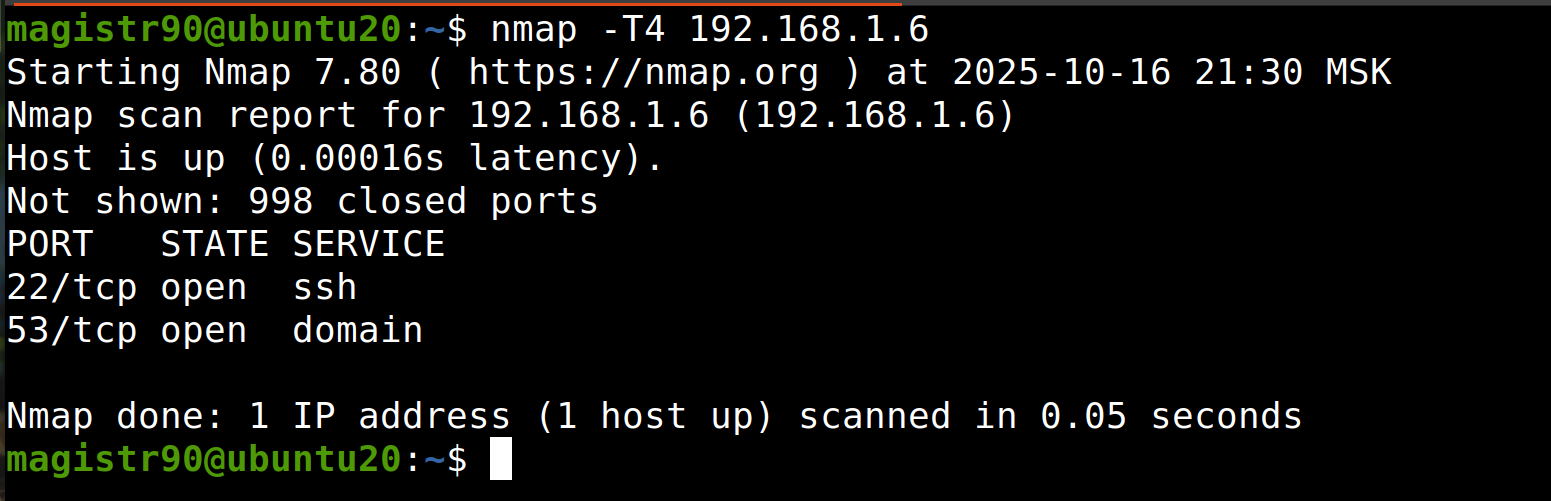
Service version detection
The -sV key shows what exactly program is listening on the port. Instead of http you will see nginx 1.18.0 or OpenSSH 8.9. This is critical for risk assessment: outdated software is known vulnerabilities.
nmap -sV 192.168.1.6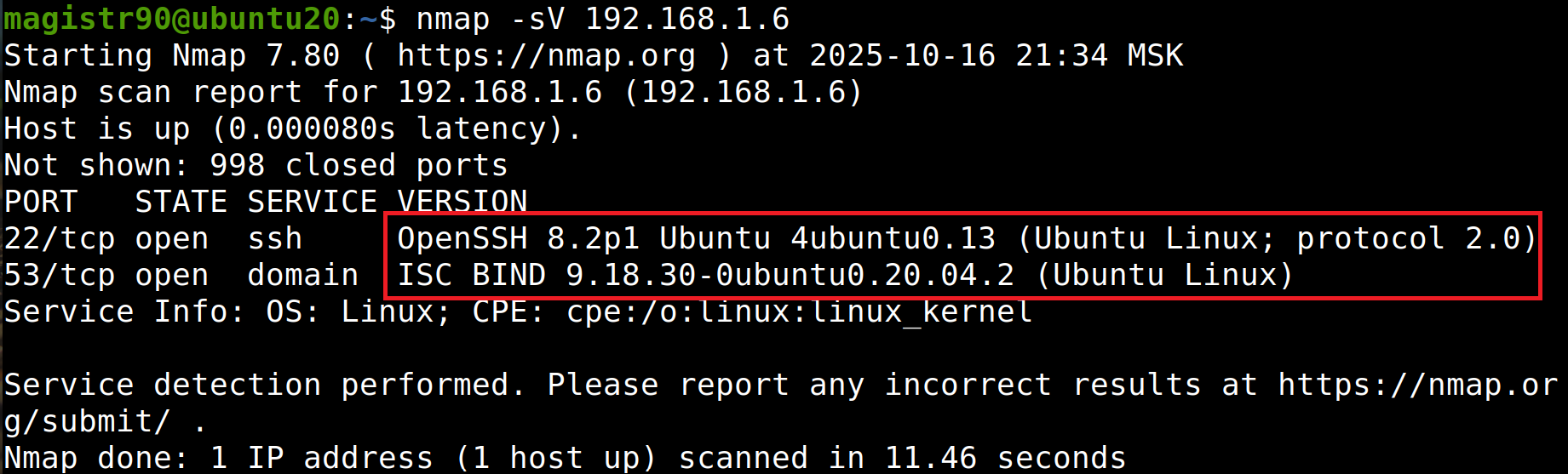
If the host is “silent” on ping: the -Pn key
It happens that a device or firewall ignores ICMP requests. Nmap might think the host is inactive and skip it. In such cases, use -Pn - Nmap immediately begins scanning, skipping the availability check:
nmap -Pn 192.168.1.1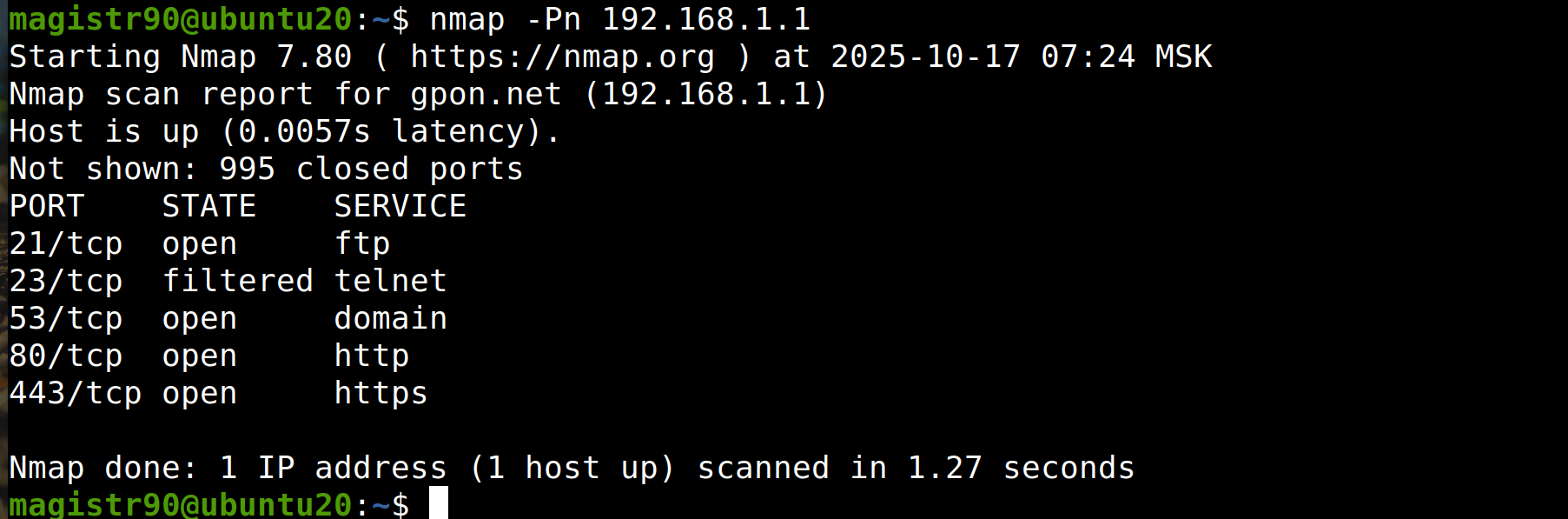
Saving results
To save a report use -oN (text file):
nmap -oN output.txt 192.168.1.1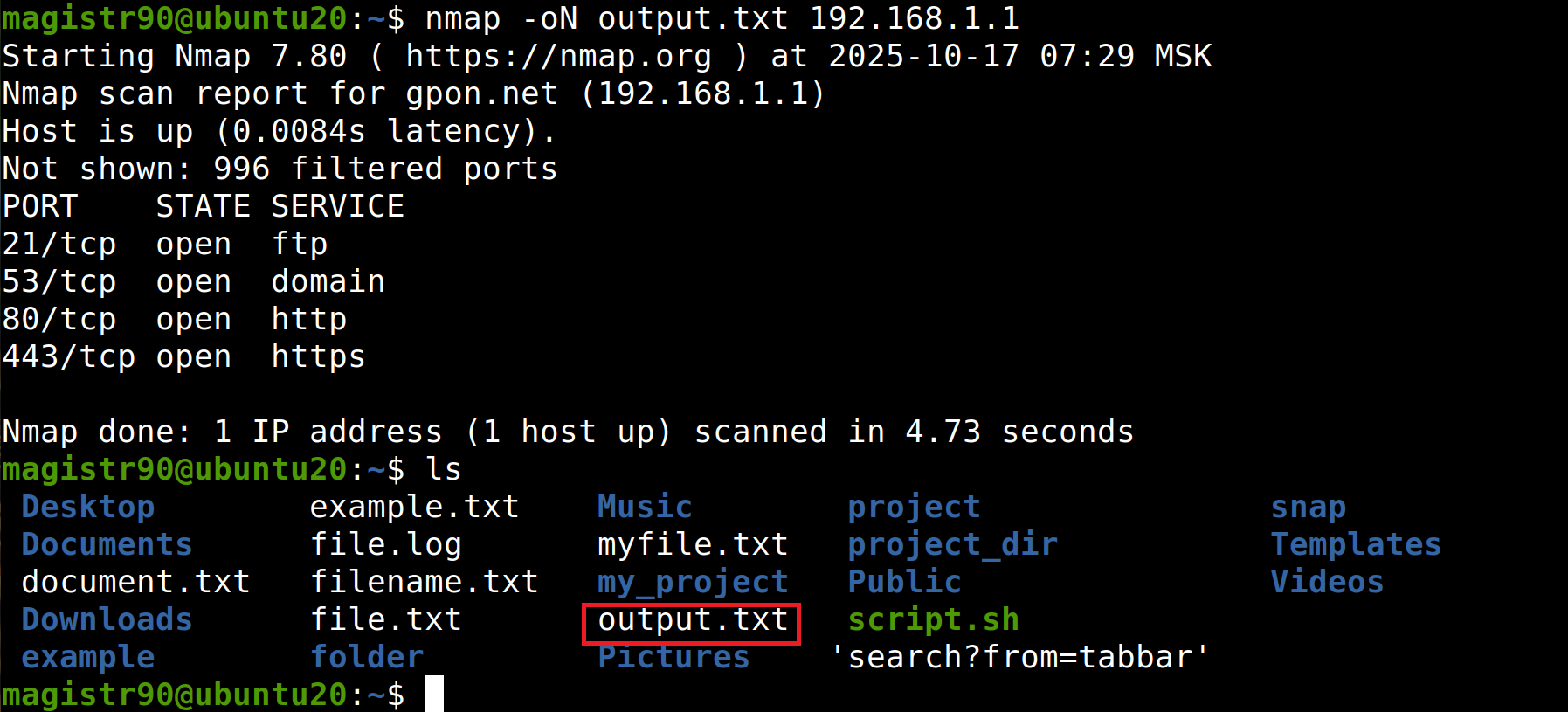
Or -oX for XML - convenient for automation and parsing.
Quick reference for keys
Save the table so you don’t have to keep it all in your head:
| Key | Description |
|---|---|
-sS | SYN scan (stealth mode). Requires root. |
-sT | Full TCP connection. Works without root. |
-sV | Service version detection. |
-O | Operating system detection. |
-sC | Running standard NSE scripts (vulnerability checks). |
-A | Advanced mode: -sV + -O + -sC. |
-Pn | Skip host availability check (if it doesn’t respond to ping). |
-p 80,443 | Scan only specified ports. |
-p- | Scan all 65535 ports. |
-F | Fast scan (only 100 popular ports). |
-T0..-T5 | Speed level: from 0 (very slow) to 5 (aggressive). |
-oN file.txt | Save result to text file. |
-oX file.xml | Save result to XML. |
-v | Verbose output. |
--open | Show only open ports. |
--top-ports 100 | Scan a specified number of most popular ports. |
Complex command (all in one)
Let’s put it all together. Let’s say you need to quickly and thoroughly scan a host:
sudo nmap -T4 -sV -O -Pn -oN results.txt 192.168.1.1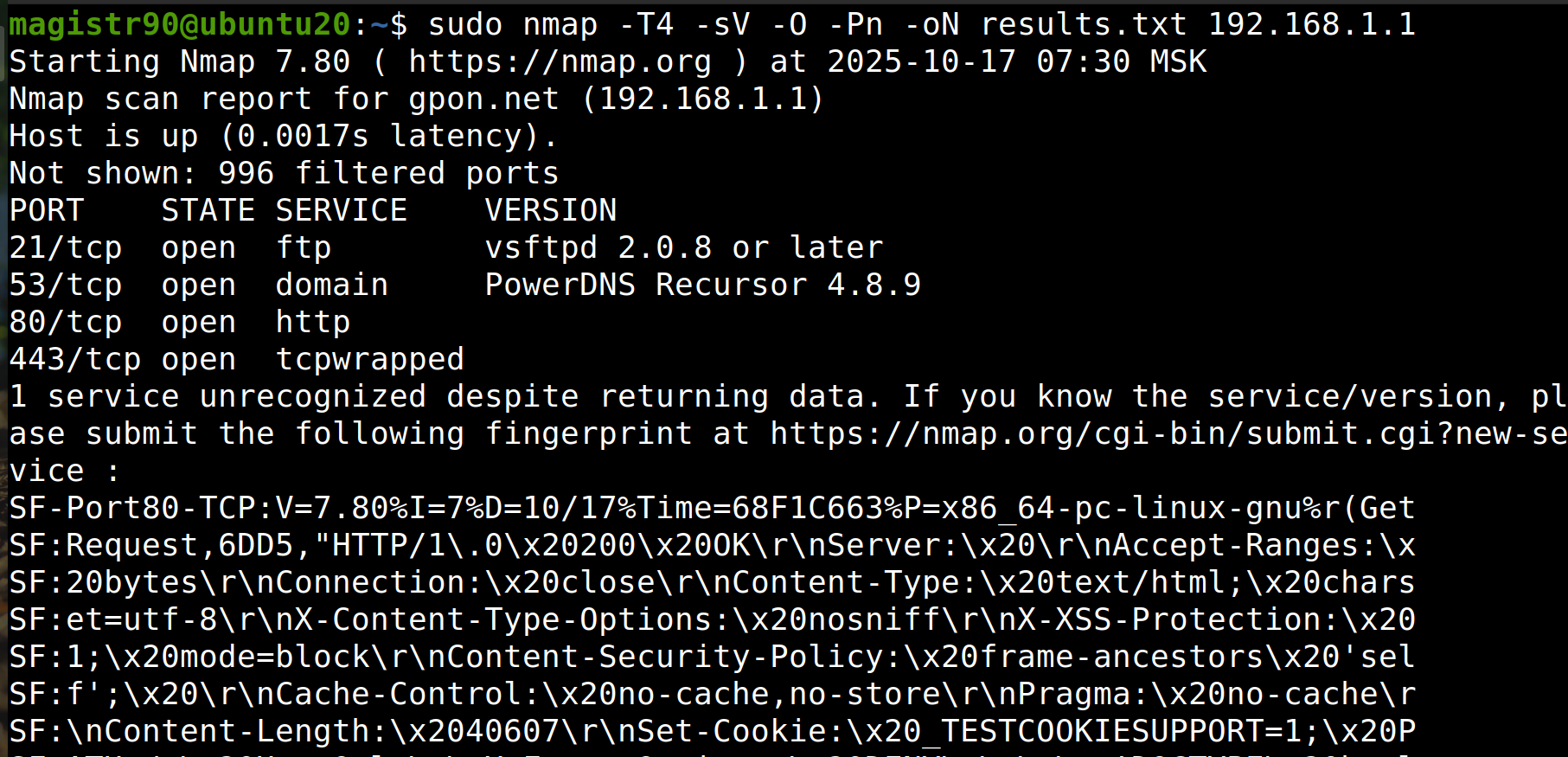
Breakdown:
-T4- moderate speed;-sV- service version detection;-O- attempt to detect OS;-Pn- disable ping check;-oN results.txt- save result to file.
You get the full picture and don’t lose data.
A couple of tips
- Start with simple scans, then move to deep ones. Don’t run
-Aacross the entire subnet at once - you might click up some problems. - Don’t overuse
-T5on production servers - it can lead to packet loss and incorrect conclusions. - Regularly scan your network - this is the best way to detect a problem early, rather than deal with an incident later.
Nmap is an indispensable tool in any administrator’s toolkit. It helps you keep your finger on the pulse of your network, find problems, and prevent attacks. The main thing is to use it wisely and within the law.
If you like these kinds of manuals, I publish short versions on Linux and system administration in my Telegram channel Linux for Admins and DevOps. I’ll be glad to see colleagues in my channel, come join!
👨💻And…
Don’t forget about our Telegram channel 📱 and chat
Or maybe you want to become a co-author? Then click here🔗
💬 All the best ✌️
That should be it. If not, check the logs 🙂

Comments