Basic Nftables configuration in Linux with a Bash script
Automating nftables configuration in Linux with a universal Bash script using a basic rule set for filtering network traffic.

All posts under tag "Guide"
Automating nftables configuration in Linux with a universal Bash script using a basic rule set for filtering network traffic.

In this guide, I will explain how to set up your own website using the Hugo static site generator. I will also show how to create content with Obsidian and publish it automatically via CI/CD👨💻.

In this short guide, I will explain how to configure name resolution (DNS) over the encrypted HTTPS protocol, also known as DNS over HTTPS (DoH), on a router running OpenWrt.
In this article we will configure OpenWrt to connect to an OpenConnect server (ocserv) and set up flexible routing: all traffic, only specific domains, or specific IP subnets.
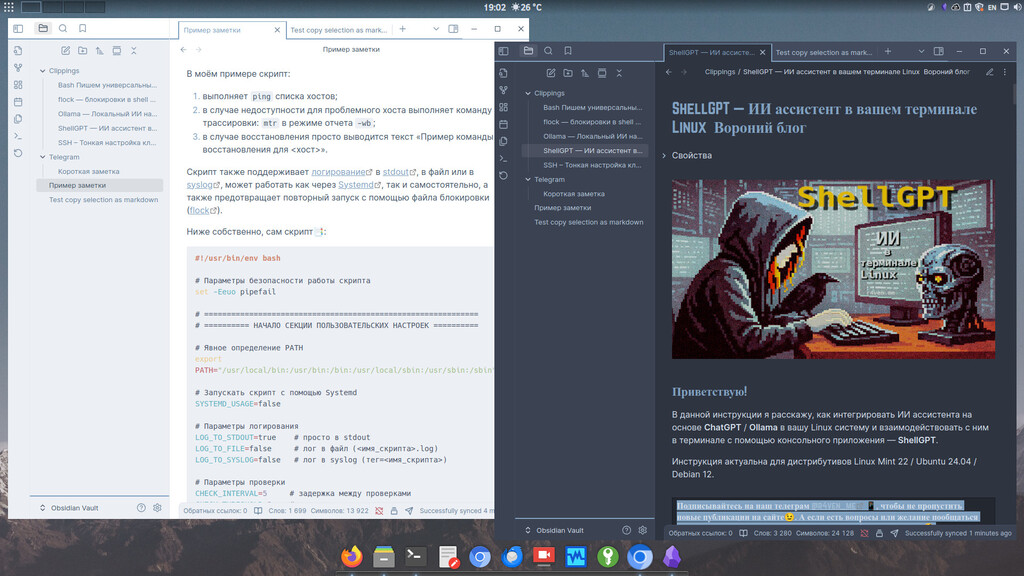
In this note I'll talk about an application for keeping and structuring notes — Obsidian. We'll install and configure it, connect several plugins: for quickly saving pages from the browser and Telegram posts. We'll also set up cloud sync, so notes are available on all your devices.

In this guide I'll explain how to integrate an AI assistant based on ChatGPT/Gemini/Ollama into your Linux system and interact with it in the terminal using a console application — ShellGPT.

An article about how to easily install and run local Open Source AI🤖 models using Ollama🦙 on a PC running Linux🐧.

Continuing the topic of using SSH in Linux🐧. Today we'll talk about fine-tuning the client using the ~/.ssh/config📄 configuration file, as well as automatic key import into ssh-agent😎 without entering passwords.
In this article we will build our own Docker image with a modern DNS server — Unbound. We'll take a detailed look at the Dockerfile, as well as my script for preparing the container environment.
Enter keywords to search articles