A Little About Shebang in Linux
Shebang is the #! sequence at the beginning of an executable file that tells the system which program should interpret this script📝.

All posts under tag "Bash"
Shebang is the #! sequence at the beginning of an executable file that tells the system which program should interpret this script📝.
I will tell you about a task I solved the other day🧑💻 I slightly changed the input data, but the essence remains the same. There are two CSV files: 📄ping_status.csv contains diagnostic information about host availability by ping.
When testing the host availability check script I mentioned last time, I encountered an interesting Bash feature when performing arithmetic operations💪.
Today we'll write a useful Bash script🧑💻 that performs various host availability checks on the network🌐. As an example, I'll show how to check connectivity using the `ping` utility🏓 and run a traceroute when it's lost⚡.
In this note, we will talk about file locks in Bash scripts🔒 using the specialized utility flock.

Continuing the topic of using SSH in Linux🐧. Today we'll talk about fine-tuning the client using the ~/.ssh/config📄 configuration file, as well as automatic key import into ssh-agent😎 without entering passwords.
Many users of Linux🐧 systems face the need to write the output of a particular command/script to a log file📑. In this article we will look at several ways to configure journaling (aka logging) in Linux using the popular command shell — Bash, as an example.
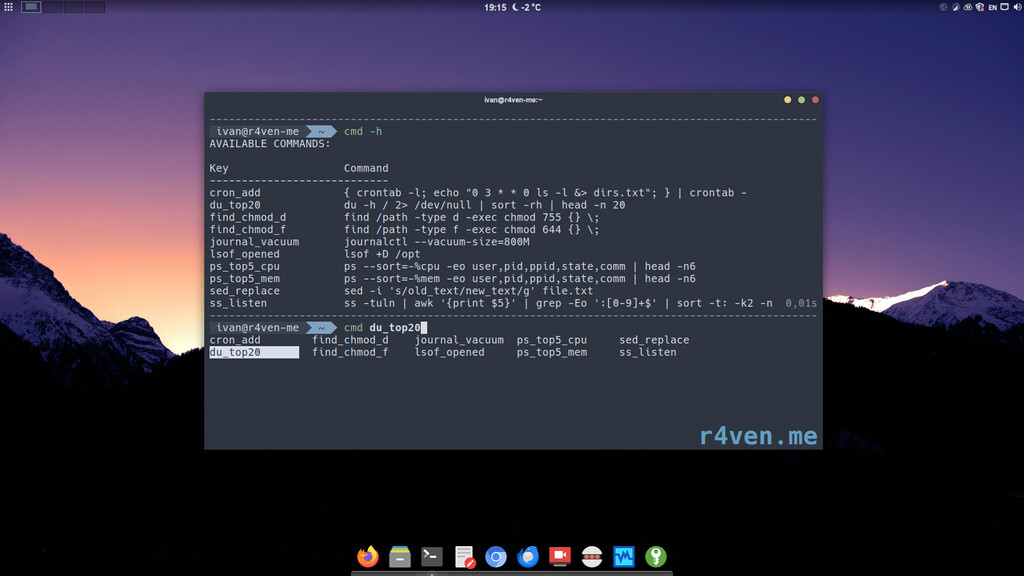
In this article we will create a function for the Zsh and Bash shells that allows quick and convenient access to a prepared list of complex, long, and hard-to-remember commands🤯.

Today we'll write and try out a simple but well-thought-out bash script that performs a client connection to an OpenConnect VPN server, which we covered setting up and running in one of the previous articles.
Enter keywords to search articles