
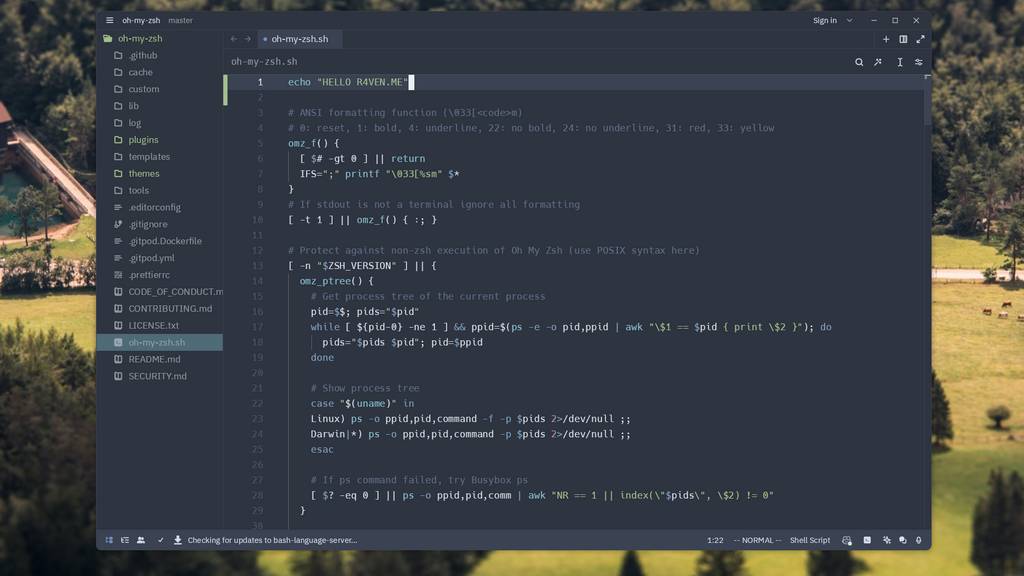
Just the other day, a Linux build of the modern code editor Zed, written in the Rust language, was released. This editor is notable for being developed by the creators of the Electron framework and the Atom code editor based on it. In this note, we’ll try to install it, launch it, and just for fun compare its memory consumption with the popular VSCode and Neovim.
🖐️Hey!
Subscribe to our Telegram channel @r4ven_me📱, so you don’t miss new posts on the website 😉. If you have questions or just want to chat about the topic, feel free to join the Raven chat at @r4ven_me_chat🧐.
Preface
Atom is a free text editor for Linux, macOS, and Windows with support for plugins written in JavaScript, and Git integration built in. Atom is based on Electron.
Electron (formerly known as atom shell) is a framework developed by GitHub. It allows developers to build native graphical applications for operating systems using web technologies, combining the capabilities of Node.js for back-end work with the Chromium web rendering library. It was developed in 2012 to create the Atom editor.
Rust is a multi-paradigm compiled general-purpose programming language. The language’s key priorities are: safety, speed, and concurrency.
Source: Habr
Electron, Atom, and Zed represent important stages in the evolution of code editors. Electron, a framework for building desktop applications using web technologies, allowed developers around the world to create flexible and powerful tools. One such tool was Atom.
It’s worth noting that the popular VSCode editor is also built on top of Electron.
By the way, I have a separate note on my site about VSCodium – a fork of the popular VSCode without telemetry from Microsoft
However, time goes by, and Atom has been replaced by Zed — a new editor focused on performance and modern technologies.
As already mentioned, this editor is written predominantly in Rust.
Here’s the percentage breakdown of programming languages used in the source code:
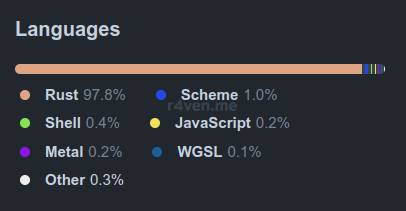
Source: GitHub
To better understand the context of all this hype around Zed, here’s a bit of a timeline from Habr:
- The creators of Electron admitted it was a failure, wrote a new framework in Rust, and presented the new Zed editor
- GitHub discontinued development of the Atom code editor
- The Zed code editor became an Open Source project
- The first stable version of the open source Zed code editor for Linux was released
List of Zed’s Advantages
According to the developers, Zed has the following positive qualities:
- the highest possible speed of operation;
- real-time collaborative work;
- a text communication tool built into the editor;
- developer efficiency thanks to a maximally useful UI;
- GPU usage for rendering.
Installation and Launch
Example installation for Debian 12.
Installing this editor on Linux is done using a script available at the link: https://zed.dev/install.sh
First of all, I recommend examining the script before running it:
curl https://zed.dev/install.sh | lessGoing through the script, you can see that it: determines the platform (macOS or Linux) and architecture (x86_64 or aarch64), then downloads the corresponding archive from the project’s website — zed.dev. After that, the script unpacks the archive into the ~/.local/ directory, sets up the necessary paths, and creates a symbolic link to the executable file. A .desktop file is also created to display the editor in the graphical applications menu.
After making sure the script is harmless, run the installation:
curl https://zed.dev/install.sh | sh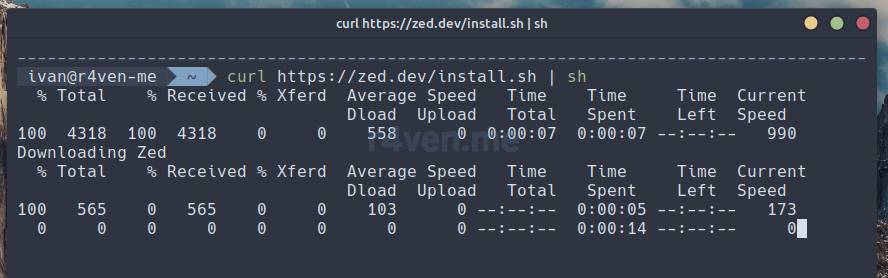
Fast? Fast.
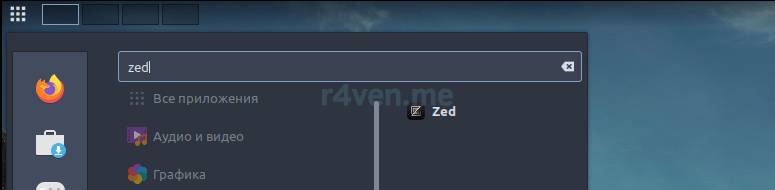
After installation, you can launch zed from the command line or from the applications menu:
Here it is:
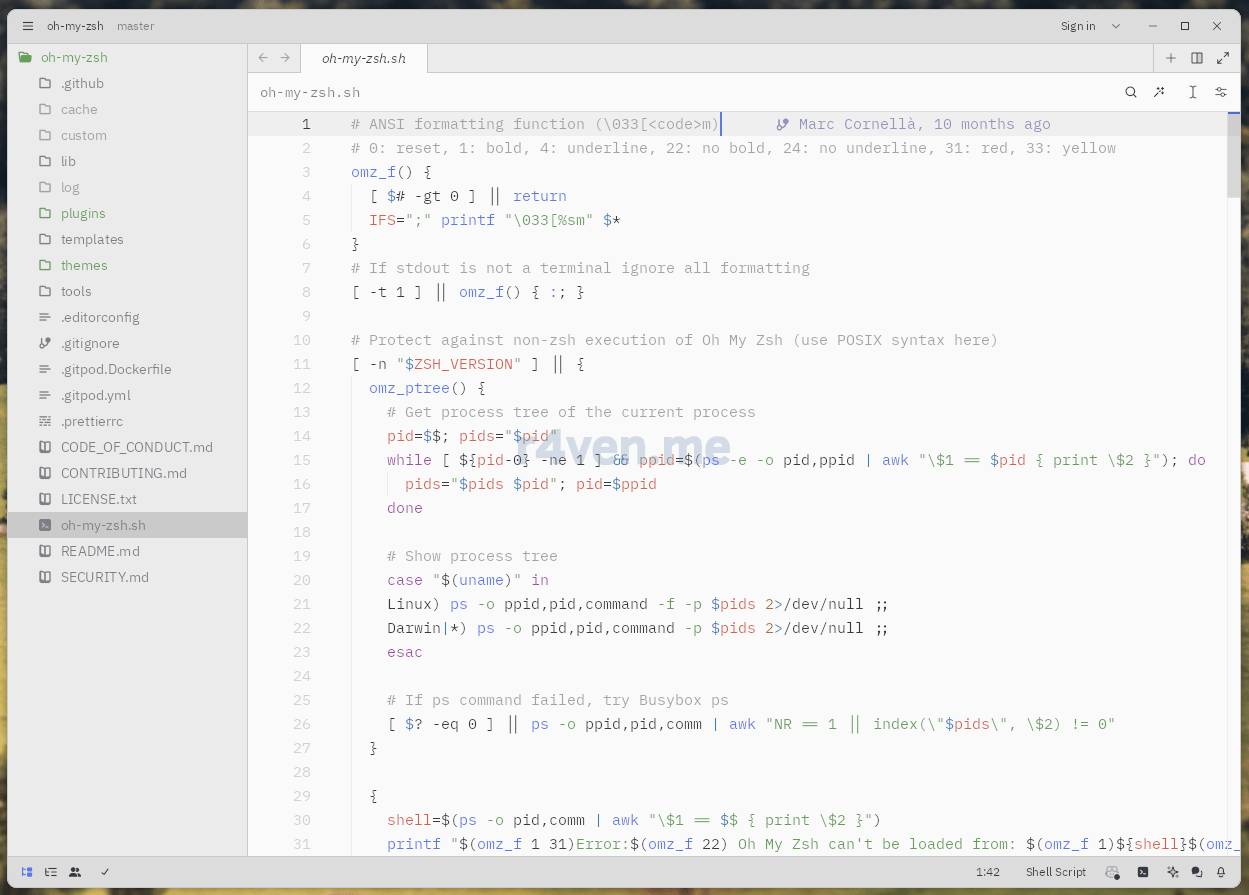
Not a great theme)
Installing the Nord Theme
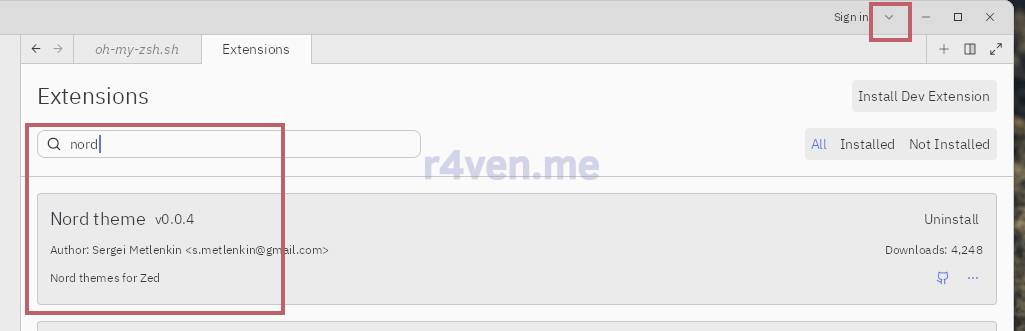
Unfortunately, the Nord theme is not among the default ones. But it’s available as an extension for the editor. Click on the bird in the top right corner — then Extensions and type “nord” in the search bar:
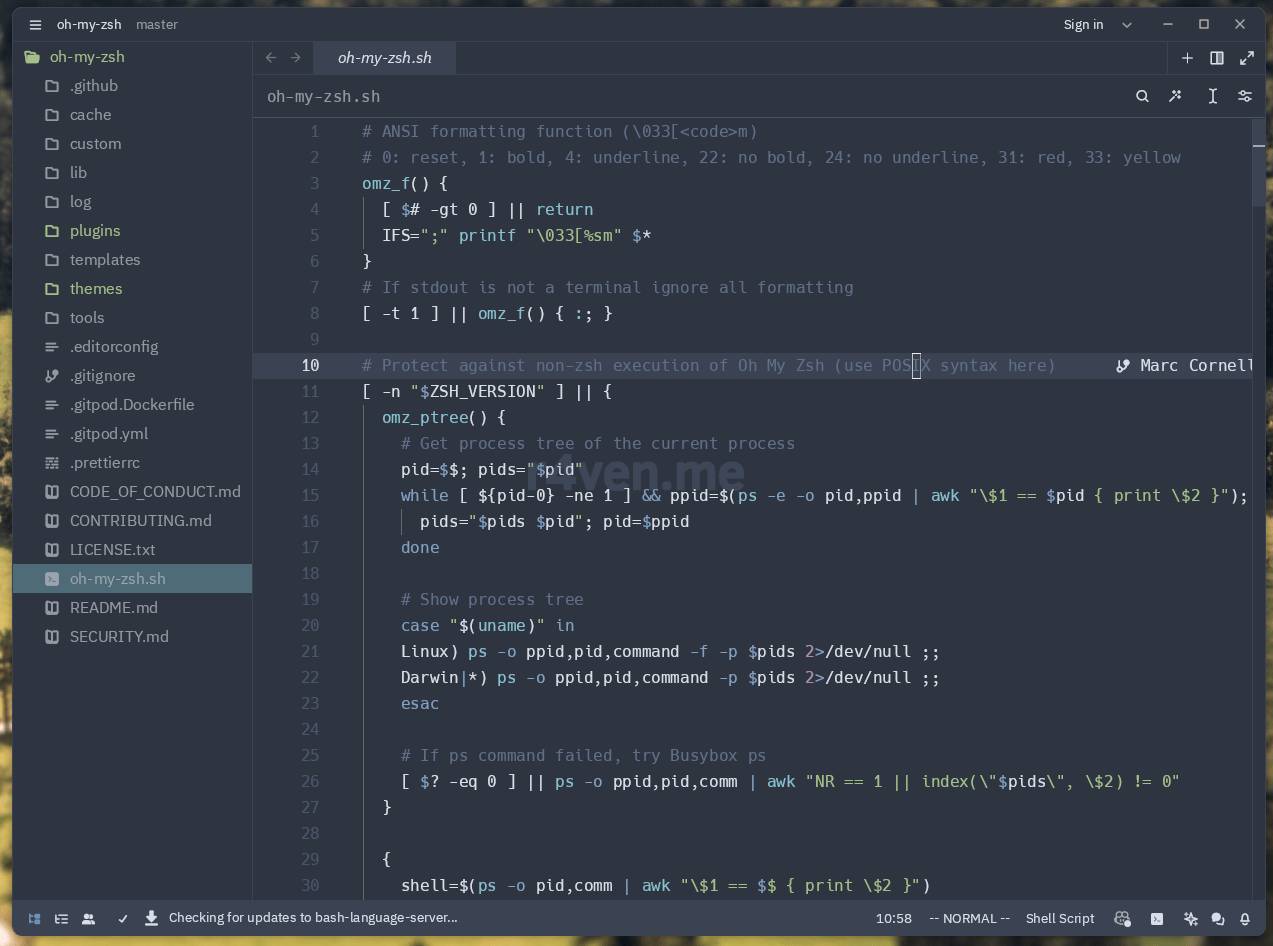
That’s much better:
Memory Consumption: Zed | Neovim | VSCode | VSCodium
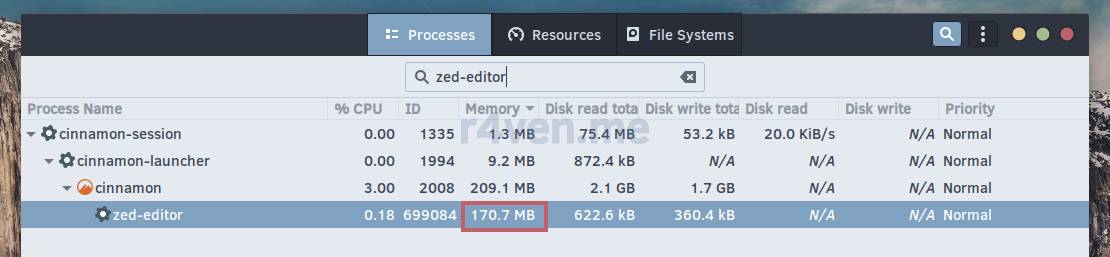
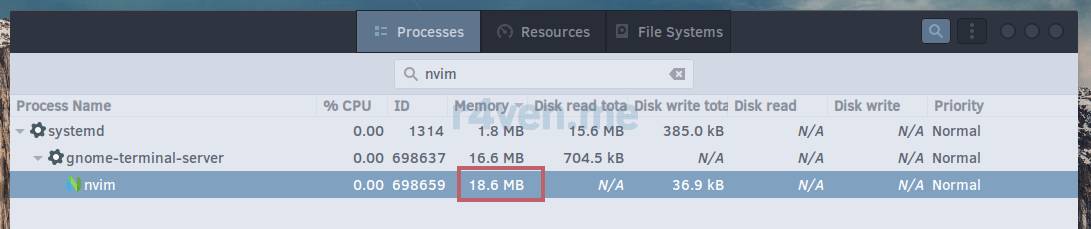
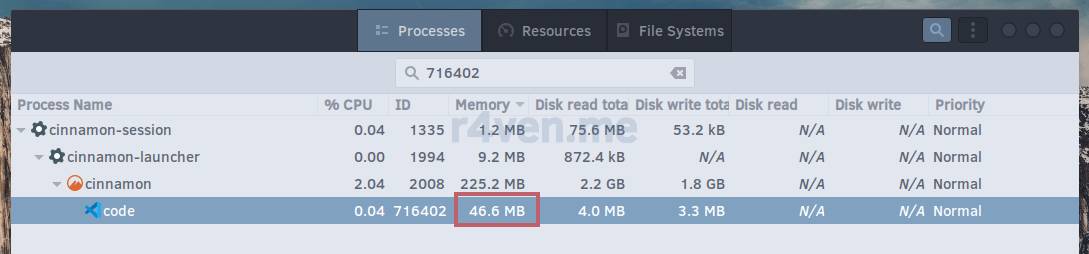
I’ll say right away that I didn’t do any serious measurements. Just for fun, I compared the Memory indicator in the gnome-system-monitor application. Honestly, I don’t fully understand how it calculates consumption, especially considering that Linux has many different types of memory metrics. So:
- Zed
- Neovim
- VSCode
- VSCodium
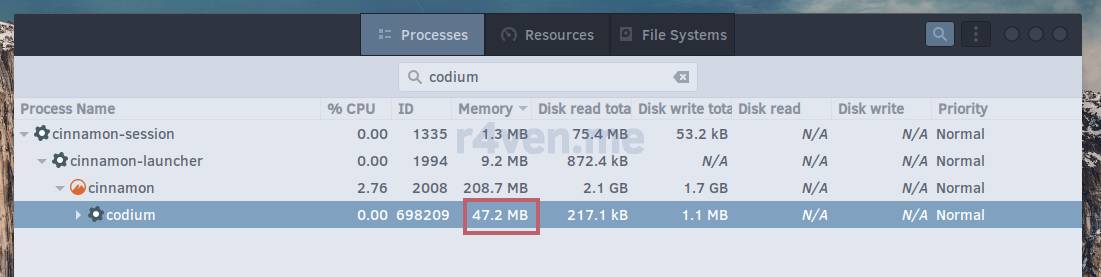
I assume such a high figure for Zed is due to its own libraries, which are used separately (located in ~/.local/share/zed). If you have any thoughts on this, I’d be glad to hear them in our Telegram chat: @r4ven_me_chat.
Personal Opinion
Overall, the editor works quickly. There’s a Nord theme, support for vim keys, a bash linter, and even Copilot integration. Most of the time, I don’t need anything more) I can’t say I’m exactly impressed, and I won’t be fully switching to Zed. It’s still quite raw, it doesn’t have that many plugins for various needs, but, on the other hand, it’s positioned as a product “made by developers for developers.” As it once was with the Vim editor (vim — forever).
I’ve been watching the developments related to the Zed editor for a while. Probably, the process itself is what’s more interesting. First there was Atom, then, when Microsoft acquired GitHub, its development stopped. Atom’s developers built Zed. All of this is accompanied by endless holy wars, as often happens in the Linux world and open source in general) Some see no point in anything but VSCode, which is an all-in-one tool. Others advocate for competition and technological development. There are also Rust language witnesses, who insist it must inevitably replace C;)) And this process is wonderful, in my opinion.
In this situation, I’m more of an observer. I can use both VSCodium and Neovim in parallel. The former is convenient for some tasks, the latter for others. The middle ground, as usual, lies somewhere in between. Perhaps Zed will be added to this list as well.
Thanks for being here, good luck to you!
Useful Resources
👨💻And…
Don’t forget about our Telegram channel 📱 and chat
Or maybe you want to become a co-author? Then click here🔗
💬 All the best ✌️
That should be it. If not, check the logs 🙂

Comments