

Today I’ll tell and show you how to install an interesting web browser — Ungoogled-chromium 🌐 — on Linux Mint 22 / Ubuntu 24.04 / Debian 12 🐧🐧🐧. It is an ethical fork of the popular Chromium, which underlies almost all modern web browsers.
🖐️Hey!
Subscribe to our Telegram channel @r4ven_me📱, so you don’t miss new posts on the website 😉. If you have questions or just want to chat about the topic, feel free to join the Raven chat at @r4ven_me_chat🧐.
Preface
Chromium is a browser with an open source code, developed by Google, which serves as the basis for Google Chrome, Microsoft Edge, Yandex Browser, Vivaldi, Brave, and a whole list of other browsers.
In one of my previous notes — « Let’s talk about web browsers », I already mentioned that in today’s browser market we essentially have only two players: Chromium from Google and Firefox from Mozilla. Sadly for fans of the latter, its funding also depends on the same Google. So it’s hard to call it a real competitor. As a result, we have a monopoly, though at least it’s Open source 😔.
Ungoogled-chromium is a version of the Chromium browser with components related to Google services removed or replaced. The main goal of the project is to provide a browser with the same functionality as Chromium, but without sending user data to Google. You can read a bit more about it in an article on Habr.
This fork is a good fit for users who want to work in a modern browser but with more privacy and independence from the Google corporation 🤵♂️.
You might also be interested in a similar article: VSCodium – a fork of the popular VSCode without Microsoft telemetry 😉.
Installation on Linux Mint 22 / Ubuntu 24.04 / Debian 12
The latest version of Ungoogled-chromium at the time of writing this article: 128.0.6613.84
For comparison, the latest version of the original Chromium is also 128.0.6613.84
Before installing Ungoogled-chromium, it is recommended to remove the original Chromium, since both use the same paths for system files.
sudo apt remove chromiumIn accordance with the recommendations from the Debian project wiki, we will install the latest version of the Ungoogled-chromium package, built by the maintainer berkley4, from his GitHub repository.
Versions for other OSes, including Windows, are available on the official GitHub page of the project.
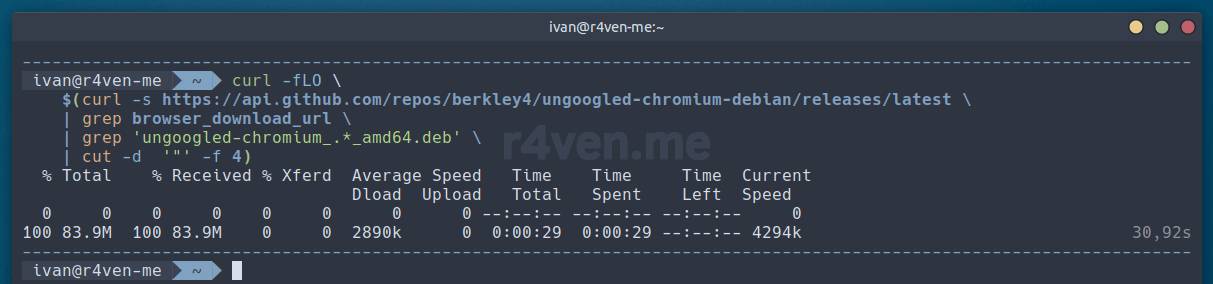
So, let’s open a terminal and download the deb package of the latest release with this scary-looking command:
curl -fLO \
    $(curl -s https://api.github.com/repos/berkley4/ungoogled-chromium-debian/releases/latest \
    | grep browser_download_url \
    | grep 'ungoogled-chromium_.*_amd64.deb' \
| cut -d '"' -f 4)This command uses a substitution mechanism. That is, the main downloading command,
curl -fLO, is passed an argument that is the result of executing another command inside the$(command)construct, which runs beforehand. As a result, the main command receives a direct URL to the deb package of the latest Chromium release. The command is generic, so I warn you that this way you could also download an unstable release.
Or click through it manually on the releases page 🐭.
After downloading, let’s check:
ls -l ungoogled-chromium_*_amd64.deb
Now let’s install the package with apt:
sudo apt install -y ./ungoogled-chromium_*_amd64.deb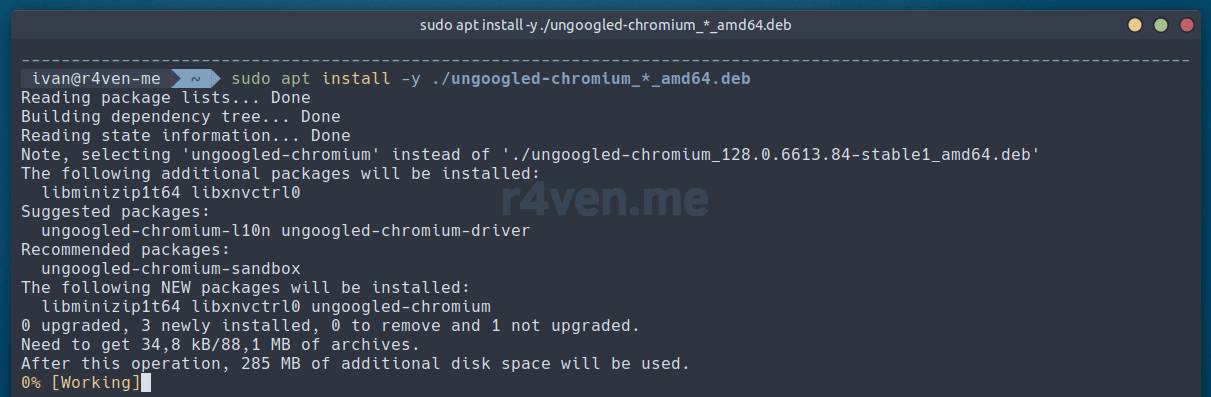
We don’t pay attention to the warning at the end.
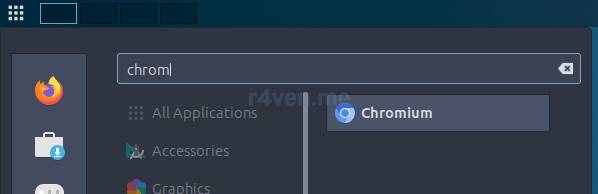
Now let’s launch our Ungoogled-chromium, just like a regular Chromium, from the main menu:
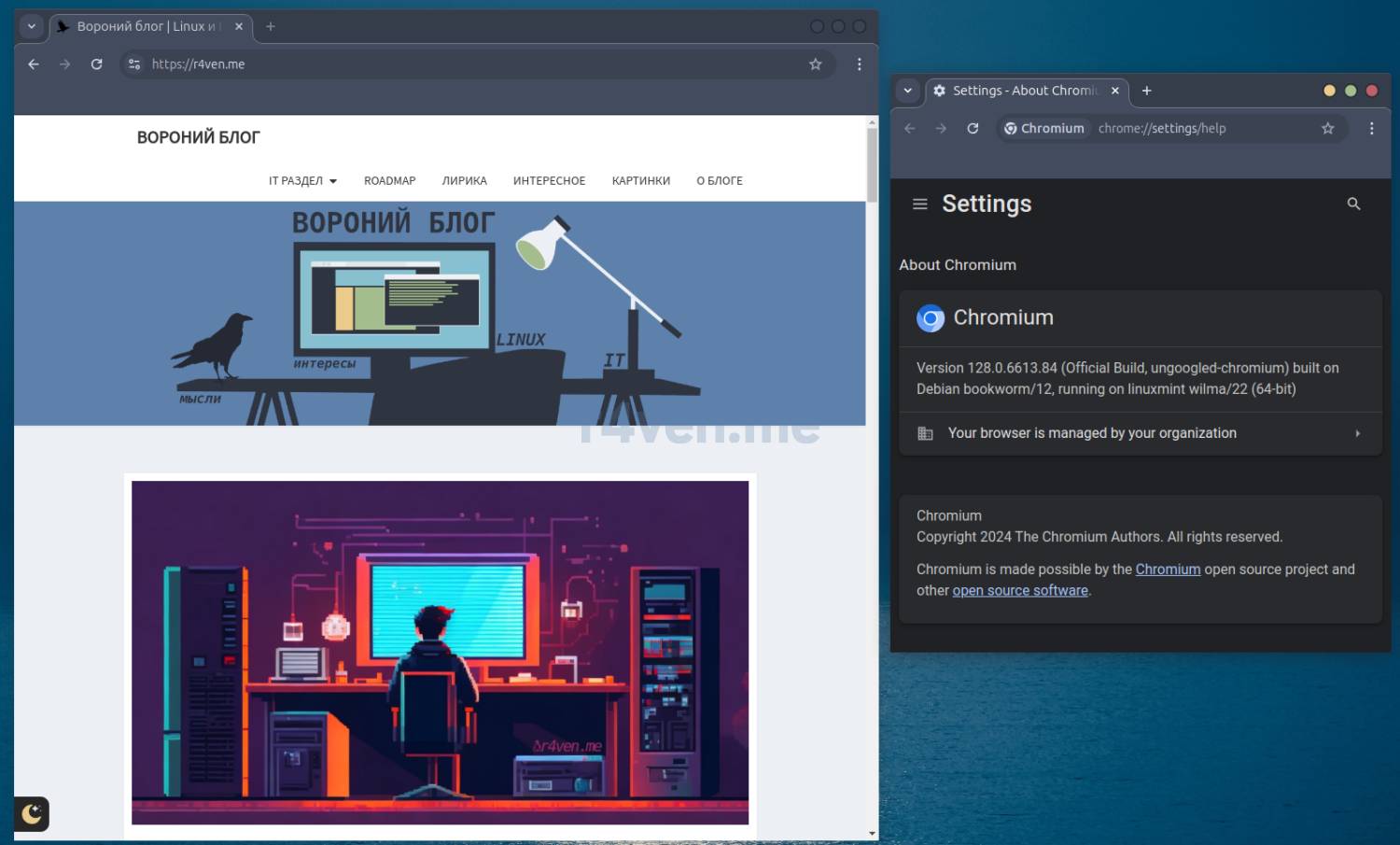
When installing on Linux Mint, you may run into a situation where nothing happens after launching. Try the following fix:
- open the application’s launch desktop file for editing:
sudo vim /usr/share/applications/chromium.desktop- find the
Execdirective and addbashbefore the launch command, as shown in the screenshot below:
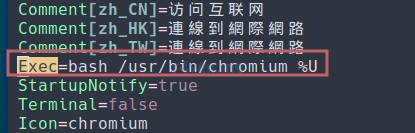
Don’t forget to save the file.
Search configuration
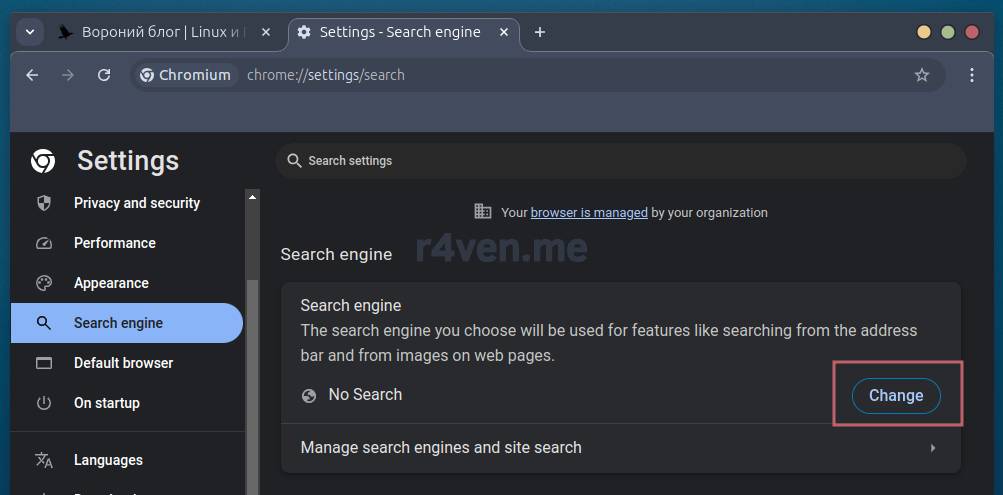
The browser we installed is so “ungoogled” that it doesn’t even have a default search engine selected. Search from Google is fundamentally absent from the list of available options 😁, but alternatives are available, though they can’t really be called ethical either 🤔.
To configure the search engine go here: chrome://settings/search and simply select the one you need:
Installing extensions
A side effect of “cutting out” Google integration from the browser is the lack of ability to install extensions from:
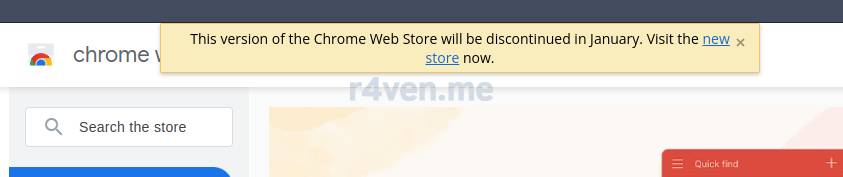
Accordingly, nothing installs:
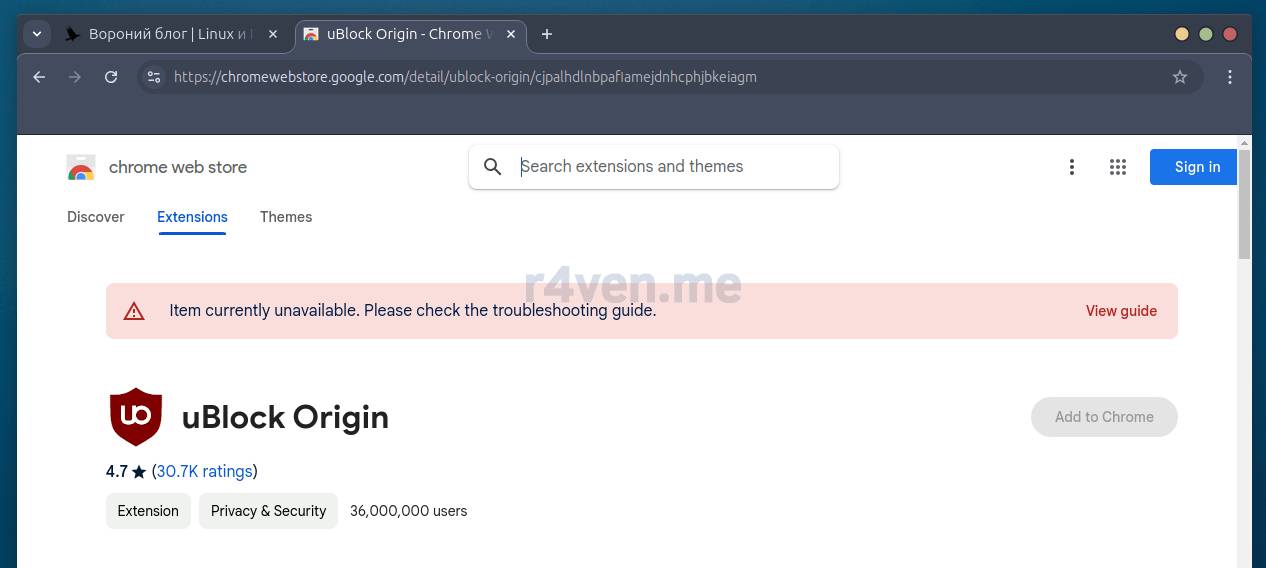
But there are solutions. One of them, recommended by the official project wiki, is to manually install a special extension from the developer NeverDecaf. After that you can freely install other extensions from the previously mentioned store.
First, let’s go to the browser’s fine-tuning section 🧐: chrome://flags/#extension-mime-request-handling and for the Handling of extension MIME type requests option select Always prompt for install:
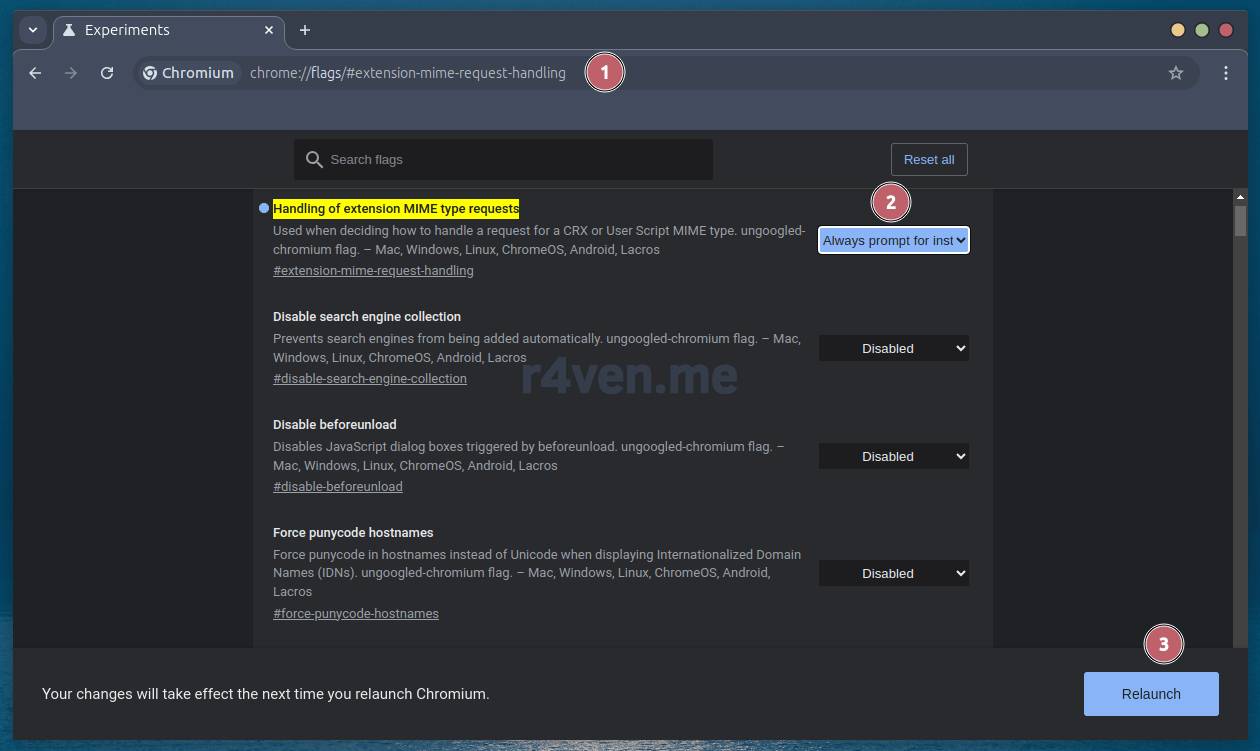
Now simply download the .crx file from the releases page of the aforementioned author. After downloading, the browser should automatically offer to install it. We agree 👌:
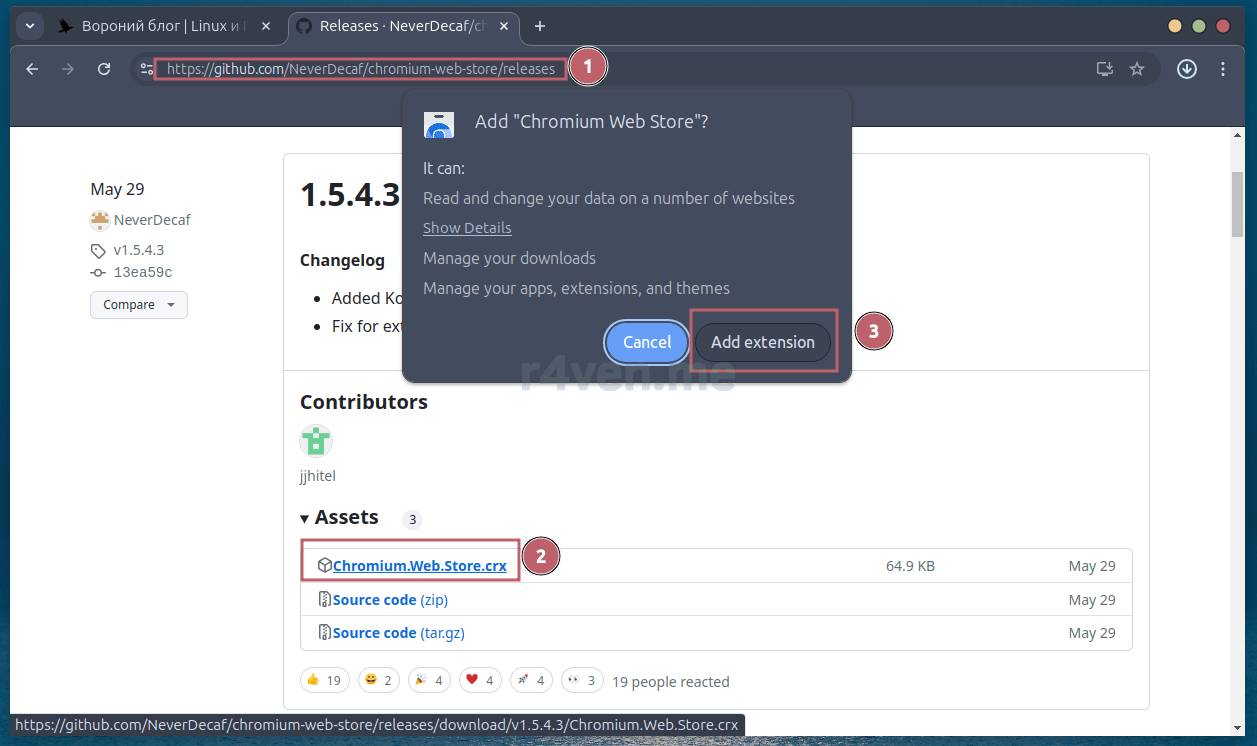
If installing the extension this way doesn’t work, check out alternative options in the developer’s documentation.
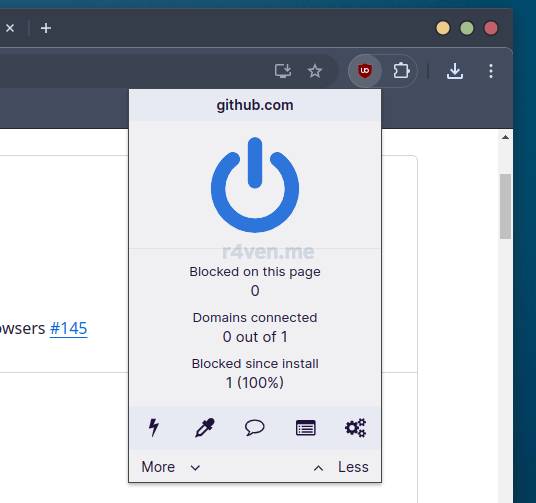
To test it, let’s try installing a popular ad blocker: Ublock. To do this, go to this extension’s page in the Google store and click “Add”:
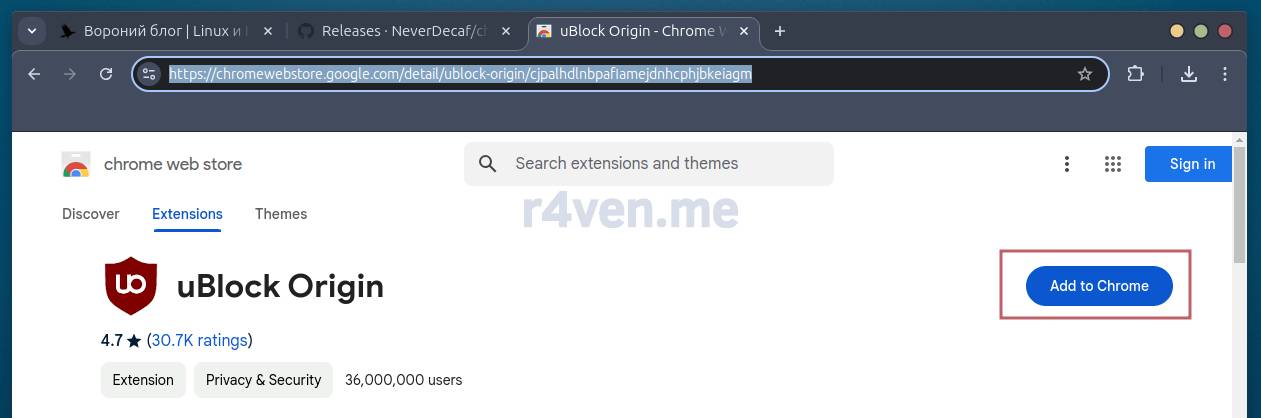
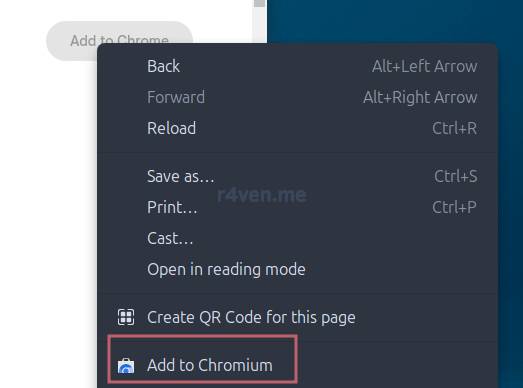
If the “Add” button is inactive, just refresh the page or right-click the inactive button and select “Add to Chromium”:
Result — everything works:
For other extensions to work correctly, for example, the extension for integration with KeePassXC (see Convenient and reliable password storage – KeePass), I recommend moving or removing the system “working” browser profile in the OS:
sudo mv /etc/chromium{,.old}

# or

sudo rm -rf /etc/chromium
More details on this case in the issue on the KeePassXC developers’ GitHub.
Afterword
So we’ve installed Ungoogled-chromium: a privacy-focused version of the extremely popular Chromium web browser, which underlies most of today’s actual browsers.
Personally, I used Firefox for a long time, and still sometimes do. But time moves forward, technologies constantly develop, and my occasionally laggy firefox, unfortunately, trails somewhere at the very back in this race. Once a popular player occupying a large share of the browser market, it is gradually fading into oblivion. According to 2023 data, its share is just over 3%, while Chrome takes up almost 65%. Draw your own conclusions.
Proof:
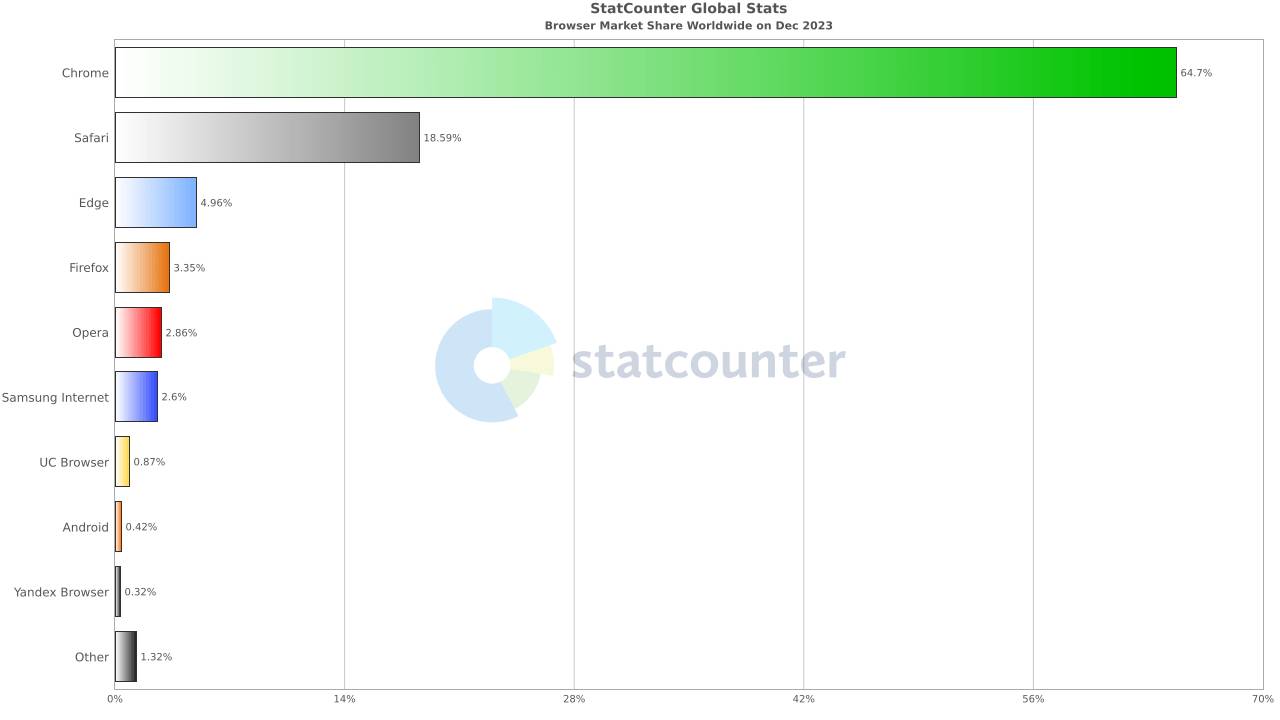
Source: Wikipedia
You might be interested in my previous articles on the topic of browsers:
- Let’s talk about web browsers | Raven blog
- Initial setup of the Firefox browser | Raven blog
- Setting up the browser home page | Raven blog
Thanks for reading! And choose privacy-respecting software 🔒.

Materials used
- Ungoogled-chromium source code on GitHub
- Official project wiki (EN)
- Installation recommendations from the Debian project (EN)
- GitHub repository of the deb version maintainer
- Builds for other OSes, including Windows
- GitHub of the extension manager developer for Ungoogled-chromium
- Official Chromium project website (EN)
👨💻And…
Don’t forget about our Telegram channel 📱 and chat
Or maybe you want to become a co-author? Then click here🔗
💬 All the best ✌️
That should be it. If not, check the logs 🙂

Comments