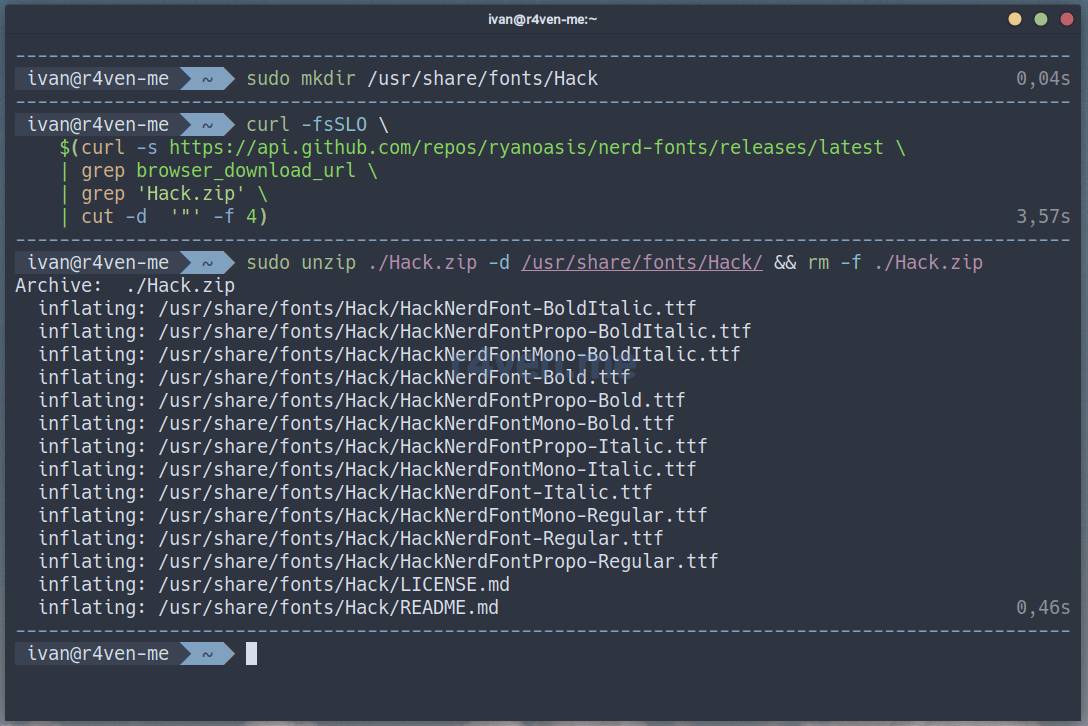
My readers know that I prefer the Hack font ☝️. Here’s a simple example of how to install it:
📝 Note
Please note that sudo rights are required to execute these commands. Alternatively, install fonts only for the current user in the ~/.local/share/fonts directory.
BASH
# create font directory
sudo mkdir /usr/share/fonts/Hack

# download font archive
curl -fsSLO \
    $(curl -s https://api.github.com/repos/ryanoasis/nerd-fonts/releases/latest \
    | grep browser_download_url \
    | grep 'Hack.zip' \
    | cut -d  '"' -f 4)

# unpack archive, copy fonts to system
sudo unzip ./Hack.zip -d /usr/share/fonts/Hack/ && rm -f ./Hack.zip📝 Note
The curl command uses a command-line substitution mechanism. That is, the main download command: curl -fsSLO is passed an argument, which is the result of executing another command within the $(command) construct, performed beforehand. As a result, the main command will receive a direct URL to the zip file of the latest Hack font release from GitHub. The command is universal.
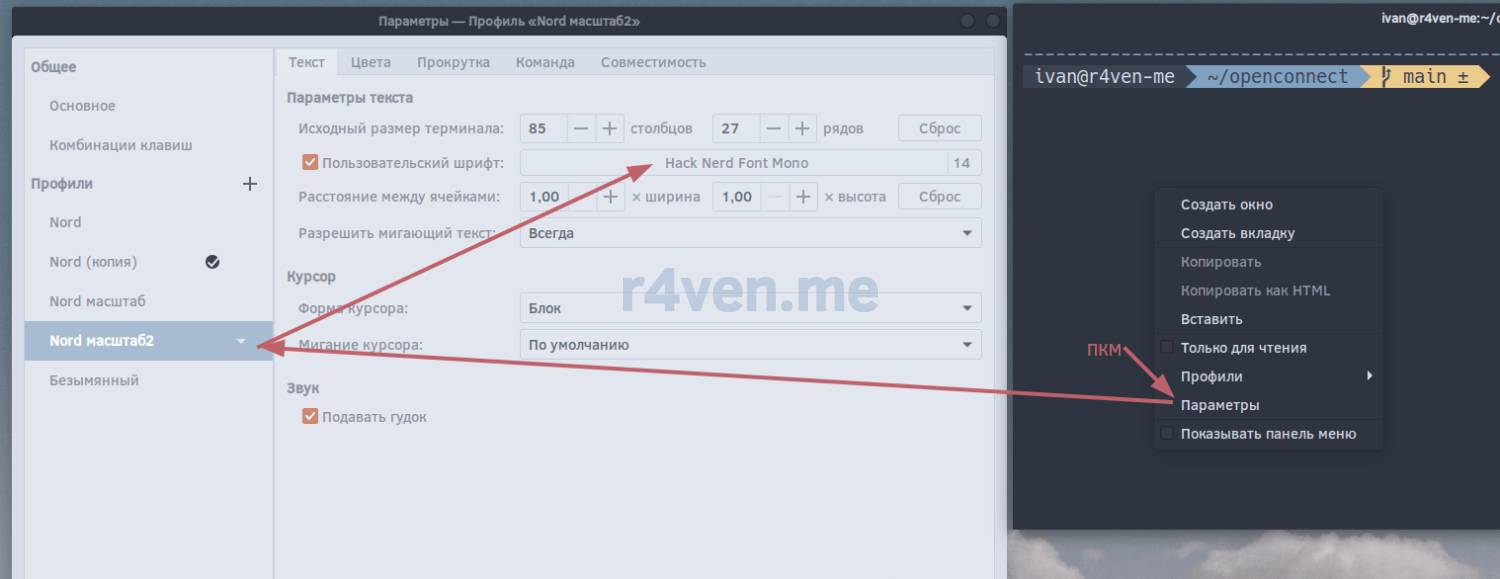
After installing the font, activate it in your terminal settings🛠.
In Gnome-terminal, this is done as follows: