
If you work frequently with hosts via Ansible, typing their names in full quickly becomes tedious or you end up opening the inventory to copy a name. It would be nice to get a list of available hosts by pressing Tab.
🖐️Hey!
Subscribe to our Telegram channel @r4ven_me📱, so you don’t miss new posts on the website 😉. If you have questions or just want to chat about the topic, feel free to join the Raven chat at @r4ven_me_chat🧐.
Below is an instruction on how to set up host auto-completion from Ansible inventory using the Tab key when using commands like ssh, scp, rsync, ansible, and ansible-playbook.
Sample data
Suppose you have ~/Ansible/inventory.yml:
all:
  children:
    test:
      children:
        test_hosts_1:
          hosts:
            test-1.r4ven.me:
              ansible_host: 192.168.122.140

            test-2.r4ven.me:
              ansible_host: 192.168.122.141
              ansible_port: 22

            test-3.r4ven.me:
              ansible_host: 192.168.122.142
              ansible_port: 22

        test_hosts_2:
          hosts:
            test-4.r4ven.me:
              ansible_host: 192.168.122.143

            test-5.r4ven.me:
              ansible_host: 192.168.122.144
              ansible_port: 22

            test-6.r4ven.me:
              ansible_host: 192.168.122.145
ansible_port: 22And ~/.ssh/config
Host orangepi
    HostName 10.10.10.12
    User orange
    Port 22
    IdentityFile ~/.ssh/id_ed25519
    Compression yes

Host router
    HostName 10.10.10.13
    User root
    Port 22
    IdentityFile ~/.ssh/id_ed25519
    Compression yes

Host proxmox
    HostName 10.10.10.15
    User root
    Port 22
IdentityFile ~/.ssh/id_ed25519Gif demo
Watch a short gif demo to see what we’re talking about:
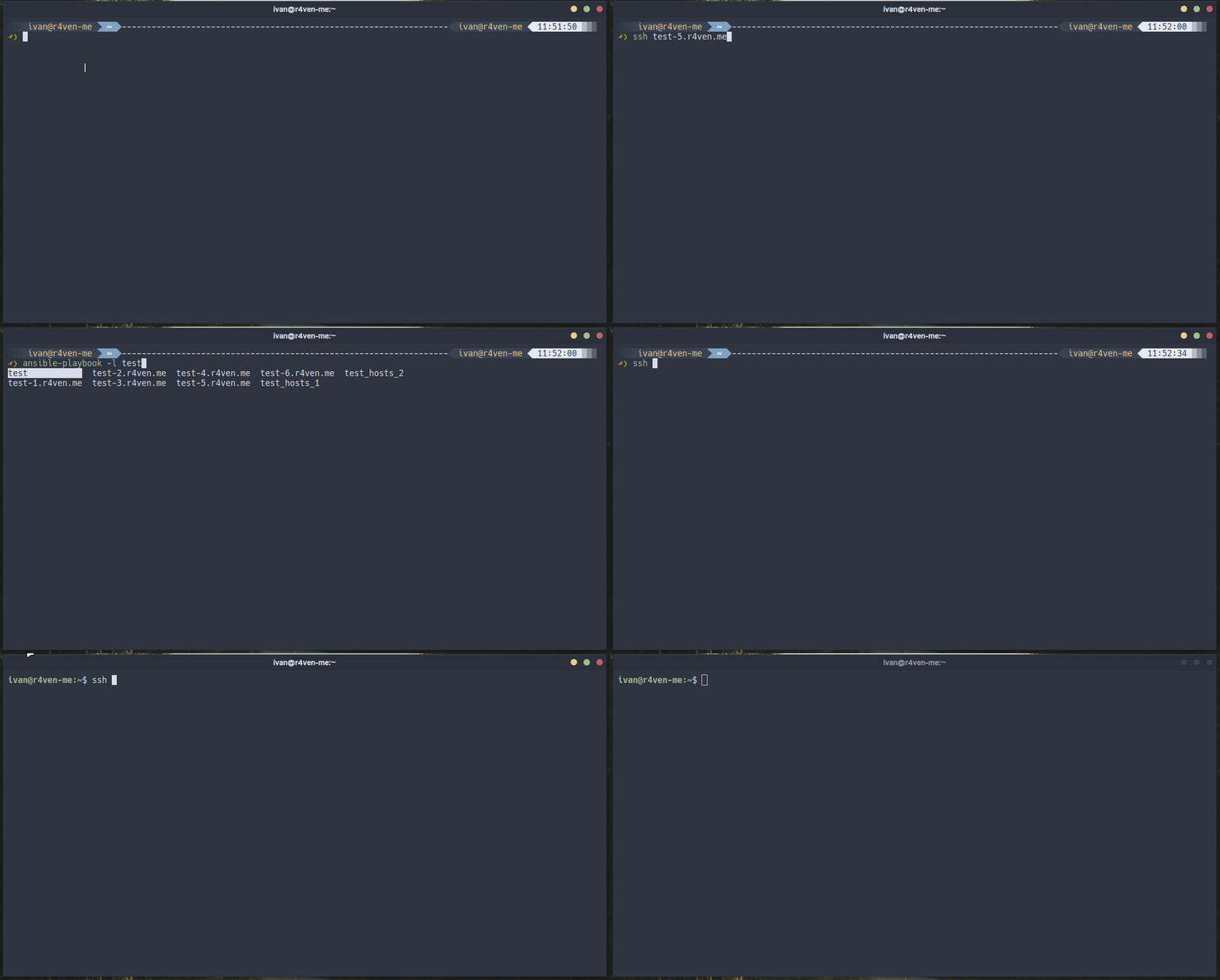
Snippets for Zsh and Bash
If you use the wonderful ZSH, open .zshrc with vim and add the following snippet:
vim ~/.zshrc_ansible_inventory_hosts() {
local inv="${ANSIBLE_INVENTORY:-$HOME/Ansible/inventory.yml}"
[[ -r "$inv" ]] || return 0
grep -oP '^\s*\K[^:#\s]+(?=:\s*$)' "$inv" 2>/dev/null \
| grep -vxE 'all|hosts|children|vars|ansible_.*' | sort -u
}
if [[ -r "${ANSIBLE_INVENTORY:-$HOME/Ansible/inventory.yml}" ]]; then
zstyle -e ':completion:*:(ssh|scp|sftp|rsync):*' hosts 'reply=(
${(f)"$(_ansible_inventory_hosts)"}
${=${${${(M)${(f)"$(cat /dev/null ~/.ssh/config(N))"}:#(#i)Host *}#(#i)Host }:#*[*?]*}}
${(@)${=${${(M)${(f)"$(cat /dev/null {/etc/ssh/ssh_,$HOME/.ssh/}known_hosts(N))"}:#[^|#]*}%%[[:space:]]*}//,/ }}
)'
_ansible_hosts_completion() {
local -a hosts
if [[ $words[CURRENT-1] == (-l|--limit) ]] ||
[[ $service == ansible && $CURRENT -eq 2 && $words[CURRENT] != -* ]]; then
hosts=( ${(f)"$(_ansible_inventory_hosts)"} )
if (( ${#hosts} )); then
_describe 'ansible hosts' hosts
return
fi
fi
_default
}
(( $+functions[compdef] )) && compdef _ansible_hosts_completion ansible ansible-playbook
fiIf your shell is the equally wonderful Bash, then edit .bashrc:
vim ~/.bashrc_ansible_inventory_hosts() {
local inv="${ANSIBLE_INVENTORY:-$HOME/Ansible/inventory.yml}"
[[ -r "$inv" ]] || return 0
grep -oP '^\s*\K[^:#\s]+(?=:\s*$)' "$inv" 2> /dev/null \
| grep -vxE 'all|hosts|children|vars|ansible_.*' | sort -u
}
if [[ -r "${ANSIBLE_INVENTORY:-$HOME/Ansible/inventory.yml}" ]]; then
declare -A _ansible_orig_comp
_ansible_hosts_augmented() {
local fn=${_ansible_orig_comp[$1]}
if [[ -n $fn ]] && declare -F "$fn" &>/dev/null; then
"$fn" "$@"
fi
local cur=${COMP_WORDS[COMP_CWORD]}
if [[ $cur != -* ]]; then
local hosts
hosts=$(_ansible_inventory_hosts)
[[ -n $hosts ]] && COMPREPLY+=( $(compgen -W "$hosts" -- "$cur") )
fi
}
_ansible_augment_hosts_completion() {
local cmd spec fn
for cmd in "$@"; do
if ! complete -p "$cmd" &>/dev/null; then
if declare -F _comp_load &>/dev/null; then
_comp_load "$cmd" 2>/dev/null
elif declare -F _completion_loader &>/dev/null; then
_completion_loader "$cmd" 2>/dev/null
fi
fi
fn=""
spec=$(complete -p "$cmd" 2>/dev/null) || spec=""
if [[ $spec =~ \ -F\ ([^\ ]+) ]]; then
fn=${BASH_REMATCH[1]}
fi
_ansible_orig_comp[$cmd]=$fn
complete -o default -F _ansible_hosts_augmented "$cmd"
done
}
_ansible_augment_hosts_completion ssh scp sftp rsync
_ansible_cli_completion() {
local cur=${COMP_WORDS[COMP_CWORD]} prev=${COMP_WORDS[COMP_CWORD-1]}
COMPREPLY=()
if [[ $prev == -l || $prev == --limit ]] ||
[[ $1 == ansible && $COMP_CWORD -eq 1 && $cur != -* ]]; then
COMPREPLY=( $(compgen -W "$(_ansible_inventory_hosts)" -- "$cur") )
fi
}
complete -o default -F _ansible_cli_completion ansible ansible-playbook
fiNote that it’s important to correctly specify the path to your inventory file. By default, the snippet looks for the inventory at $HOME/Ansible/inventory.yml. If your path is different, you can either redefine it in the snippet itself or use the ANSIBLE_INVENTORY environment variable:
export ANSIBLE_INVENTORY=/path/to/your/inventory.ymlApplying changes in the current session
For Zsh:
exec zshFor Bash:
exec bashCompletion will load automatically on the first Tab press.
Testing the setup
ssh <TAB><TAB>

scp <TAB><TAB>

rsync -e ssh ivan@<TAB><TAB>

ansible <TAB><TAB>

ansible-playbook -l <TAB><TAB>It should output a list of all hosts from the inventory plus those in ~/.ssh/config and known_hosts. If nothing appears, check that the inventory file is readable and actually contains hosts in YAML format.
In practice, using this snippet will save a lot of time, especially if you have many hosts with long names 🤯.
Why is the bash code three times longer than zsh?
The difference in size is actually not about the language, but about the architecture of completion systems in the two shells.
In zsh-compsys, an extension point is built in from the start. The standard completers _ssh/_scp/_rsync don’t hardcode host sources - they ask for them from a common function _hosts, which in turn reads the configuration via zstyle. The result: to inject your own hosts, you need literally one zstyle -e call, without loading other functions or wrapping.
In bash-completion, everything is simpler and more modest. A system of conventions: one function per command, registration via complete -F, and you’re done. No configuration layers, no shared host storage. So to add to completion without overwriting the native registration, you need:
- First load the original completer. bash-completion is lazy - it registers completers only on first Tab. You have to explicitly call
_comp_load(newer versions) or_completion_loader(older versions), then parse the output ofcomplete -pto extract the function name. - Save the original. If you simply call
complete -F new_function ssh, you overwrite the native registration. You need an associative array to remember the name of the original function and call it first. - Merge results. Pass through the original function, then append your hosts to
COMPREPLYviacompgen.
Plus there’s a second factor - the density of zsh as a language. Single-line parameter expansions like ${(f)...} and ${(M)...:#...} replace entire loops with grep and sed. In bash, you’d have to spell all that out explicitly, but there’s no point - _ssh from bash-completion can already do it, why duplicate.
To be honest, the zsh code is “small” also because the complexity just lives elsewhere. The functions _hosts and all of compsys are thousands of lines of framework maintained upstream. In bash there’s no such infrastructure, so part of the plumbing ended up in the config. A typical trade-off: a rich framework gives short extensions, a thin convention requires DIY wrapping for everyone.
👨💻And…
Don’t forget about our Telegram channel 📱 and chat
Or maybe you want to become a co-author? Then click here🔗
💬 All the best ✌️
That should be it. If not, check the logs 🙂

Comments