
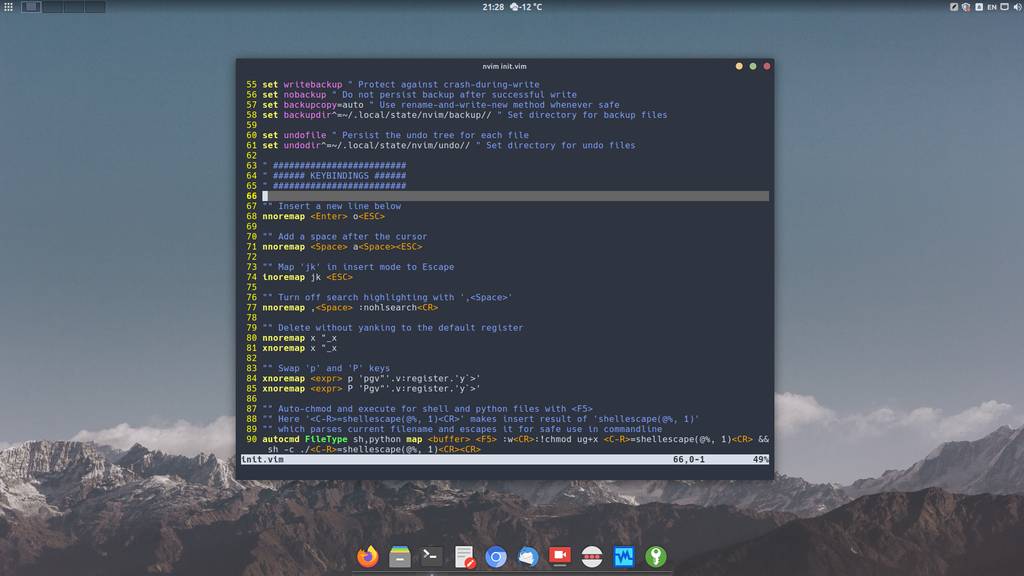
Continuing the configuration of our Neovim editor. Today, on air, hotkey setup and autostart of some commands when the editor launches. Please, hit the jump)
🖐️Hey!
Subscribe to our Telegram channel @r4ven_me📱, so you don’t miss new posts on the website 😉. If you have questions or just want to chat about the topic, feel free to join the Raven chat at @r4ven_me_chat🧐.
If you missed the previous articles, be sure to check them out:
- Neovim – editor configuration: basic setup
- Neovim — editor configuration: swap, backup and undo files
If you don’t understand what this even is, or simply couldn’t figure out how to exit Vim, please read my introductory article: VIM – Console editor: an introduction.
I’ll also remind you that my current Neovim config can be found in the repo on GitHub.
So, let’s continue the configuration.
Neovim configuration
Open the config file for editing:
nvim ~/.config/nvim/init.vim
And add the following code to the end of the file:
" #########################
" ###### KEYBINDINGS ######
" #########################

" Insert a new line below
nnoremap <Enter> o<ESC>

" Add a space after the cursor
nnoremap <Space> a<Space><ESC>

" Map 'jk' in insert mode to Escape
inoremap jk <ESC>

" Turn off search highlighting with ',<Space>'
nnoremap ,<Space> :nohlsearch<CR>

" Delete without yanking to the default register
nnoremap x "_x
xnoremap x "_x

" Swap 'p' and 'P' keys
xnoremap <expr> p 'pgv"'.v:register.'y\`>'
xnoremap <expr> P 'Pgv"'.v:register.'y\`>'

" Auto-chmod and execute for shell and python files with <F5>
" Here '<C-R>=shellescape(@%, 1)<CR>' makes insert result of 'shellescape(@%, 1)'
" which parses current filename and escapes it for safe use in commandline
autocmd FileType sh,python map <buffer> <F5> :w<CR>:!chmod ug+x <C-R>=shellescape(@%, 1)<CR> && sh -c ./<C-R>=shellescape(@%, 1)<CR><CR>
autocmd FileType sh,python imap <buffer> <F5> <esc>:w<CR>:!chmod ug+x <C-R>=shellescape(@%, 1)<CR> && sh -c ./<C-R>=shellescape(@%, 1)<CR><CR>

" Session save and restore (4 sessions)
" Sets variable for session file path prefix
let session_file = "~/.local/state/nvim/sessions/session"

" Mapping <F9>, <F10>, <F11>, <F12> keys to save sessions (1-4)
nnoremap <S-F9> :execute "mksession! " . session_file . "1.vim"<CR>
inoremap <S-F9> <esc>:execute "mksession! " . session_file . "1.vim"<CR>a
nnoremap <S-F10> :execute "mksession! " . session_file . "2.vim"<CR>
inoremap <S-F10> <esc>:execute "mksession! " . session_file . "2.vim"<CR>a
nnoremap <S-F11> :execute "mksession! " . session_file . "3.vim"<CR>
inoremap <S-F11> <esc>:execute "mksession! " . session_file . "3.vim"<CR>a
nnoremap <S-F12> :execute "mksession! " . session_file . "4.vim"<CR>
inoremap <S-F12> <esc>:execute "mksession! " . session_file . "4.vim"<CR>a

" Mapping <F9>, <F10>, <F11>, <F12> keys to save sessions (1-4) for alacritty terminal
nnoremap <F21> :execute "mksession! " . session_file . "1.vim"<CR>
inoremap <F21> <esc>:execute "mksession! " . session_file . "1.vim"<CR>a
nnoremap <F22> :execute "mksession! " . session_file . "2.vim"<CR>
inoremap <F22> <esc>:execute "mksession! " . session_file . "2.vim"<CR>a
nnoremap <F23> :execute "mksession! " . session_file . "3.vim"<CR>
inoremap <F23> <esc>:execute "mksession! " . session_file . "3.vim"<CR>a
nnoremap <F24> :execute "mksession! " . session_file . "4.vim"<CR>
inoremap <F24> <esc>:execute "mksession! " . session_file . "4.vim"<CR>a

" Load sessions with <F9>, <F10>, <F11>, <F12>
nnoremap <F9> :execute "source " . session_file . "1.vim"<CR>
inoremap <F9> <esc>:execute "source " . session_file . "1.vim"<CR>
nnoremap <F10> :execute "source " . session_file . "2.vim"<CR>
inoremap <F10> <esc>:execute "source " . session_file . "2.vim"<CR>
nnoremap <F11> :execute "source " . session_file . "3.vim"<CR>
inoremap <F11> <esc>:execute "source " . session_file . "3.vim"<CR>
nnoremap <F12> :execute "source " . session_file . "4.vim"<CR>
inoremap <F12> <esc>:execute "source " . session_file . "4.vim"<CR>

" Save the file with 'WW' (same as :w)
nnoremap WW :w<CR>

" ############################
" ###### OTHER SETTINGS ######
" ############################

" Always jump to the last known cursor position after opening a file
autocmd BufReadPost * if line("'\"") > 0 && line("'\"") <= line("$") | exe "normal g\`\"" | endif

" Update terminal size on VimEnter
autocmd VimEnter * :silent exec "!kill -s SIGWINCH $PPID"
" After loading a session, equalize window sizes
autocmd SessionLoadPost * wincmd =

" Disable readonly (ro) format options for all file types (off auto comments)
autocmd FileType * setlocal formatoptions-=roLet’s save. To apply the new settings, you need to re-enter Neovim:
:wq

nvim ~/.config/nvim/init.vimDescription
Let’s take a closer look at the remapped keys.
Hotkeys
| Key | Description |
|---|---|
Enter | The action for pressing the Enter key in command mode has been remapped. Now this key also performs a line break. |
Space | The action for pressing the space bar in command mode has been remapped. Now space adds an indent. |
jk | When this key combination is pressed in sequence in editing mode, the Esc key is emulated. This way, we return to command mode. This was done specifically to avoid changing hand position on the keyboard when you need to exit insert mode. |
,Space | Pressing the comma and space keys in sequence executes the command to clear the search highlight buffer. The problem is that the highlighting of found items itself isn’t reset, which sometimes gets in the way and distracts. |
x | nnoremap — remapping in Normal mode, xnoremap — remapping in Visual mode, "_x — used to delete the character before the cursor without saving it to the default register, so as not to affect the clipboard when pasting with the p command. More about registers on Habr |
p | The paste-from-register command was swapped with the (capital) P command, to avoid overwriting the current content in the default register, which gets replaced when pasting from it. In *vim, by default, the default buffer gets overwritten with every paste, but this “special” behavior can be compensated for by using more than 15 registers, if I’m not mistaken. If interested, more detailed information can be found in the article mentioned above. |
P | Paste while preserving the replaced text in the register. Done by default with the p command. |
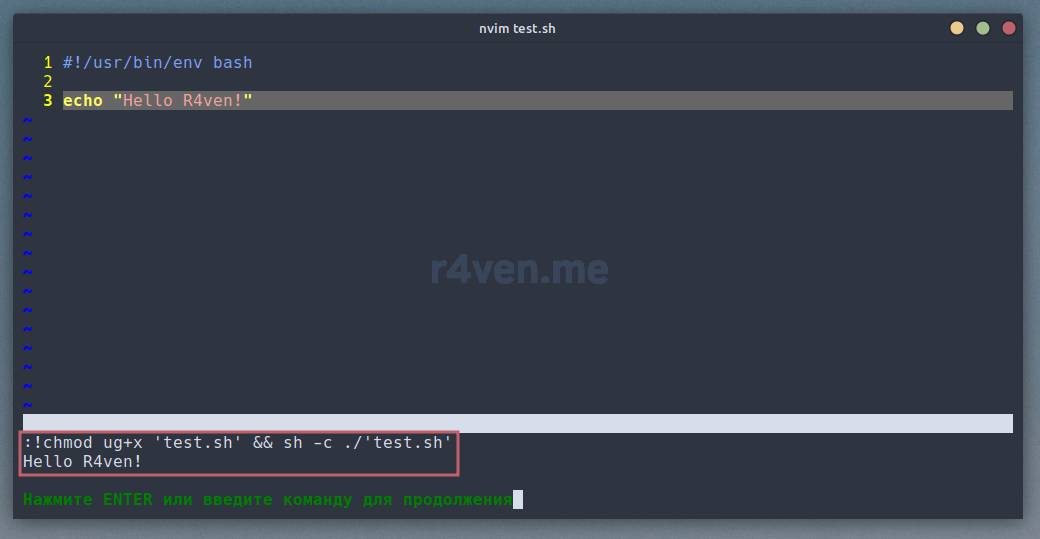
F5 | An external command execution is assigned to the F5 key. This command includes using chmod and running the currently edited file as a script in a popup window. However, this action is only performed for files with certain formats, namely sh (shell) and py (python). Details on this will be described further. |
Shift + F9,F10,F11,F12 | For the Shift + F* keys, the action of saving the current session to a file is assigned (4 of them). A bit more on this further on. |
F9,F10,F11,F12 | Keys for restoring saved sessions from files. |
WW | Pressing two capital W’s in sequence performs a regular file save. Made for convenience, as an alternative to Ctrl+s in Windows-like editors. |
Keys and descriptions
Added parameters
let session_file = "~/.local/state/nvim/sessions/session"This line of code defines the session_file variable, pointing to the path of the session file in Neovim. This file is used to save the current state of the editor, including open files, window layout, tabs, and other parameters.
autocmd FileType sh,python map <buffer> <F5> :w<CR>:!chmod ug+x <C-R>=shellescape(@%, 1)<CR> && sh -c ./<C-R>=shellescape(@%, 1)<CR><CR>
autocmd FileType sh,python imap <buffer> <F5> <esc>:w<CR>:!chmod ug+x <C-R>=shellescape(@%, 1)<CR> && sh -c ./<C-R>=shellescape(@%, 1)<CR><CR>These parameters set up automatic execution of the chmod command and script launch when <F5> is pressed in files with the .sh or .py extension. In normal mode (map), it saves the file, sets execute permissions, and runs the script. In insert mode (imap), it first exits insert mode, and then performs the same actions.
nnoremap <S-F9> :execute "mksession! " . session_file . "1.vim"<CR>
inoremap <S-F9> <esc>:execute "mksession! " . session_file . "1.vim"<CR>a
...
nnoremap <F9> :execute "source " . session_file . "1.vim"<CR>
inoremap <F9> <esc>:execute "source " . session_file . "1.vim"<CR>
...These parameters set the command for quickly saving a session when pressing <S-F9> — <S-F12> (Shift + F9 — F12) and restoring it when pressing <F9> — <F12>. In normal mode (nnoremap), a command is executed to save the current session (or restore it) specifying the session file. In insert mode (inoremap), it first exits insert mode (<esc>), and then performs the same actions.
It’s worth separately noting the key mapping for
<F21>—<F24>. These parameters are specifically set for using the<F9>—<F12>keys in the Alacritty terminal (there will be a separate article about it in the future). The thing is, this terminal interprets F keys 9 through 12 with non-standard codes.

Saving a session
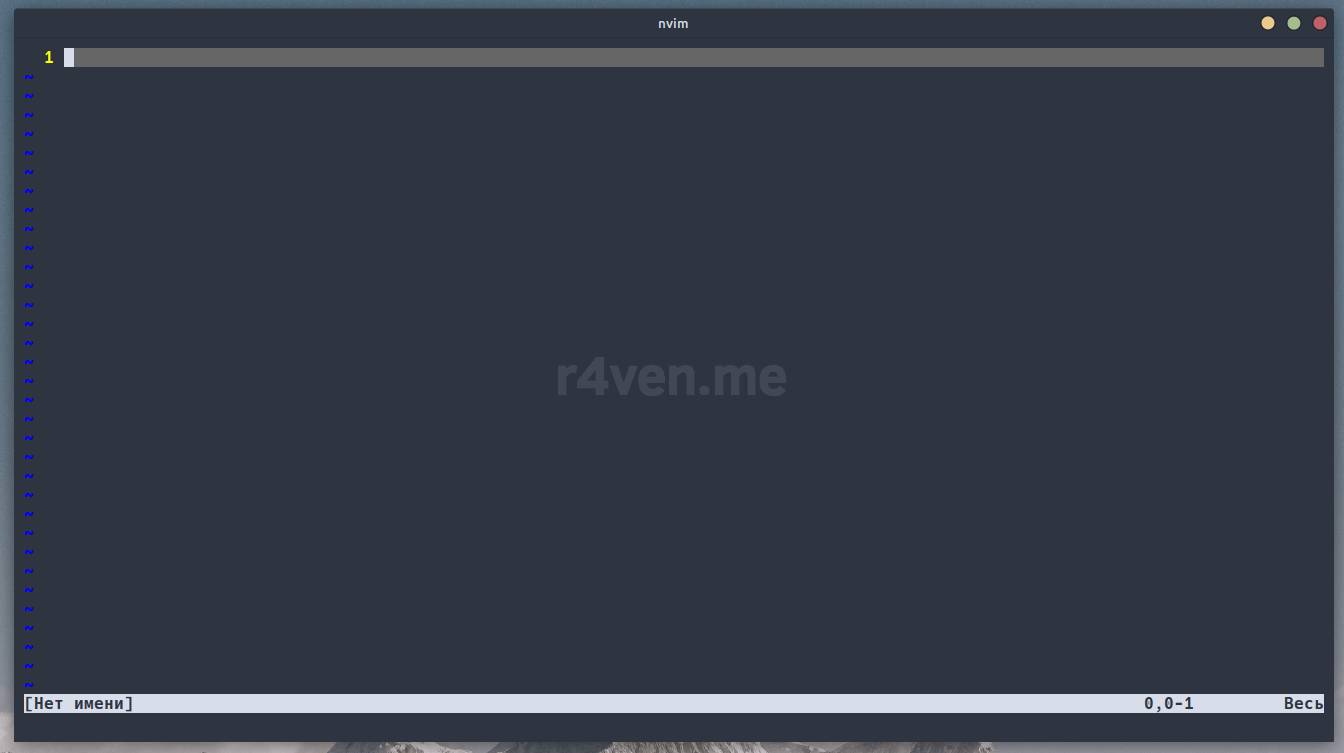
Empty Neovim launch
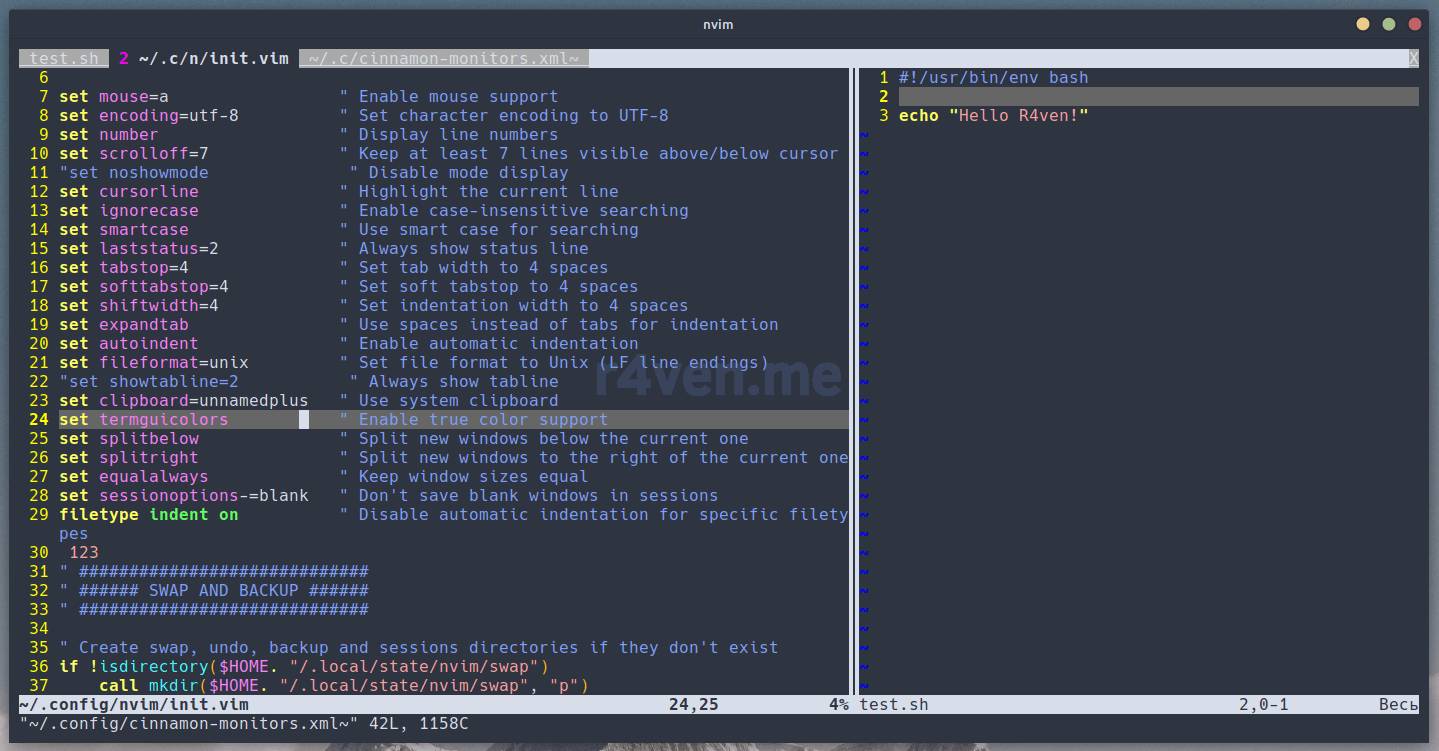
After pressing the session restore key
autocmd BufReadPost * if line("'\"") > 0 && line("'\"") <= line("$") | exe "normal g\`\"" | endifAfter reading the file (BufReadPost), code is executed that sets the cursor to the last known position after opening the file. If the position is known (recorded in '"'), and it’s within the file’s bounds, then the command exe "normal g""` is executed, which sets the cursor to that location. Vimscript — for reptilians..
autocmd VimEnter * :silent exec "!kill -s SIGWINCH $PPID"On the VimEnter event (after Neovim has fully loaded), a command is executed to send a SIGWINCH signal (window redraw) to the parent process (PPID). This is needed for the editor window to display correctly in the terminal.
autocmd SessionLoadPost * wincmd =After loading a session (SessionLoadPost), the wincmd = command is executed, which tries to equalize the sizes of all windows, distributing them evenly across the screen.
autocmd FileType * setlocal formatoptions-=roThis parameter sets, for all file types (FileType *), local formatting options (formatoptions) for the current buffer, excluding the ro (read-only) option. This disables the automatic insertion of the comment character when pressing the Enter key in editing mode. No idea why this thing was left on by default, it’s inconvenient.
Conclusions
So we’ve completed the basic Neovim configuration, adding several custom key combinations and adjusting a couple of existing ones. Overall, try not to heavily modify the behavior of *vim, turning it into your “exclusive”. You need to regularly use the defaults, so that when you end up in an unconfigured environment where *vim is installed, you can still efficiently edit the files you need.
In upcoming articles we’ll start configuring plugins) There will be plenty of interesting stuff there too. We’ll finally set up the Nord color theme and enhance our editor with IDE features. Don’t miss it. Good luck with your studies!
If you have any questions about the article, feel free to ask them in our Telegram chat: Raven chat.
Related materials
- VIM – Console editor: an introduction
- Neovim – editor configuration: basic setup
- Neovim — editor configuration: swap, backup and undo files
- Continuously updated config on GitHub
👨💻And…
Don’t forget about our Telegram channel 📱 and chat
Or maybe you want to become a co-author? Then click here🔗
💬 All the best ✌️
That should be it. If not, check the logs 🙂

Comments