
Shebang is the #! sequence at the beginning of an executable file that tells the system which program should interpret this script📝.
A popular shebang for bash is #!/bin/bash. Its peculiarity is that it strictly points to a specific path in the file system: /bin/bash. This is fair if you know for sure that bash is actually located at this path🛣️.
🖐️Hey!
Subscribe to our Telegram channel @r4ven_me📱, so you don’t miss new posts on the website 😉. If you have questions or just want to chat about the topic, feel free to join the Raven chat at @r4ven_me_chat🧐.
Everything would be fine, but there are nuances🤷♂️. First, in most Linux distributions, bash is installed in /usr/bin/bash, which can already make your script fail. To avoid this, the system creates a symbolic link /bin pointing to the /usr/bin directory:
ls -ld /binPermissions Size User Group Date Modified Name
lrwxrwxrwx 7 root root 2023-09-22 19:26 /bin -> usr/binThe conclusion suggests itself: specify /usr/bin/bash as the shebang, but even this is not a universal solution🤔. In some distributions, the bash binary may still be located elsewhere.
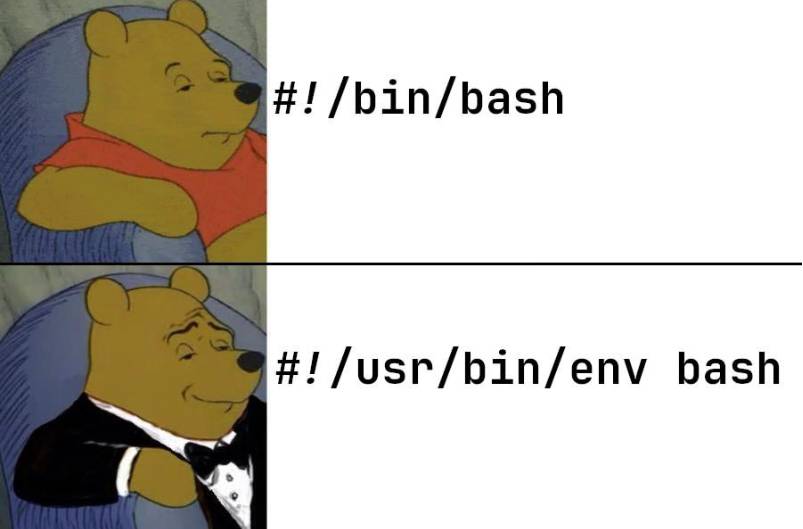
That is why #!/usr/bin/env bash is often used as the shebang💡.
env is a utility for working with environment variables. In the case of bash, before launching, the env utility searches for the binary in the $PATH variable, which contains a list of directories with executable files separated by the : character. For example:
/usr/local/bin:/usr/bin:/bin:/usr/local/sbin:/usr/sbin:/sbinThis shebang option is more universal: if bash is installed in a non-standard location but is available through PATH, it will be found.
This behavior is the same in Linux, macOS, BSD, and virtual environments😌.
But there are also disadvantages😠. This launch method is slightly less efficient (there is an extra env call), and in rare situations the “wrong” bash may be launched if there are different versions in PATH. For example, there are two different bashes: /usr/local/bin/bash and /usr/bin/bash. With the PATH specified above, /usr/local/bin/bash will be used.
You can see the difference in how shebangs work using the strace system call tracing tool, also known as “ostrich”🐓.
Create two scripts and make them executable:
cat > test-bin.sh <<EOF
#!/bin/bash
echo "I am /bin/bash"
EOF

cat > test-env.sh <<EOF
#!/usr/bin/env bash
echo "I am env bash"
EOF

chmod +x test-bin.sh test-env.shRun the first one with strace and filter the output by the execve call:
strace -f -e trace=execve -s 200 ./test-bin.shWe see only one call:
execve("./test-bin.sh", ["./test-bin.sh"], 0x7ffe817c2458 /* 37 vars */) = 0
I am /bin/bash
+++ exited with 0 +++Now run the variant with env:
strace -f -e trace=execve -s 200 ./test-env.shHere the output will be noticeably longer. You can see that the executable file is searched for in several directories:
strace -f -e trace=execve -s 200 ./test-env.sh 2>&1
execve("./test-env.sh", ["./test-env.sh"], 0x7ffd9fe2e898 /* 37 vars */) = 0
execve("/usr/local/sbin/bash", ["bash", "./test-env.sh"], 0x7ffcaca77068 /* 37 vars */) = -1 ENOENT (No such file or directory)
execve("/usr/local/bin/bash", ["bash", "./test-env.sh"], 0x7ffcaca77068 /* 37 vars */) = -1 ENOENT (No such file or directory)
execve("/usr/sbin/bash", ["bash", "./test-env.sh"], 0x7ffcaca77068 /* 37 vars */) = -1 ENOENT (No such file or directory)
execve("/usr/bin/bash", ["bash", "./test-env.sh"], 0x7ffcaca77068 /* 37 vars */) = 0
I am env bash
+++ exited with 0 +++Interestingly, the search order does not fully match the order of directories in PATH. Alternating, *sbin is checked first, then *bin🤔.
Nevertheless, it is recommended to use exactly #!/usr/bin/env bash for greater universality👍.
It is worth noting that this approach is valid for any interpreters, for example #!/usr/bin/env python, #!/usr/bin/env awk, and so on.
👨💻And…
Don’t forget about our Telegram channel 📱 and chat
Or maybe you want to become a co-author? Then click here🔗
💬 All the best ✌️
That should be it. If not, check the logs 🙂

Comments