
In this note, we will briefly look at a few simple ways to build a config from a Bash script using here document, here string, and envsubst.
I probably would not call this full-fledged templating. It is more like regular text file generation with variable substitution. But in practice, this is usually enough: create a config on the first container startup, substitute a domain, port, path to the working directory, or SMTP parameters.
🖐️Hey!
Subscribe to our Telegram channel @r4ven_me📱, so you don’t miss new posts on the website 😉. If you have questions or just want to chat about the topic, feel free to join the Raven chat at @r4ven_me_chat🧐.
The examples below are close to what I used in openconnect-middle-server: there is a container image, there is an .env, and there is a set of default files from which the working configuration is assembled at startup.
Here document
here document allows you to pass multiline text to a command’s standard input. In Bash, this is a construct like << EOF.
For example, you can create a small config right away:
cat << EOF > app.conf
server_name = test.r4ven.me
server_port = 443
work_dir = /var/lib/example
EOF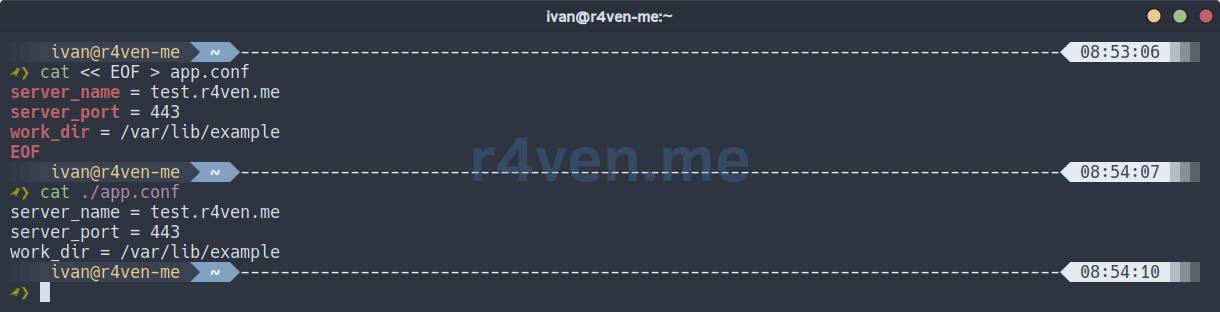
The cat command receives the text up to the EOF marker and writes it to app.conf.
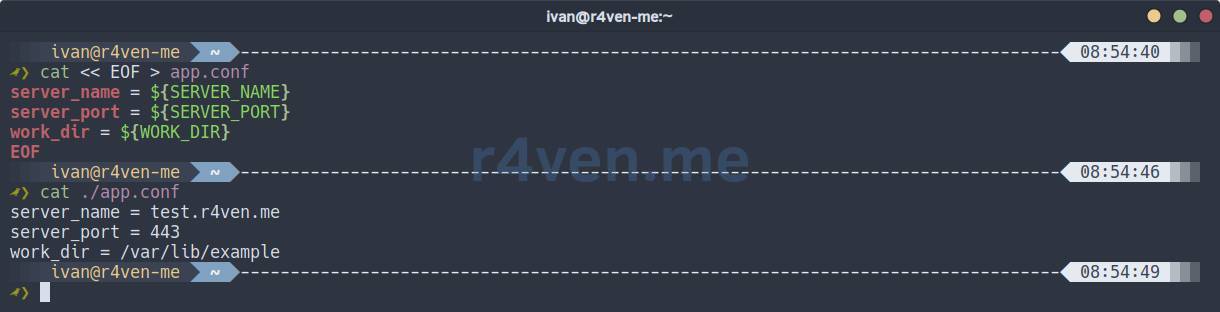
If there are variables inside the block, Bash will substitute their values:
SERVER_NAME="test.r4ven.me"
SERVER_PORT="443"
WORK_DIR="/var/lib/example"

cat << EOF > app.conf
server_name = ${SERVER_NAME}
server_port = ${SERVER_PORT}
work_dir = ${WORK_DIR}
EOFThe output will be a regular file:
If variable substitution is not needed, the marker can be quoted:
cat << 'EOF' > app.conf.tmpl
server_name = ${SERVER_NAME}
server_port = ${SERVER_PORT}
work_dir = ${WORK_DIR}
EOF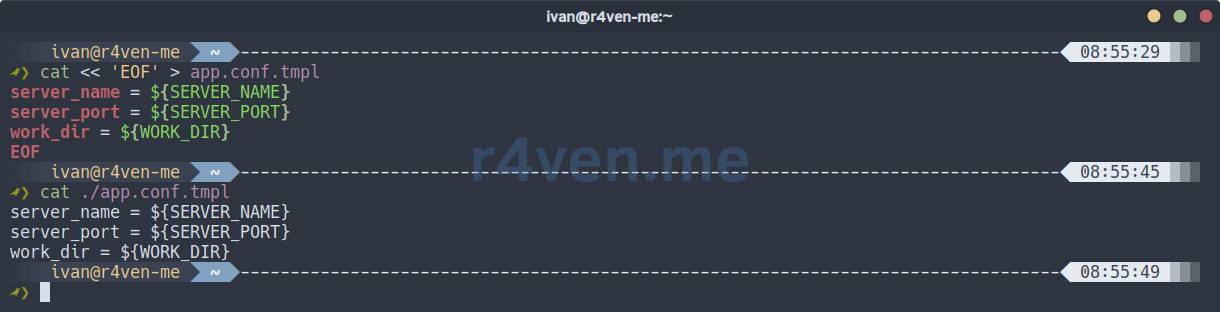
In this case, Bash will not touch ${SERVER_NAME} and will leave the text as is. This option is convenient for creating a template file.
📝 Note
The EOF marker is not special. You can write CONFIG, TEMPLATE, END, or anything else. The main thing is that the opening and closing markers match.
Here string
here string is a similar construct, but for a single line. It looks like this:
grep "443" <<< "server_port = 443"That is, the string to the right of <<< is passed to the command’s standard input.
In scripts, this can be convenient when you do not want to build echo ... | command, especially if reading through read follows next:
line="test.r4ven.me:443"

IFS=":" read -r host port <<< "$line"

echo "$host"
echo "$port"Output:
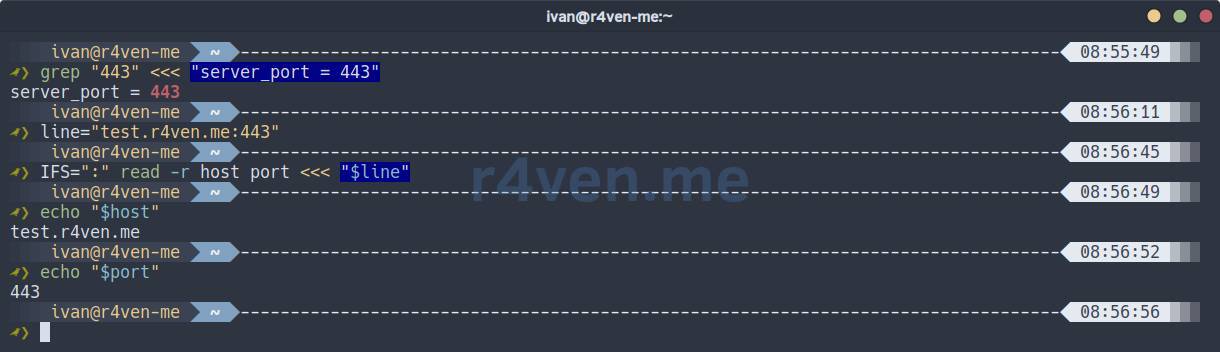
For generating large configs, here string is usually not needed. But for short transformations, parsing a string, or passing one value to a command, it is a perfectly normal tool.
envsubst
envsubst does one simple thing: it reads text from standard input, looks for variables like $VAR or ${VAR}, and outputs or redirects the text with substituted values.
In Debian/Ubuntu, the utility is usually installed with the gettext-base package:
sudo apt install gettext-baseCheck that it exists:
command -v envsubst
Example with the same config:
cat << 'EOF' > app.conf.tmpl
server_name = ${SERVER_NAME}
server_port = ${SERVER_PORT}
work_dir = ${WORK_DIR}
EOFSet environment variables:
export SERVER_NAME="test.r4ven.me"
export SERVER_PORT="443"
export WORK_DIR="/var/lib/example"Generate the final file:
envsubst < ./app.conf.tmpl > ./app.conf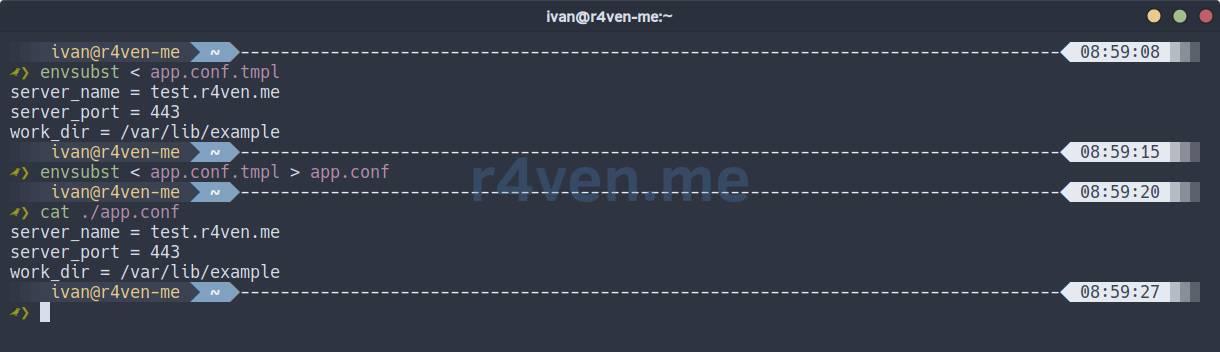
Unlike a regular here document with variable substitution, here the template can be stored as a separate file in the repository. This is more convenient if the config is large or needs to be edited separately from the script.
Example from openconnect-middle-server
In the previous article, we talked about openconnect-middle-server. So, there is a certain function there that creates a working file from a template, but only if the target file does not already exist:
render_template() {
    local src="$1"
    local dst="$2"

    [[ -f "$src" ]] || die "Template not found: $src"

    if [[ ! -f "$dst" ]]; then
        envsubst < "$src" > "$dst"
        echo "Generated: $dst"
    fi
}Then it is called from entrypoint.sh:
render_template "/templates/ocserv.conf" "/app/ocserv.conf"
render_template "/templates/ca.tmpl" "/app/ca.tmpl"
render_template "/templates/server.tmpl" "/app/server.tmpl"
render_template "/templates/msmtprc" "/app/msmtprc"For example, the server.tmpl file for certtool contains variables:
cn = $OC_SRV_CA
dns_name = $OC_SRV_CN
organization = $OC_SRV_CN
expiration_days = -1
signing_key
encryption_key #only if the generated key is an RSA one
tls_www_serverAnd the values are taken from the container environment. So the same image can be started with different domains and parameters without rebuilding it, just by editing the .env file.
With msmtprc, the story is similar:
host $OC_OTP_MSMTP_HOST
port $OC_OTP_MSMTP_PORT
auth on
user $OC_OTP_MSMTP_USER
password $OC_OTP_MSMTP_PASSWORD
from $OC_OTP_MSMTP_FROM☝️ After generating such a file, it is important not to forget about permissions:
chmod 400 /app/msmtprc
PLAINTEXT
Limiting the list of variables
By default, envsubst replaces all variables it sees in the input stream. Sometimes this is not needed.
For example, if the config contains $PATH, $remote_addr, or variables of another application, they can be accidentally replaced with the current environment or an empty string.
To avoid this, you can explicitly specify the list of variables:
envsubst '${SERVER_NAME} ${SERVER_PORT}' < app.conf.tmpl > app.confIn this case, envsubst will replace only SERVER_NAME and SERVER_PORT. It will leave the rest unchanged.
You need to understand that envsubst is not Bash and not Jinja. It does not execute conditions, loops, or substitutions with a default value. Unfortunately 😒.
For example, this line will not work as expected:
server_name = ${SERVER_NAME:-localhost}
server_port = $(grep 'port=' ./some_app.conf | cut -d'=' -f2)The default value needs to be prepared beforehand:
export SERVER_NAME="${SERVER_NAME:-localhost}"
export SERVER_PORT="${SERVER_PORT:-443}"

envsubst < app.conf.tmpl > app.confAnd one more point: envsubst will silently replace an unknown variable with an empty string. So before generating a normal config, it is better to check required variables separately.
For example, like this:
: "${SERVER_NAME:?SERVER_NAME is required}"
: "${SERVER_PORT:?SERVER_PORT is required}"📝 This is shell substitution with a check: if the SERVER_NAME variable is not set or is empty, the shell will print the message “SERVER_NAME is required” and exit with a non-zero code.
Afterword
Here document and Here string are tools I use regularly. They are very useful tools.
And I learned about the envsubst utility quite recently, when I was rebuilding my OpenConnect image for setting up a Middle server. It makes working with separate template files convenient, which was one of the goals of the rebuild.
In the Linux world, this happens all the time. You seem to have been working with the system for many years, and then tools or features like these, which you did not know about, but which were always right under your nose, pop up here and there. And I really like that.
Thanks for reading. Good luck learning Bash! 🐧
👨💻And…
Don’t forget about our Telegram channel 📱 and chat
Or maybe you want to become a co-author? Then click here🔗
💬 All the best ✌️
That should be it. If not, check the logs 🙂

Comments