
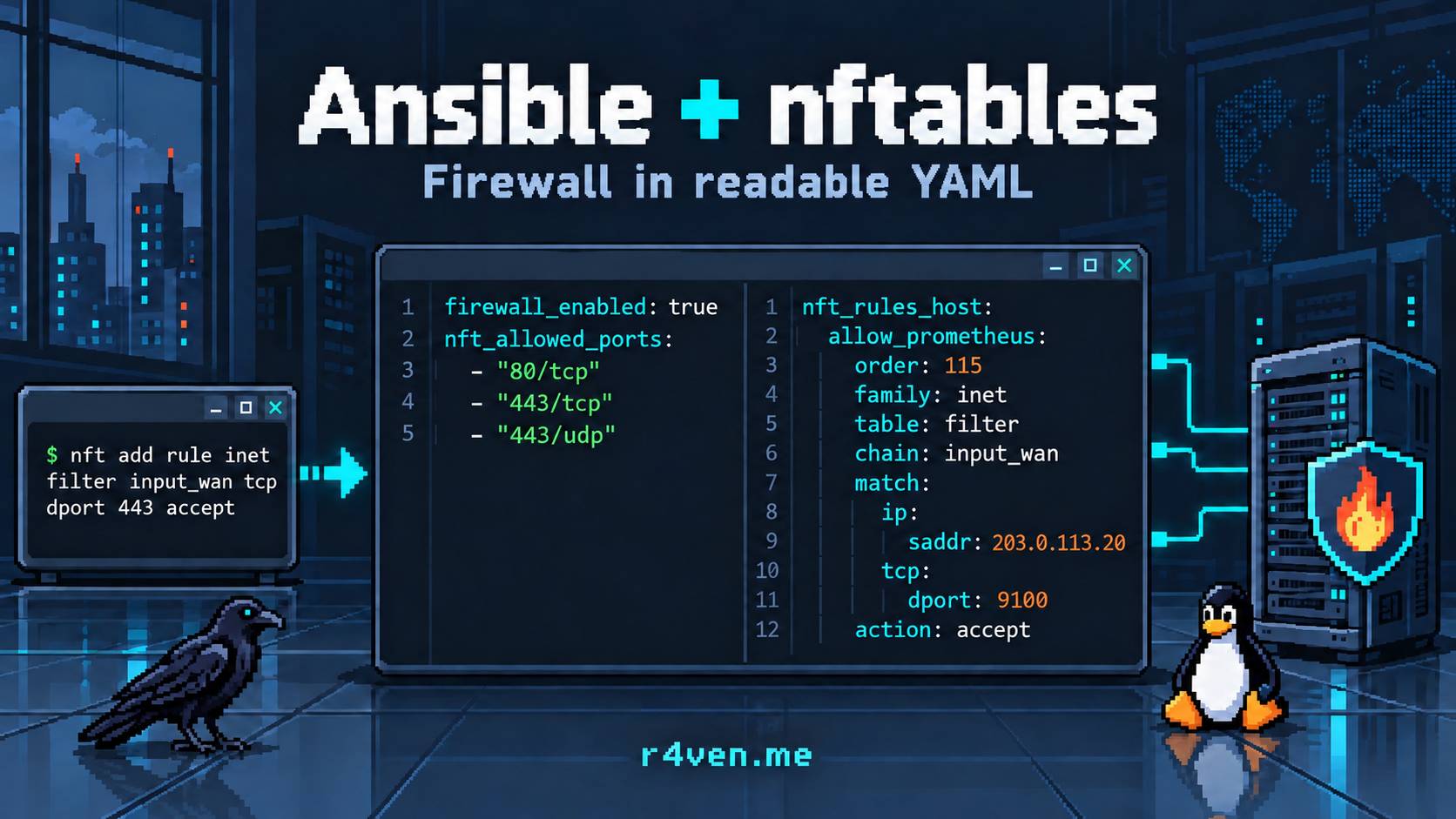
I’ll show how I use my Ansible firewall role to manage nftables: the common policy lives in group_vars, and the differences of individual servers live in host_vars. Along the way we’ll look at what the role does so that applying rules doesn’t cut off your SSH 🔥.
🖐️Hey!
Subscribe to our Telegram channel @r4ven_me📱, so you don’t miss new posts on the website 😉. If you have questions or just want to chat about the topic, feel free to join the Raven chat at @r4ven_me_chat🧐.
Introduction
💡 First, one caveat: if you aren’t sure how to manage a firewall in Linux with nftables, I strongly recommend reading my previous article on the topic first: Basic nftables setup in Linux.
While you have one or two servers, the firewall is configured by hand or with homegrown scripts: a few rules in /etc/nftables.conf, systemctl enable nftables, and you’re done. But when there are dozens or even hundreds of hosts, the routine has to be automated. Otherwise you can’t avoid the following problems:
- every server has a slightly different config, and nobody remembers why;
- to open a single port you have to SSH into the machine and edit a file or run a command;
- any typo in rules applied on a remote machine can cut you off from it for good 🤦;
- some hosts are managed via
ufw, some viafirewalld, some viaiptables-persistent- here the richness of the Linux toolset can work against you.

The solution is to describe the firewall declaratively and roll it out with Ansible. That’s exactly why I prepared the firewall role.
From nftables commands to role variables
First, let’s compare the same task in two formats: allow HTTP and HTTPS over TCP, plus QUIC over UDP/443, from the external network.
By hand, you can do it with nft commands:
sudo nft 'add rule inet filter input_wan tcp dport { 80, 443 } accept comment "Allow TCP ports from WAN"'
sudo nft 'add rule inet filter input_wan udp dport 443 accept comment "Allow UDP ports from WAN"'And in a configuration file the same rules look like a block:
table inet filter {
    chain input_wan {
        tcp dport { 80, 443 } accept comment "Allow TCP ports from WAN"
        udp dport 443 accept comment "Allow UDP ports from WAN"
    }
}These are fragments, not a ready-made firewall configuration: for the commands, the inet filter table and the input_wan chain must already exist, and incoming WAN traffic must reach this chain from the base input chain. Allow rules must come before the final deny - add rule appends them to the end of the chain. Also, the commands only change the rules currently in the kernel: to keep them after a reboot you need a configuration loaded by the nftables service.
With the role, for the same task it’s enough to add the following to inventory/host_vars/crow.r4ven.me.yml:
firewall_enabled: true
nft_allowed_ports:
  - "80/tcp"
  - "443/tcp"
- "443/udp"Given the base policy, which we’ll go through below, the role will generate the rules in input_wan itself, put them before the deny, and save the result to /etc/nftables.conf.
If you need an explicit description of rules rather than a short list of ports, you can use the role’s YAML format instead of nft_allowed_ports:
firewall_enabled: true
nft_rules_extra:
  allow_web_tcp:
    order: 111
    family: inet
    table: filter
    chain: input_wan
    match:
      tcp:
        dport:
          - 80
          - 443
    action: accept
    comment: "Allow TCP ports from WAN"

  allow_quic_udp:
    order: 112
    family: inet
    table: filter
    chain: input_wan
    match:
      udp:
        dport: 443
    action: accept
comment: "Allow UDP ports from WAN"Here family, table, and chain define where the rule goes, match is the condition, action is the action, and order is the position relative to the other rules. It’s the same nftables syntax, but the source settings are stored in the inventory and applied identically on all the hosts that need them.
Software used in this article:
| Software | Version |
|---|---|
| Debian (control host) | 13 |
| Debian / Ubuntu (managed hosts) | 13 / 26 |
| nftables | 1.1.x |
| Ansible | Core 2.17+ |
📝 Note
The role targets Deb-based distributions (Debian, Ubuntu) - the nftables package is installed via apt, although it’s usually preinstalled. The role lives in a separate repository: r4ven-ansible/firewall.
❗️ Caution
A firewall is something that can be hard to configure and easy to lose 💔 access with. It gets especially scary when you do it remotely. My role contains protection mechanisms (described below), but I still insist that you test all changes on a test bench first, for example in a virtual machine. And if you apply the configuration to production servers, make sure beforehand that you have access to the hypervisor console or the IPMI of the physical server.
Preparation
Ansible environment (optional)
If you don’t have Ansible set up yet, the easiest option is to take a ready-made working directory - r4ven-me/ansible-workspace. It already contains ansible.cfg, a sample inventory, a playbook, and a requirements.yml for installing the role.
- The control machine (in my example it’s Linux Mint 22) needs:
- The managed host (in my example it’s
crow.r4ven.me) needs:- Debian 13+/Ubuntu 24+
- OpenSSH server (
sshd) - Python interpreter version 3+
- The
python3-aptpackage - A privilege escalation utility,
sudoorsu
git clone --branch raven https://github.com/r4ven-me/ansible-workspace.git

cd ./ansible-workspace/💡 If you use your own ansible.cfg rather than the one from the workspace, see the ssh_args tip at the end of the article: SSH keepalive is part of the mechanism that protects against losing access, not cosmetics.
Directory structure:
ansible-workspace/
├── ansible.cfg                          # settings (incl. hash_behaviour and SSH keepalive)
├── requirements.txt                     # ansible-core
├── requirements.yml                     # roles for ansible-galaxy
├── inventory/
│   ├── hosts.yml                        # hosts
│   ├── group_vars/all/firewall.yml      # base policy
│   └── host_vars/crow.r4ven.me.yml      # specifics of a particular host
├── playbooks/firewall.yml
└── roles/ # roles are installed hereIf Ansible isn’t installed on your control machine yet, let’s install it with pipx:
sudo apt update && sudo apt install pipx ssh-askpass

pipx install ansible-core

pipx ensurepath💡 Of course, my site has an introductory article on Ansible in case you’ve just started learning it: Ansible - a configuration management system: introduction.
Before running the role, replace the address 10.10.10.10 and the user in inventory/hosts.yml with your own, for example using vim or neovim.
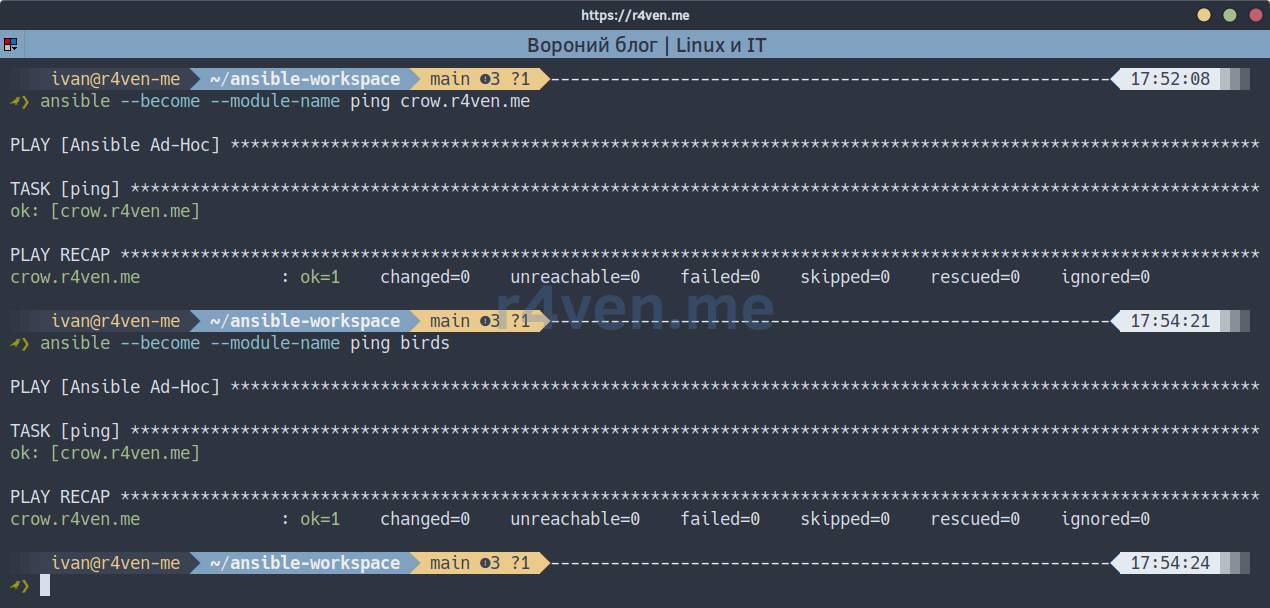
Check availability:
ansible --become --module-name ping crow.r4ven.me

ansible --become --module-name ping birds📝 Here --become is the parameter for running the operation as root, crow.r4ven.me is the name of my host in the inventory, and birds is a host group.
💡 By the way, if you’re also tired of constantly looking up the right host names in the inventory, take a look here: Tab completion of hosts from the Ansible inventory for ansible, ssh, scp, rsync.
On the managed server you must install the python3-apt package:
ansible --become --module-name shell --args 'apt install --yes python3-apt' crow.r4ven.meInstalling the role
The role is installed from a Git repository via ansible-galaxy. The most illustrative way is to specify the repository link and tag right in the command:
ansible-galaxy role install git+https://github.com/r4ven-ansible/firewall.git,v1.0.0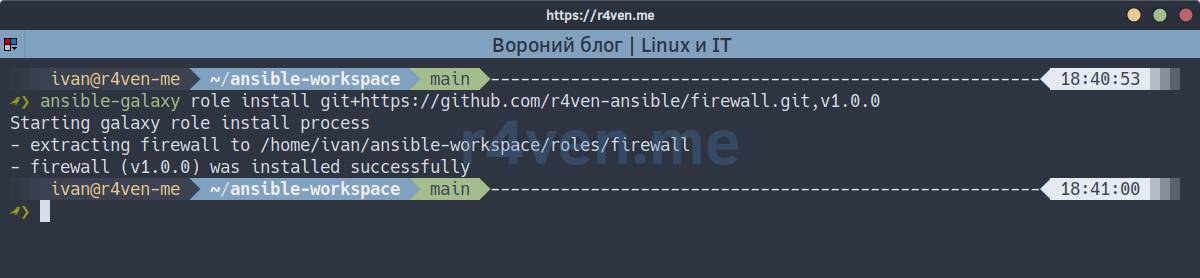
Format: git+<url>,<tag or branch>. It’s better to pin the version with a tag so that the role doesn’t update unexpectedly.
For reproducibility, role references are pinned in requirements.yml (the workspace already has one):
roles:
  - name: firewall
    src: https://github.com/r4ven-ansible/firewall.git
    scm: git
    version: v1.0.0
collections: []and installed with the command:
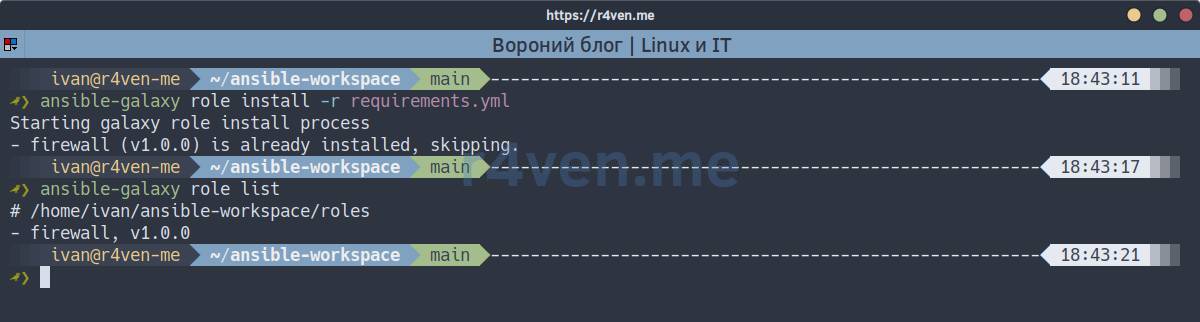
ansible-galaxy role install -r ./requirements.ymlLet’s check that the role is in place:
ansible-galaxy role listTo move to another version, change version and add --force to the install command.
How the firewall role is structured
In this role, tables, sets, chains, and rules are described by Ansible variables. The role collects them, renders a single /etc/nftables.conf via Jinja2, validates the config, and applies it.
roles/firewall/
├── defaults/main.yml          # default values
├── tasks/
│   ├── main.yml               # supported OS check
│   ├── firewall.yml           # packages, rule assembly, includes apply.yml
│   ├── preflight.yml          # management access protection and pre-apply checks
│   ├── reachability.yml       # connectivity check via Ansible's own path
│   └── apply.yml              # staging, snapshot, transaction, and rollback
├── templates/
│   ├── nftables.conf.j2       # template turning the YAML DSL into nft syntax
│   └── fingerprint.py.j2      # fingerprint of managed tables for drift detection
├── meta/main.yml
├── examples/                  # sample ansible.cfg, inventory, and playbook
├── tests/                     # VM tests, results, and limitations (README.md)
└── README.mdVariables are split into two levels:
| Where | What it describes |
|---|---|
./group_vars/all/firewall.yml | Base policy for all hosts: tables, chains, sets, common rules |
./host_vars/<host>.yml | Enabling the firewall and the differences of a particular server |
The role is disabled by default (firewall_enabled: false). Until you explicitly enable it for a host, it touches nothing there. This is convenient for gradual rollout: you onboard hosts one at a time.
Full example of a base nftables configuration
If you work in the ansible-workspace repository environment, the rule set is already there: ./inventory/group_vars/all/firewall.yml.
☝️ Variables in the all directory apply to all hosts from ./inventory/hosts.yml.
Otherwise, just create/update the file (./inventory/group_vars/all/firewall.yml) with variables for all hosts, adding the contents of the yaml block below.
The file is large, and you don’t need to read it closely right now: below we’ll first apply it as is, and then go through it piece by piece. To make clear what you’re copying, here is its map:
| Block | What it defines | Where we cover it |
|---|---|---|
firewall_enabled, nft_* switches | global flags: enabling the role, removing other firewalls, full flush, restarting Docker | Applying |
nft_tables, nft_sets + # SET CONTENT | tables and named address lists: LAN networks, trusted IPs, spoofing-protection exceptions, dynamic sets for the SSH limit | Tables and sets |
nft_chains | chains with hooks and policies plus custom input_wan, input_lan, log_drop | Chains |
nft_rules | the rules themselves, sorted by order: mandatory passes (1-7), basic checks (10-21), LAN/WAN split (80-90), LAN allow and WAN permissions (100-198), forward (200-206), logging (300+) | Rules |
commented-out nat_* at the end (removed since the file is big enough) | NAT and redirect templates | Flexibility |
The order numbering consists of “slots” with headroom: there’s plenty of room between SSH (110) and the default deny (198) for your own rules, so you can add them without rewriting existing ones.
---

firewall_enabled: false
nft_remove_other_firewall: false
nft_flush_ruleset: false
nft_restart_docker: false

nft_bin: "/usr/sbin/nft"
nft_config_path: "/etc/nftables.conf"
nft_backup_path: "/root/nft_backup"
nft_validate_cmd: "{{ nft_bin }} -c -f %s"
nft_wan_interface: "{{ ansible_facts.get('default_ipv4', {}).get('interface') | default('unknown0', true) }}"

# TABLES
nft_tables:
  - family: inet
    name: filter
  - family: inet
    name: nat

# SETS
nft_sets:
  - family: inet
    table: filter
    name: lan4
    type: ipv4_addr
    flags: interval
    elements: "{{ nft_lan4_networks }}"

  - family: inet
    table: filter
    name: lan6
    type: ipv6_addr
    flags: interval
    elements: "{{ nft_lan6_networks }}"

  - family: inet
    table: filter
    name: trusted
    type: ipv4_addr
    flags: interval
    elements: "{{ nft_trusted_ips }}"

  - family: inet
    table: filter
    name: trusted6
    type: ipv6_addr
    flags: interval
    elements: "{{ nft_trusted_ips6 }}"

  # исключения из spoof guard, по умолчанию пустые
  - family: inet
    table: filter
    name: wan_local4
    type: ipv4_addr
    flags: interval
    auto_merge: true
    elements: "{{ nft_wan_local4_networks }}"

  - family: inet
    table: filter
    name: wan_local6
    type: ipv6_addr
    flags: interval
    auto_merge: true
    elements: "{{ nft_wan_local6_networks }}"

  # per-source SSH rate limiting
  - family: inet
    table: filter
    name: ssh_flood4
    type: ipv4_addr
    flags: dynamic
    size: 65536
    timeout: 10m

  - family: inet
    table: filter
    name: ssh_flood6
    type: ipv6_addr
    flags: dynamic
    size: 65536
    timeout: 10m

# SET CONTENT
nft_lan4_networks:
  - 10.0.0.0/8
  - 172.16.0.0/12
  - 192.168.0.0/16
  - 169.254.0.0/16

nft_lan6_networks:
  - fd00::/8
  - fe80::/10

nft_trusted_ips:
  - 203.0.113.10

# No IPv6 source is trusted until explicitly added.
nft_trusted_ips6: []

# Opt-in: заполняйте только для сегмента, которому доверяете (см. раздел про
# спуфинг). Готовые значения роль выводит из фактов в nft_wan_local4/6.
nft_wan_local4_networks: []
nft_wan_local6_networks: []

# CHAINS
# https://wiki.nftables.org/wiki-nftables/index.php/Netfilter_hooks
nft_chains:
  - family: inet
    table: filter
    name: input
    type: filter
    hook: input
    priority: -1
    policy: drop

  # Intentionally permissive: new routed traffic is accepted unless explicitly
  # dropped here. Input rules do not protect forwarded/container traffic.
  - family: inet
    table: filter
    name: forward
    type: filter
    hook: forward
    priority: -51
    policy: accept

  # priority must stay above -200 (conntrack), otherwise ct matches
  # in this chain will never work
  - family: inet
    table: filter
    name: output
    type: filter
    hook: output
    priority: -1
    policy: accept

  - family: inet
    table: nat
    name: prerouting
    type: nat
    hook: prerouting
    priority: -101
    policy: accept

  - family: inet
    table: nat
    name: output
    type: nat
    hook: output
    priority: -101
    policy: accept

  - family: inet
    table: nat
    name: postrouting
    type: nat
    hook: postrouting
    priority: 99
    policy: accept

  # custom chains
  - family: inet
    table: filter
    name: input_wan

  - family: inet
    table: filter
    name: input_lan

  - family: inet
    table: filter
    name: log_drop

# RULES
nft_rules:
  # ---- BASE ----
  allow_dhcp_client6:
    order: 7
    family: inet
    table: filter
    chain: input
    match:
      iifname: "{{ nft_wan_interface }}"
      meta:
        l4proto: udp
      ip6:
        saddr: "fe80::/10"
      udp:
        sport: 547
        dport: 546
    action: accept
    comment: "Allow DHCPv6 client replies"

  # The guards run after allow_established, so a forged ICMP error carrying a
  # live flow's tuple would be accepted as 'related'. Redirects are the one such
  # message with real consequences (route injection, MITM), and no server needs
  # to honour them; pair this with accept_redirects=0 in sysctl.
  allow_dhcp_client4:
    order: 6
    family: inet
    table: filter
    chain: input
    match:
      iifname: "{{ nft_wan_interface }}"
      meta:
        l4proto: udp
      udp:
        sport: 67
        dport: 68
    action: accept
    comment: "Allow DHCPv4 client replies"

  allow_icmp6_nd:
    order: 5
    family: inet
    table: filter
    chain: input
    match:
      meta:
        l4proto: ipv6-icmp
      icmpv6:
        type:
          - nd-router-solicit
          - nd-router-advert
          - nd-neighbor-solicit
          - nd-neighbor-advert
    action: accept
    comment: "Allow IPv6 neighbour discovery"

  # A DHCP-addressed host loses its lease without these: a unicast renew reply
  # from a private server is dropped by the guard before allow_established, and
  # broadcast rebind replies match no conntrack entry at all. Bound to the WAN
  # interface; a host that leases on another interface needs its own rule.
  drop_invalid:
    order: 10
    family: inet
    table: filter
    chain: input
    match:
      ct:
        state: invalid
    action: drop
    comment: "Drop invalid connections"

  drop_icmp_redirect4:
    order: 11
    family: inet
    table: filter
    chain: input
    match:
      meta:
        l4proto: icmp
      icmp:
        type: redirect
    action: drop
    comment: "Drop ICMP redirects"

  drop_icmp_redirect6:
    order: 12
    family: inet
    table: filter
    chain: input
    match:
      meta:
        l4proto: ipv6-icmp
      icmpv6:
        type: nd-redirect
    action: drop
    comment: "Drop ICMPv6 redirects"

  allow_established:
    order: 15
    family: inet
    table: filter
    chain: input
    match:
      ct:
        state:
          - established
          - related
    action: accept
    comment: "Allow established connections"

  # ---- WAN SPOOFING GUARD ----
  # Run after established/related so replies from private uplink peers survive.
  # New/untracked private-source traffic on WAN still reaches these guards.
  drop_wan_spoofed_lan_ipv4:
    order: 20
    family: inet
    table: filter
    chain: input
    expr: 'iifname "{{ nft_wan_interface }}" ip saddr @lan4 ip saddr != @wan_local4'
    action:
      jump: log_drop
    comment: "Drop spoofed private IPv4 from WAN"

  drop_wan_spoofed_lan_ipv6:
    order: 21
    family: inet
    table: filter
    chain: input
    expr: 'iifname "{{ nft_wan_interface }}" ip6 saddr @lan6 ip6 saddr != @wan_local6'
    action:
      jump: log_drop
    comment: "Drop spoofed private IPv6 from WAN"

  allow_loopback:
    order: 30
    family: inet
    table: filter
    chain: input
    match:
      iif: lo
    action: accept
    comment: "Allow loopback"

  allow_trusted:
    order: 40
    family: inet
    table: filter
    chain: input
    match:
      ip:
        saddr:
          value: "@trusted"
    action: accept
    comment: "Allow trusted IPs"

  allow_trusted6:
    order: 41
    family: inet
    table: filter
    chain: input
    match:
      ip6:
        saddr:
          value: "@trusted6"
    action: accept
    comment: "Allow trusted IPv6 addresses"

  icmp4:
    order: 50
    family: inet
    table: filter
    chain: input
    match:
      meta:
        l4proto: icmp
      icmp:
        type:
          - echo-request
          - destination-unreachable
          - time-exceeded
      limit:
        rate: "10/second"
    action: accept
    comment: "ICMP rate limited"

  icmp6:
    order: 60
    family: inet
    table: filter
    chain: input
    match:
      meta:
        l4proto: ipv6-icmp
      icmpv6:
        type:
          - destination-unreachable
          - packet-too-big
          - time-exceeded
          - parameter-problem
          - nd-router-solicit
          - nd-router-advert
          - nd-neighbor-solicit
          - nd-neighbor-advert
    action: accept
    comment: "Necessary IPv6 ICMP"

  icmp6_ping:
    order: 61
    family: inet
    table: filter
    chain: input
    match:
      meta:
        l4proto: ipv6-icmp
      icmpv6:
        type: echo-request
      limit:
        rate: "10/second"
    action: accept
    comment: "ICMPv6 ping rate limited"

  # ---- LAN/WAN SPLIT ----
  jump_to_lan_ipv4:
    order: 80
    family: inet
    table: filter
    chain: input
    match:
      ip:
        saddr:
          value: "@lan4"
    action:
      jump: input_lan

  jump_to_lan_ipv6:
    order: 81
    family: inet
    table: filter
    chain: input
    match:
      ip6:
        saddr:
          value: "@lan6"
    action:
      jump: input_lan

  jump_to_wan_ipv4:
    order: 82
    family: inet
    table: filter
    chain: input
    match:
      ip:
        saddr:
          op: "!="
          value: "@lan4"
    action:
      jump: input_wan

  jump_to_wan_ipv6:
    order: 83
    family: inet
    table: filter
    chain: input
    match:
      ip6:
        saddr:
          op: "!="
          value: "@lan6"
    action:
      jump: input_wan

  default_drop:
    order: 90
    family: inet
    table: filter
    chain: input
    action:
      jump: log_drop

  # ---- LAN ----
  input_lan_allow_all:
    order: 100
    family: inet
    table: filter
    chain: input_lan
    action: accept
    comment: "Allow all from LAN"

  # ---- WAN ----
  # per-source limit: a single flooding source cannot exhaust
  # the SSH budget for everyone else
  wan_ssh_flood_ipv4:
    order: 108
    family: inet
    table: filter
    chain: input_wan
    match:
      meta:
        l4proto: tcp
      tcp:
        dport: "{{ ssh_port | default('22') }}"
      ct:
        state: new
      raw: "add @ssh_flood4 { ip saddr limit rate over 20/minute }"
    action:
      jump: log_drop
    comment: "Drop SSH flood per IPv4 source"

  wan_ssh_flood_ipv6:
    order: 109
    family: inet
    table: filter
    chain: input_wan
    match:
      meta:
        l4proto: tcp
      tcp:
        dport: "{{ ssh_port | default('22') }}"
      ct:
        state: new
      raw: "add @ssh_flood6 { ip6 saddr limit rate over 20/minute }"
    action:
      jump: log_drop
    comment: "Drop SSH flood per IPv6 source"

  wan_allow_ssh:
    order: 110
    family: inet
    table: filter
    chain: input_wan
    match:
      meta:
        l4proto: tcp
      tcp:
        dport: "{{ ssh_port | default('22') }}"
      ct:
        state: new
    action: accept
    comment: "SSH rate limited per source"

  wan_default_drop:
    order: 198
    family: inet
    table: filter
    chain: input_wan
    action:
      jump: log_drop
    comment: "Default WAN drop"

  # ---- FORWARD ----
  fwd_drop_invalid:
    order: 200
    family: inet
    table: filter
    chain: forward
    match:
      ct:
        state: invalid
    action: drop
    comment: "Drop invalid forwarded connections"

  fwd_allow_established:
    order: 203
    family: inet
    table: filter
    chain: forward
    match:
      ct:
        state:
          - established
          - related
    action: accept
    comment: "Allow established forwarded connections"

  # As in input, accept established/related before checking private WAN sources.
  fwd_drop_wan_spoofed_lan_ipv4:
    order: 205
    family: inet
    table: filter
    chain: forward
    expr: 'iifname "{{ nft_wan_interface }}" ip saddr @lan4 ip saddr != @wan_local4'
    action:
      jump: log_drop
    comment: "Drop spoofed private IPv4 forwarded from WAN"

  fwd_drop_wan_spoofed_lan_ipv6:
    order: 206
    family: inet
    table: filter
    chain: forward
    expr: 'iifname "{{ nft_wan_interface }}" ip6 saddr @lan6 ip6 saddr != @wan_local6'
    action:
      jump: log_drop
    comment: "Drop spoofed private IPv6 forwarded from WAN"

  # ---- LOG/DROP ----
  logdrop_log:
    order: 300
    family: inet
    table: filter
    chain: log_drop
    match:
      limit:
        rate: "5/second"
    action:
      log:
        prefix: "NFT-DROP: "
        flags: all

  logdrop_drop:
    order: 301
    family: inet
    table: filter
    chain: log_drop
action: drop☝️ Important
The forward chain intentionally uses policy: accept. New routed traffic is allowed unless an explicit rule drops it; allowing established, related does not forbid new connections. Restrictions in input apply to the host itself, not to transit traffic or published container ports passing through forward. If you need to filter that traffic, add separate rules to forward; the base policy above is not a “deny by default” policy for it.
We’ll go through the rules in more detail a bit below, but for now…
Applying the base configuration
The playbook for running is minimal. Let’s create it using redirection and here doc:
cat > ./playbooks/firewall.yml <<EOF
---

- name: Setup firewall
  hosts: all
  gather_facts: true
  become: true
  roles:
    - role: firewall
EOFSuppose we have a web server crow.r4ven.me in the inventory. Let’s enable the firewall role for it with host variables:
cat > ./inventory/host_vars/crow.r4ven.me.yml <<EOF
---

nft_remove_other_firewall: true
firewall_enabled: true
EOF☝️ It’s important that the host name in the file name crow.r4ven.me.yml exactly matches its name in the inventory.
Here:
firewall_enabled- enables the role for the host;- ⚠️
nft_remove_other_firewall- stops and disables theufw,firewalld,iptables, andnetfilter-persistentservices, and removes theufwandfirewalldpackages so they don’t conflict withnftables.
First, let’s see what would change on it without applying anything (diff + check mode):
ansible-playbook ./playbooks/firewall.yml --limit crow.r4ven.me --diff --check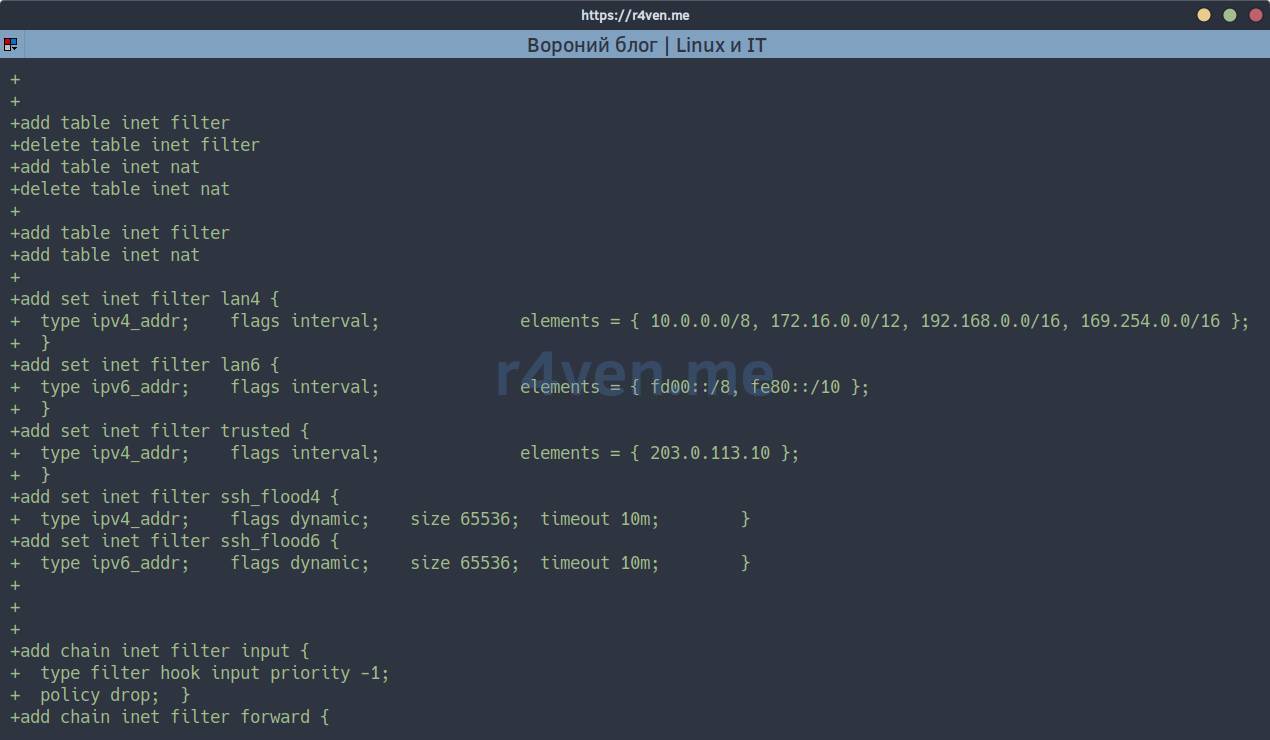
The role shows the config difference (diff: true), so you see exactly the lines that will appear in /etc/nftables.conf. If nft isn’t installed yet, this is only a comparison of the rendered config: you can’t verify nft syntax, package installation, runtime rules, or service behavior. In check mode packages aren’t installed, and neither the file nor the runtime changes; the service is skipped if nft is absent. Even with nft installed, the diff and syntax check don’t prove the server will be reachable after applying.
If you’re still here and everything looks fine, run it without --check:
ansible-playbook ./playbooks/firewall.yml --limit crow.r4ven.me --diffOr straight on a group of hosts:
ansible-playbook ./playbooks/firewall.yml --limit birds --diffWhen it finishes, check the host’s availability right away:
ansible --become --module-name ping crow.r4ven.me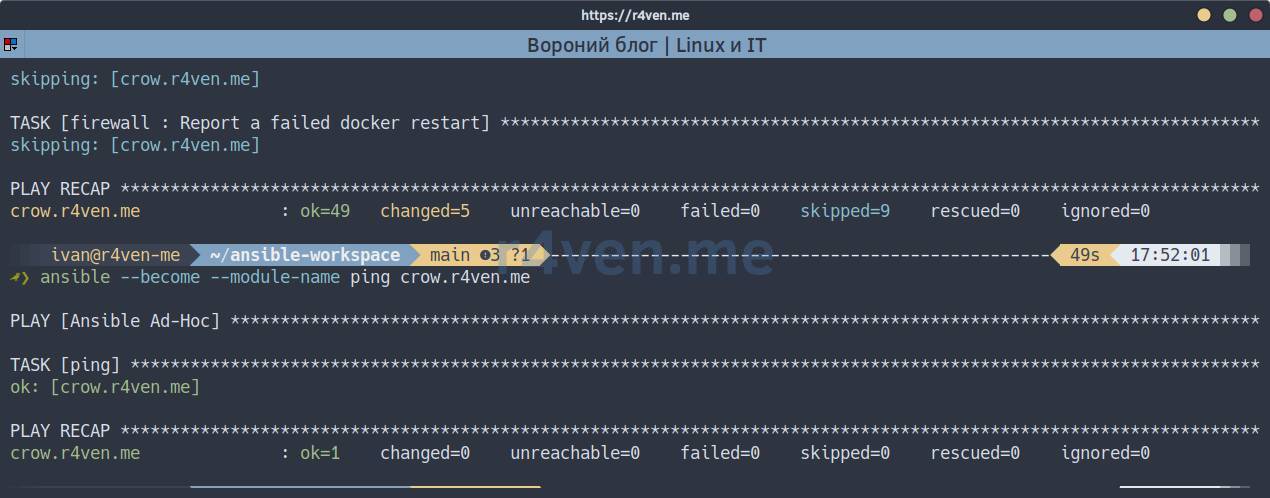
About the SSH port
You don’t need to open the SSH port: the base policy has a dedicated rule for it with a connection rate limit. The port is taken from the ssh_port variable (22 by default). If you still specify it in the extra port list nft_allowed_ports (see below), that entry will be skipped (variable nft_allowed_ports_exclude_ssh) so as not to duplicate or bypass the rate limit. A non-standard ssh_port must match the actual sshd port and ansible_port; the firewall role itself does not reconfigure sshd. That said, you no longer have to check this manually: the role compares ssh_port with the port serving the live session and refuses to apply the configuration if they differ - otherwise the SSH rules would protect a port nobody connects to. This check is disabled with nft_mgmt_assert_ssh_port: false. Also check nft_ssh_check_port. Only the exact value of the configured SSH port is excluded, not all possible SSH ports and not ranges containing it.
How to quickly open new ports
Now all you need is to add the special variable nft_allowed_ports to inventory/host_vars/crow.r4ven.me.yml:
cat >> ./inventory/host_vars/crow.r4ven.me.yml <<EOF
nft_allowed_ports:
  - "80/tcp"
  - "443/tcp"
  - "443/udp"
EOF📝 In nft_allowed_ports we list the ports allowed from the external network (WAN). The format is port/protocol; the default protocol is tcp.
Look at the changes:
ansible-playbook ./playbooks/firewall.yml --limit crow.r4ven.me --diff --checkIf everything is fine, apply:
ansible-playbook ./playbooks/firewall.yml --limit crow.r4ven.me --diffBreaking down the base policy in group_vars
As mentioned earlier, we define the common policy once for a group of hosts. Here it is, piece by piece.
Tables and sets
nft_tables:
  - family: inet
    name: filter
  - family: inet
    name: nat

nft_lan4_networks:
  - 10.0.0.0/8
  - 172.16.0.0/12
  - 192.168.0.0/16
  - 169.254.0.0/16

nft_trusted_ips:
  - 203.0.113.10

nft_sets:
  - family: inet
    table: filter
    name: lan4
    type: ipv4_addr
    flags: interval
    elements: "{{ nft_lan4_networks }}"

  - family: inet
    table: filter
    name: trusted
    type: ipv4_addr
    flags: interval
elements: "{{ nft_trusted_ips }}"We use the inet family - the same rules work for both IPv4 and IPv6. Sets are named lists of addresses: add an IP to nft_trusted_ips and it gets access to all ports on all servers, unless an earlier rule drops the packet (for example, WAN address-spoofing protection). No rules need to be edited.
Chains
nft_chains:
  - family: inet
    table: filter
    name: input
    type: filter
    hook: input
    priority: -1
    policy: drop # deny everything by default

  - family: inet
    table: filter
    name: forward
    type: filter
    hook: forward
    priority: -51
    policy: accept # allow everything by default

  # custom chains (no hook)
  - family: inet
    table: filter
    name: input_wan
  - family: inet
    table: filter
    name: input_lan
  - family: inet
    table: filter
name: log_dropThe policy for incoming traffic to the host itself (input) is drop: whatever isn’t explicitly allowed is denied. Besides the base chains with hooks, custom input_lan, input_wan, and log_drop chains are created - through them we split traffic into “ours” and “foreign”.
Rules
Each rule is a key in the nft_rules dictionary with the following fields:
| Field | Purpose |
|---|---|
order | Order of application (lower - earlier) |
family, table, chain | Where to add the rule |
match | Conditions: what kind of packet |
action | What to do with it: accept, drop, jump, dnat, etc. |
comment | Comment (ends up in the config and in nft list ruleset) |
A fragment of the base policy:
nft_rules:
  drop_invalid:
    order: 10
    family: inet
    table: filter
    chain: input
    match:
      ct:
        state: invalid
    action: drop
    comment: "Drop invalid connections"

  allow_established:
    order: 15
    family: inet
    table: filter
    chain: input
    match:
      ct:
        state:
          - established
          - related
    action: accept
    comment: "Allow established connections"

  allow_trusted:
    order: 40
    family: inet
    table: filter
    chain: input
    match:
      ip:
        saddr:
          value: "@trusted"
    action: accept
    comment: "Allow trusted IPs"

  jump_to_lan_ipv4:
    order: 80
    family: inet
    table: filter
    chain: input
    match:
      ip:
        saddr:
          value: "@lan4"
    action:
      jump: input_lan

  jump_to_wan_ipv4:
    order: 82
    family: inet
    table: filter
    chain: input
    match:
      ip:
        saddr:
          op: "!="
          value: "@lan4"
    action:
      jump: input_wan

  input_lan_allow_all:
    order: 100
    family: inet
    table: filter
    chain: input_lan
    action: accept
    comment: "Allow all from LAN"

  wan_default_drop:
    order: 198
    family: inet
    table: filter
    chain: input_wan
    action:
      jump: log_drop
comment: "Default WAN drop"The logic works out like this:
- With the very first rule (
order: 1) the role itself allows the current management connection - there’s a separate section about it below; - We pass what must work outside conntrack: IPv6 neighbour discovery (
order: 5) and DHCP client replies (6,7); - We drop “broken” packets (
invalid,order: 10) and ICMP redirects (11,12); - We pass replies to already established connections (
established,order: 15); - We drop private sources on the WAN: address-spoofing protection rules with
order: 20/21(omitted from the short fragment above); - We pass
loopbackand trusted addresses from thetrusted/trusted6sets; - We split traffic by source: from private networks to
input_lan, from everything else toinput_wan; - Everything is allowed from the LAN; from the WAN, only what is explicitly opened by rules with
orderfrom 100 to 197; - Everything else at the end of
input_wangoes tolog_drop- it’s logged with rate limiting and dropped.
📝 The order of the source-address spoofing protection rules relative to the established, related allow is a compromise. If you check the source address earlier, you may drop legitimate replies from a DNS or NTP server with a private address reachable through the external interface: this is especially relevant for hosts whose uplink itself is on a private network. So traffic of already tracked connections and related packets is allowed first, and then the source check is applied to the remaining traffic. Packets required for the network to work outside tracked connections, such as IPv6 Neighbor Discovery and DHCP replies, are allowed by separate rules before this check. This order does not rule out forged packets for an existing connection: conntrack tracks state but does not authenticate the sender. A successful attack needs the parameters of a matching flow, and for TCP also valid sequence numbers. ICMP redirects are dropped by separate rules before the established, related allow (order: 11, 12). Additionally, disable accepting them via net.ipv4.conf.all.accept_redirects=0 and net.ipv6.conf.all.accept_redirects=0, also checking the values for specific interfaces: the role does not change sysctl settings.
Note the ordering: the order numbers are “slots”. Between 110 (SSH) and 198 (default deny) there’s a lot of room where you can add your own rules without rewriting existing ones. That’s exactly why ports from nft_allowed_ports land in slots 111 (TCP) and 112 (UDP).
Spoofing and SSH brute-force protection
The policy already includes two useful things that people usually forget to do by hand.
Address spoofing protection. New packets from the external interface that supposedly came from a private address are dropped:
drop_wan_spoofed_lan_ipv4:
  order: 20
  family: inet
  table: filter
  chain: input
  expr: 'iifname "{{ nft_wan_interface }}" ip saddr @lan4 ip saddr != @wan_local4'
  action:
    jump: log_drop
comment: "Drop spoofed private IPv4 from WAN"The external interface name is determined automatically from Ansible facts (ansible_facts.get('default_ipv4', {}).get('interface'), with an IPv6 fallback); if the specified interface isn’t in the facts, the role warns about it - a rule bound to a nonexistent interface matches nothing and only looks like protection.
If you’re now thinking “won’t this cut me off?” - that’s exactly what the Protecting management access section below is about: the role allows the current connection with the very first rule and refuses to apply the config if it can’t guarantee that.
The @wan_local4/@wan_local6 sets are exceptions to the protection mechanism, and by default they are empty. Fill them only for a segment you truly trust: a private source exempted from this protection ends up in input_lan, where input_lan_allow_all allows everything, meaning you trust the entire on-link subnet, including anyone able to spoof an address in it. The role derives ready-made values from facts - nft_wan_local4 (the interface’s networks) and nft_wan_local6 (its individual addresses, not subnets):
nft_wan_local4_networks: "{{ nft_wan_local4 }}"
nft_wan_local6_networks: []Per-IP rate limiting of SSH connections. This uses a dynamic set with a timeout:
nft_sets:
  - family: inet
    table: filter
    name: ssh_flood4
    type: ipv4_addr
    flags: dynamic
    size: 65536
    timeout: 10m

nft_rules:
  wan_ssh_flood_ipv4:
    order: 108
    family: inet
    table: filter
    chain: input_wan
    match:
      meta:
        l4proto: tcp
      tcp:
        dport: "{{ ssh_port | default('22') }}"
      ct:
        state: new
      raw: "add @ssh_flood4 { ip saddr limit rate over 20/minute }"
    action:
jump: log_dropThe dynamic set stores the limit state for each source: new SSH connections above 20/minute are dropped. This is not a fixed 10-minute ban - timeout applies to the set entry. A real IPv4 burst was tested on a test virtual machine, but the exact limit refill, fairness between sources, and IPv6 flood were not tested separately.
What comes out
The role turns all this YAML into a plain, readable nftables config. Here is a fragment of what ends up in /etc/nftables.conf on the server from the example above:
#!/usr/sbin/nft -f

add table inet filter
delete table inet filter
add table inet nat
delete table inet nat
add table inet filter
add table inet nat
add set inet filter lan4 {
  type ipv4_addr;    flags interval;    elements = { 10.0.0.0/8, 172.16.0.0/12, 192.168.0.0/16, 169.254.0.0/16 };
}
add chain inet filter input {
  type filter hook input priority -1;
  policy drop;
}
add chain inet filter input_wan
add rule inet filter input iifname "eth0" ip saddr 203.0.113.77 tcp dport 22 ct state { new, established } accept comment "Keep the active management path reachable"
add rule inet filter input meta l4proto ipv6-icmp icmpv6 type { nd-router-solicit, nd-router-advert, nd-neighbor-solicit, nd-neighbor-advert } accept comment "Allow IPv6 neighbour discovery"
add rule inet filter input meta l4proto udp udp sport 67 udp dport 68 iifname eth0 accept comment "Allow DHCPv4 client replies"
add rule inet filter input meta l4proto udp ip6 saddr fe80::/10 udp sport 547 udp dport 546 iifname eth0 accept comment "Allow DHCPv6 client replies"
add rule inet filter input ct state invalid drop comment "Drop invalid connections"
add rule inet filter input meta l4proto icmp icmp type redirect drop comment "Drop ICMP redirects"
add rule inet filter input meta l4proto ipv6-icmp icmpv6 type nd-redirect drop comment "Drop ICMPv6 redirects"
add rule inet filter input ct state { established, related } accept comment "Allow established connections"
add rule inet filter input iifname "eth0" ip saddr @lan4 ip saddr != @wan_local4 jump log_drop comment "Drop spoofed private IPv4 from WAN"
add rule inet filter input iif lo accept comment "Allow loopback"
add rule inet filter input ip saddr @trusted accept comment "Allow trusted IPs"
add rule inet filter input ip6 saddr @trusted6 accept comment "Allow trusted IPv6 addresses"
add rule inet filter input ip saddr @lan4 jump input_lan
add rule inet filter input ip saddr != @lan4 jump input_wan
add rule inet filter input_lan accept comment "Allow all from LAN"
add rule inet filter input_wan ct state new meta l4proto tcp tcp dport 22 add @ssh_flood4 { ip saddr limit rate over 20/minute } jump log_drop comment "Drop SSH flood per IPv4 source"
add rule inet filter input_wan ct state new meta l4proto tcp tcp dport 22 accept comment "SSH rate limited per source"
add rule inet filter input_wan tcp dport { 80, 443 } accept comment "Allow TCP ports from WAN"
add rule inet filter input_wan jump log_drop comment "Default WAN drop"
add rule inet filter log_drop limit rate 5/second log prefix "NFT-DROP: " flags all
add rule inet filter log_drop dropA few remarks:
- The
add table→delete table→add tableconstruct makes applying atomic and idempotent: tables are recreated in full, rules aren’t duplicated on a rerun, and foreign tables (for example, those created byDocker) are left untouched. The exception isnft_flush_ruleset: true: it starts the config withflush rulesetand wipes outDockertables too, so in that configuration you neednft_restart_docker: true, otherwise published container ports will have no rules until the daemon is restarted. - The port list
[80, 443]is automatically collapsed into the expression{ 80, 443 }, and thecommentfield from YAML ended up in the comments - handy when debugging vianft list ruleset. - The first rule in the
inputchain was generated by the role itself - it’s the allow for the current management connection, details below.
Per-host settings
The base policy covers the typical case. For exceptions there’s the nft_rules_extra variable, which is layered on top of nft_rules with a recursive dictionary merge. And the nft_rules_host variable goes on top of nft_rules_extra. This lets you avoid copying the whole policy into host_vars and describe only the differences. Three main scenarios:
nft_rules_extra:
  # 1. Add a new rule
  allow_prometheus:
    order: 115
    family: inet
    table: filter
    chain: input_wan
    match:
      ip:
        saddr: 10.20.20.5
      tcp:
        dport: 9100
    action: accept
    comment: "Prometheus scrape"

  # 2. Remove a rule from the base policy
  wan_allow_ssh:

  # 3. Change a single field of an existing rule
  wan_ssh_flood_ipv4:
    match:
raw: "add @ssh_flood4 { ip saddr limit rate over 5/minute }"- Adding - just a new key.
- Removing - assign
nullto the key, and the role filters it out before rendering. - Changing - specify only the field you need to fix; everything else is kept from the base rule.
The final merge order is:
nft_rules  →  mgmt rule  →  nft_allowed_ports  →  nft_rules_extra  →  nft_rules_host
(base) (role, order 1) (quick ports) (group/host) (host level)The role mixes in the management access rule right after the base, so if necessary you can override or “null out” it via nft_rules_extra/nft_rules_host.
⚠️ Warning
By default Ansible replaces a dictionary entirely: nft_rules_extra from host_vars will completely override nft_rules_extra from group_vars.
The recommended approach is to keep group-wide extra rules in nft_rules_extra and host-specific ones in a separate variable, nft_rules_host: the role merges it as the last level, and no global setting is needed. If you still need to define the same dictionary at two inventory levels, enable hash_behaviour = merge yourself:
[defaults]
hash_behaviour = mergeThe setting is marked as deprecated in ansible-core, and it’s absent from the role’s examples/ansible.cfg - which is exactly why nft_rules_host appeared.
Also keep in mind that inside a single rule lists are replaced, not appended to. For example, tcp.dport: [80] in nft_rules_extra for wan_allow_tcp_ports will replace the list [80, 443] entirely, not add 80 to it.
Protecting management access
Before rendering the rules, the role reads the live management connection from $SSH_CONNECTION on the target host (not from the inventory: with ProxyJump, NAT, or a bastion, the address the server sees is not equal to ansible_host) and adds the following as the first rule of the chain:
iifname "<interface>" ip saddr <admin address> tcp dport <session port> ct state { new, established } acceptIt also refuses to apply the configuration if it can’t guarantee protection:
| Check | Why |
|---|---|
the management source interface is resolved via ip route get | a rule bound to the wrong interface won’t fire |
the nft_mgmt_chain chain exists in nft_chains | otherwise there’s nowhere to insert the rule |
the rule has the lowest order in the chain | otherwise an earlier drop would get there first |
sources are valid addresses/CIDRs of one family, not 0.0.0.0/0 | a wildcard in a rule that accepts first is unacceptable |
ssh_port matches the live session’s port | otherwise the SSH rules protect a port nobody connects to |
| the sum of check timeouts is less than the rollback timeout | otherwise the timer would roll back a healthy host in the middle of a check |
Parameters:
nft_mgmt_allow_enabled: true # disables all of the protection at once
nft_mgmt_sources: [] # empty - detect the address automatically
nft_mgmt_interface: "" # empty - detect via "ip route get"
nft_mgmt_match_interface: true # false with asymmetric routing
nft_mgmt_order: 1
nft_mgmt_assert_ssh_port: true❗️ Caution
This protection has a price. The rule lands in /etc/nftables.conf as an ordinary one - that is what preserves access after a reboot - which means: SSH from this address bypasses the policy restrictions (rate limit, access only from trusted); a shared or dynamic address (NAT gateway, bastion, CI runner) extends this bypass to everyone behind it and to the next owner of the IP; and runs from different control machines overwrite the rule each time and report changed. If that matters more than availability, pin nft_mgmt_sources to the administrators’ range or disable the rule and rely on the rollback timer.
💡 Tip
The limit of 20 new SSH connections per minute per IP works against you too. Ansible run without SSH multiplexing opens many connections and will hit the limit itself. By default Ansible uses ControlMaster/ControlPersist, but if you override ssh_args, don’t forget to keep them and add keepalive:
[ssh_connection]
ssh_args = -o ControlMaster=auto -o ControlPersist=60s -o ServerAliveInterval=5 -o ServerAliveCountMax=3 -o ConnectTimeout=10Keepalive here is part of the safety net, not cosmetics. Without it, a rule that cut the management connection doesn’t fail the task: Ansible hangs on a dead TCP session, the timer manages to roll the host back underneath it, the session revives on a late retransmission, and all subsequent checks pass - on an already rolled-back host. The transaction still won’t commit, but the cause in the output will be far less obvious. Such an ssh_args already lives in the role’s examples/ansible.cfg.
Flexibility: NAT, redirect, and raw nftables
If the constructs described in the DSL aren’t enough, the role doesn’t box you in.
DNAT: forwarding a port to an internal service
nft_rules_extra:
  nat_dnat_crow:
    order: 400
    family: inet
    table: nat
    chain: prerouting
    match:
      ip:
        daddr: 198.51.100.5
      tcp:
        dport: 8443
    counter: true
    action:
      dnat:
        ip: "192.168.10.20:443"
comment: "DNAT 8443 to internal crow.r4ven.me"For the inet family, dnat requires an explicit protocol version (ip or ip6), and then the role will generate the correct dnat ip to ....
Redirect to a local port
nft_rules_extra:
  nat_redirect_dns:
    order: 404
    family: inet
    table: nat
    chain: prerouting
    match:
      ip:
        daddr: 198.51.100.5
      meta:
        l4proto:
          - tcp
          - udp
      th:
        dport: 53
    action:
      redirect: ":553"
comment: "Redirect DNS to local service on 553"Arbitrary expressions
For non-trivial cases there are three “emergency exits”: match.raw, rule-level expr, and action.raw. For example, spoofing protection via FIB:
nft_rules_extra:
  anti_spoof:
    order: 70
    family: inet
    table: filter
    chain: input
    expr: "fib saddr . iif oif missing"
action: dropFlowtables for routers
If the host acts as a gateway, you can enable software acceleration of traffic forwarding (flowtable offload):
nft_flowtables:
  - family: inet
    table: filter
    name: ft
    devices:
      - eth0
      - eth1

nft_rules_extra:
  offload_established:
    order: 204
    family: inet
    table: filter
    chain: forward
    match:
      ct:
        state: established
      meta:
        l4proto:
          - tcp
          - udp
    action:
flow: ftIn effect, any nftables syntax can be expressed either through the DSL or through raw - and the other conveniences (ordering, merging, validation, rollback) keep working.
Safe application
The most important thing in remote firewall management is not to cut yourself off from the server. That’s why the role applies changes following a strict scenario:
- Preflight. The role identifies the live management connection, builds an allow rule for it, and refuses to continue if that path can’t be protected (see the section above). It also checks here that
ssh_portmatches the real session’s port and that the check timeouts fit within the rollback timeout. - Comparison and staging. The role compares the rendered config without writing to
/etc/nftables.conf. If there’s a change, it creates a private transaction directory innft_state_dirand a staging filecandidate, validated bynft -c -fbefore the working config is replaced and the rules are applied. This is not “before it hits the disk”: the candidate is already in a temporary file. - Snapshot. The current runtime ruleset is saved, not just the possibly stale config. Separately saved are the original file (including a
symlink) or the fact of its absence, the service’senabled/runtime-enabledandmasked/runtime-maskedstates, and whether it was active. - Independent timer. Before applying, a
transientsystemdtimer with a unique transaction name is created - independently of connectivity checks (nft_rollback_enabled). It restores the runtime, the config (or its absence), and the service state withoutAnsible’s involvement. The timer’s accuracy is pinned (AccuracySec), otherwisesystemdcoalesces firings and the timeout turns into a suggestion. In addition, a persistentOnBootSecunit is installed for the duration of the transaction: a reboot between apply and commit would otherwise leave the host without rules and with a masked service, and transient timers don’t survive it. - History and apply. Only if the content changed is the previous config saved to
/root/nft_backup/asnftables.conf_<sha256>with0600permissions. An already existing hash isn’t copied again and its mtime isn’t updated. The candidate replaces the working file, the service is temporarily masked, and the rules are loaded vianft -f. - Connectivity check and commit. By default, with
nft_ssh_check_delegate, the TCP reachability of the SSH port is checked; optionally (nft_ssh_check_connection) the role also reconnects viaAnsible’s own path.apply,rollback,arm,disarm, andcommituse a sharedflockand a state marker:commitis allowed only frompending. If the timer has already started a rollback, even a late successful connection won’t produce a false success - instead of an emptyrc=1you get a message that the management connection was lost and the state was restored by the timer. - Completion. A successful
commitunmasks and enablesnftables, disarms the timer and theOnBootSecunit, deletes the transaction directory, and records the fingerprint of the managed tables. After a successful change, the lastnft_backup_keepunique previous configs by mtime are kept (10 by default). An identical rerun giveschanged=0.
On error, rescue tries to roll back the transaction immediately if the host is still reachable. If SSH is completely lost, that path is unavailable too - then what remains is the armed independent timer. A failed transaction returns an error with the result of the restore attempt and leaves the snapshots and timer for investigation, rather than declaring the rollback successful in words; you can remove the leftover safety net manually with <transaction directory>/transaction disarm.
Two more things the role does so as not to harm itself:
- Rerunning a task is safe.
Ansibleretries a task after an SSH drop, sopreparedoesn’t retake the snapshot (otherwise it would record the already applied rules as “original”), andcommitdoesn’t fail on an already committed transaction. - Overlapping transactions are forbidden. A new transaction refuses to start while a
pendingorrollback-failedone is nearby: the old one’s timer would cancel the new one’s commit. Completed neighbours are cleaned up automatically.
Separately - drift control. The role looks not only at the configuration file: after the commit it saves a fingerprint of the managed tables, and if the live ruleset no longer matches it (someone ran nft flush ruleset, loaded rules by hand, or the service failed to bring them up), the transaction runs again even when the rendered config hasn’t changed. Counters, dynamic set contents, and foreign tables (for example, Docker) are excluded from the comparison.
This reduces risk but gives no absolute guarantee 😉. A TCP port check doesn’t verify SSH authentication or all management routes. The timer depends on a working systemd, nft, the machine itself, and the snapshots. After a reboot inside the transaction window, the host stays without a firewall until the OnBootSec unit fires. Keep a console or a VM snapshot at hand.
You can tune the parameters to your needs:
nft_rollback_enabled: true # independent safety net (doesn't depend on checks)
nft_rollback_timeout: 120 # after how many seconds to roll back
nft_rollback_on_boot: true # recovery after a reboot within the window
nft_state_dir: /var/lib/nftables-firewall
nft_ssh_check_enabled: true # check availability after applying
nft_ssh_check_tcp: true # TCP probe with delegate (default)
nft_ssh_check_connection: false # reconnect via Ansible's own path
nft_ssh_check_timeout: 30 # how long to wait for a response
nft_drift_check_enabled: true # react to live ruleset drift
nft_backup_keep: 10 # how many unique previous configs to keepIf a rollback did happen
It looks like this (output from my test run, where a rule deliberately cut off SSH):
TASK [firewall : Commit only if rollback has not started] ***
fatal: [crow.r4ven.me]: FAILED! => {"cmd": [".../transaction", "commit"], "rc": 1,
  "stderr": "Transaction state is 'rolled-back', not 'pending': the rollback timer
  already fired or the transaction was rolled back. The control connection was most
  likely lost after the new rules were applied, so the independent timer restored
  the previous state."}

TASK [firewall : Report failed transaction without claiming successful restoration] ***
fatal: [crow.r4ven.me]: FAILED! => {"msg": "nftables transaction failed: ...
  Rollback rc=0. Transaction snapshots remain in
  /var/lib/nftables-firewall/nft-transaction-ir9gi5kj; any armed timer is left
  intact; failed restoration requires investigation. Clean up with
  \"/var/lib/nftables-firewall/nft-transaction-ir9gi5kj/transaction disarm\"
once the state is understood."}What this means and what to do, step by step:
- The host is already restored - the rules, config, and service state are back to what they were before the run. Verify for yourself:
nft list rulesetandsha256sum /etc/nftables.conf. - The cause is in the
stderrof the first error.rolled-backmeans the independent timer fired, i.e. connectivity was lost after the rules were applied. If instead the task failed at the availability check, the message will contain exactly the check timeout - meaning the rules dropped new connections while the established session survived. - Remove the leftover safety net. The role deliberately doesn’t delete the snapshot or disarm the timer on failure - otherwise you’d lose both the evidence and the protection. The command is printed in the error:
<transaction directory>/transaction disarm. - Until the safety net is removed, the next run will refuse to start - a new transaction isn’t created next to an unfinished one, because its timer would cancel your new commit. This is not a bug but protection against two overlapping applies.
- Fix the cause, not the protection. Previous configs are in
/root/nft_backup/asnftables.conf_<sha256>, so you can compare “what was and what became” without guessing.
☝️ If the console is unavailable and the rules are already applied, the most useful thing is to change nothing until the timer fires: it will restore the state itself, within nft_rollback_timeout (plus the systemd timer accuracy). A reboot at this moment is not scary either: for the duration of the transaction the role installs a separate unit that will restore the snapshot after boot.
Hosts behind a bastion
If you reach the server via ProxyJump, the control machine has no direct route to the target’s SSH port, and the default TCP probe will fail (which means a rollback will happen). There are two solutions.
Delegate the check to a host that sees the target directly (it must be in the inventory):
nft_ssh_check_delegate: bastionOr check connectivity via Ansible’s own path - it goes through the same ProxyJump:
nft_ssh_check_connection: true
nft_ssh_check_tcp: false📝 Note
Why the check via an Ansible connection isn’t enabled by default: to make sure a new connection works, the role first tears down the persistent connection, and with it the very established session through which rescue could roll the rules back immediately. In this mode recovery falls on the timer. That’s why the TCP probe is used by default: it also notices a broken path for new connections but leaves the live session alone.
To disable the checks: nft_ssh_check_enabled: false.
Tags and partial runs
All stages of the role are tagged, so you can run only the part you need:
| Tag | What it does |
|---|---|
firewall | The entire role |
nft_packages | Only installing the nftables package |
nft_rules | Only assembling the rules dictionary |
nft_config | Rule assembly and the same transactional apply (applies changes without --check) |
nft_apply | Rule assembly and apply with rollback; without package installation |
For example, to quickly roll out rule changes:
ansible-playbook playbooks/firewall.yml -l crow.r4ven.me -t nft_apply-t nft_apply requires nftables to be already installed: the tag skips package installation. For the first run, use the whole role.
Common tasks in a couple of lines
A quick summary of which variables to change in typical cases:
| Task | What to change |
|---|---|
| Open a port on one server | Add "8080/tcp" to the host’s nft_allowed_ports |
| Give an office IP access to all servers | Add the IP to nft_trusted_ips in group_vars |
| Close SSH from the internet on one host | wan_allow_ssh: null in nft_rules_extra |
| Forward a port to an internal service | A rule with dnat in the nat table |
Move from ufw to nftables | nft_remove_other_firewall: true |
| Onboard a new server | firewall_enabled: true and a port list in host_vars |
| Roll back a failed change | rescue tries to restore the snapshot immediately, the independent timer is a safety net if connectivity is lost. Config history is in /root/nft_backup/ |
And all of this is stored in git: you get a history of firewall changes, review via merge request, and reproducibility 👍.
Conclusion
In the end, the policy is stored in YAML, and what remains on the server is a plain /etc/nftables.conf. If something goes wrong, you can look at the diff, inspect the generated rules, and roll back the application. For me that’s more convenient than maintaining a separate config by hand on every server.
Testing the role with AI: what was verified and what wasn’t
The role is tested with a “destructive” set of scenarios (tests/run_vm.py) with real SSH drops, rollbacks, and reboots. The latest run was on three targets, with 0 FAIL everywhere:
- a
Debian 13VM with--reboot- 24 PASS; - a rented
Debian 13host with a public address,--reboot --docker --bastion- 26 PASS; - a rented
Ubuntu 26.04host, same flags - 26 PASS.
Covered: apply and idempotence, immediate rollback and rollback by the independent timer on complete SSH loss, the “timer fired before commit” race, reproduction of the lockout itself, detection of manual tampering with rules, overlapping transactions, rerunning a task after a drop, access via a bastion (ProxyJump and delegated check), coexistence with Docker and its published ports, a reboot inside an unfinished transaction and after commit.
What the testing does not include: routable IPv6 (all targets had only link-local), a host with multiple interfaces and transit routing, nftables older than 1.1.3, exact rate limit refill timing, and IPv6 flood. Separately I’ll note: in the base policy above, the forward chain stays with the accept policy - for a router this must be changed deliberately. Scenarios, logs, and boundaries are in tests/README.md in the role’s repository.
Thanks for reading. Good luck automating your routine 🙂.
👨💻And…
Don’t forget about our Telegram channel 📱 and chat
Or maybe you want to become a co-author? Then click here🔗
💬 All the best ✌️
That should be it. If not, check the logs 🙂
